Downloadable Files
You can download JOULU - Plastic Wrinkle Mockup for free from the end of this page.
Add Natural Plastic Wrinkles to Your Mockup Designs
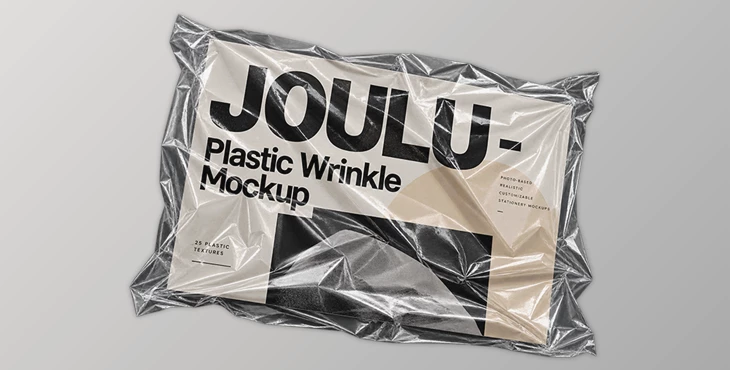
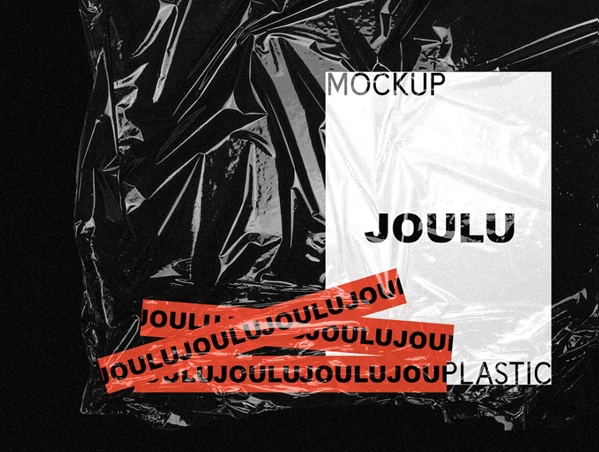
Flat artwork does not always create the sense of depth and physical texture needed for a realistic presentation. JOULU - Plastic Wrinkle Mockup provides a collection of photo-based plastic wrinkle textures designed to introduce natural-looking highlights, shadows, and surface irregularities into stationery mockups.
Rather than relying on a single wrinkle pattern, the PSD contains 25 different plastic wrinkle types. These textures can be arranged and combined in different configurations, giving you flexibility when adapting the effect to different designs.
The photo-based nature of the textures also helps create a more natural and personal visual atmosphere. This makes the mockup suitable for presenting work in online shops, portfolios, and social media posts where a more tactile presentation is preferred.
25 Plastic Wrinkle Textures in One PSD
The main file is an organised, layered PSD containing 25 plastic textures. Each wrinkle type can be arranged, combined, and customised, allowing multiple textures to be used together rather than limiting the design to one predefined appearance.
This structure gives you control over how much texture appears across the composition and how different wrinkle patterns interact with each other. Depending on the presentation, you can keep the effect relatively simple or combine several textures to produce a more complex wrinkled plastic surface.
Because the textures are contained within a single organised PSD file, the available wrinkle options remain accessible without requiring separate project files for every variation.
Separate Shadow and Highlight Controls
The plastic wrinkle effect is built from two layers:
Shadow
Highlight
Both layers can be adjusted independently to better suit the artwork and overall appearance of the mockup.
Separating the light and dark components of the wrinkles provides more control than treating the plastic effect as one fixed texture. The highlight can be changed independently from the shadow, making it possible to customise how the wrinkles interact visually with the design underneath.
This two-layer structure is especially relevant when working with artwork that requires a particular balance between visible texture and clarity. Instead of being locked into the original appearance of the effect, you can modify its two main components according to the needs of your presentation.
A Flexible Texture-Based Workflow
The workflow of JOULU - Plastic Wrinkle Mockup centers on selecting and combining the included wrinkle textures inside the layered PSD.
Choose wrinkle textures → Arrange or combine them → Adjust shadow and highlight layers → Adapt the effect to your design
With 25 available wrinkle types, different combinations can be created from the same source file. This makes the kit suitable for creating multiple presentations while varying the placement and appearance of the plastic texture.
The approach is particularly useful when you want the artwork to retain a consistent overall style while avoiding exactly the same wrinkle arrangement across every presentation.
Where JOULU - Plastic Wrinkle Mockup Fits Best
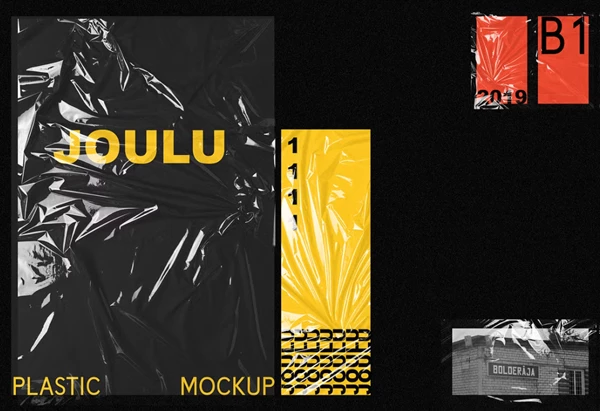
The kit is designed primarily for creating photorealistic stationery mockups with natural plastic wrinkles. Its photo-based textures can also give digital presentations a more physical and personal character.
According to the provided product information, the resulting visuals are suitable for:
Online shop presentations
Portfolio projects
Social media posts
Stationery mockups
The ability to arrange and combine multiple textures means the same PSD can be adapted to different visual presentations rather than functioning as a single fixed mockup.
What Is Included?
The package contains:
1 layered PSD file with 25 plastic textures
PDF instructions
Video tutorial explaining how to use the textures and mockup
The PDF and video provide supporting guidance for working with the included files and applying the texture effect.
It is also important to note that the preview images shown for the product are not included in the package.
Overall, JOULU - Plastic Wrinkle Mockup focuses on a specific presentation effect: adding customizable, photo-based plastic wrinkles to stationery artwork. Its combination of 25 texture options and independently adjustable shadow and highlight layers provides several ways to vary the final appearance while working from a single organised PSD.

Files Password : gfxplugin.com OR 123456
![Download The Wrinkle Wiper [Action Set to Fix Solid Dress and Fabric Wrinkles]](https://dls4.gfxplugin.ir/Download_Files/21386/SearchSmall/banner.jpg)