Downloadable Files
You can download Shader Shaper for free from the end of this page.
Generate Detailed Shader Maps from a Single Texture
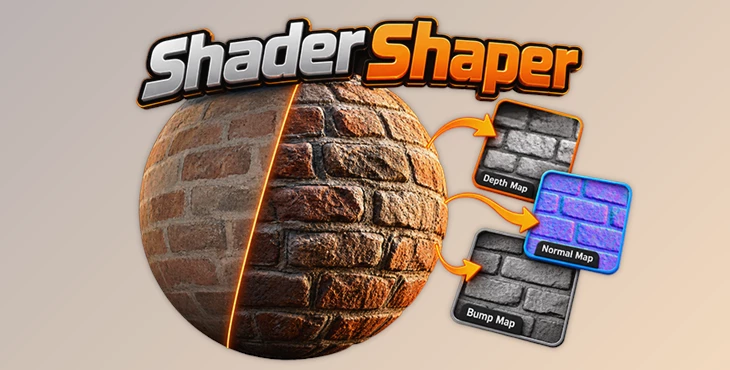
Designed for Blender, this addon turns a selected texture into a more complete shader setup by generating bump, normal, and depth maps and connecting them to the shader automatically. Its workflow combines map generation with interactive processing tools that address common problems such as seams, large distortions, uneven flat surfaces, and unwanted variations in AI-generated height data.
Turn a Texture into a Detailed Shader Setup
Shader Shaper simplifies the process of creating additional surface information from an existing texture. Select the texture node, click generate, and the addon creates bump, normal, and depth maps before configuring the shader to use them.
The generated maps provide different forms of surface information that can be used to give materials more depth and detail. Rather than stopping at basic map generation, Shader Shaper also provides controls for refining the resulting height data before it becomes part of the final material.
One of its key characteristics is tileable height output. According to the developer, the height information represented by the generated depth, bump, and normal maps matches at the seams while avoiding the large incorrect variations that can appear in AI-generated results.
This does not make the content of the original texture itself tileable. For the best result, the input image should already be tileable.
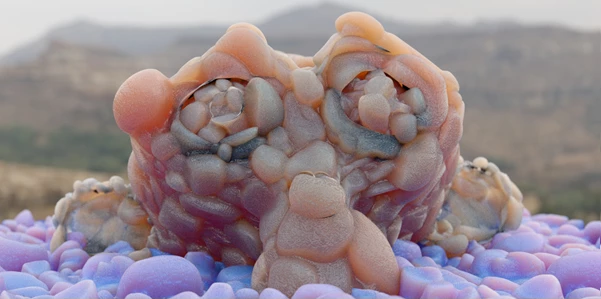
Refine AI-Generated Height Data
Shader Shaper includes several interactive processing tools for correcting issues in generated maps.
Distortion Removal is designed to remove large, wave-like distortions from the generated height information. These broad variations can interfere with a surface that should have more controlled or consistent depth.
Flattening targets another specific problem: flat materials. AI processing may struggle with surfaces such as brick walls, tiles, flooring, and carpeting where the underlying plane needs to remain relatively flat. Shader Shaper provides interactive flattening controls for correcting this behavior.
The addon also includes seam smoothing, which can help maps generated from non-tileable images repeat more smoothly. A separate Smooth All option can smooth the overall height while retaining micro details.
Together, these controls provide a way to process generated data rather than simply accepting the initial map output unchanged.
Separate Micro Detail Controls for Each Map
Shader Shaper lets you adjust fine-detail strength independently for each generated map. This is important when different parts of a shader should respond differently to the same texture information.
For instance, a material can use fine details in its normal map to create a visibly bumpy surface while excluding those details from the displacement map. The displaced geometry can therefore remain smoother while smaller surface details are handled through the normal information.
This per-map approach gives you more control over how micro detail contributes to the final shader instead of applying the same level of detail uniformly to every generated map.
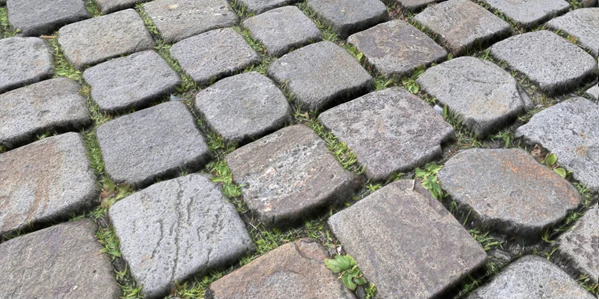
Enhance Map Generation
An Enhance option is included for improving results produced with smaller AI models. The developer specifically recommends using this option with small models such as Depth Anything V2 Small, particularly when GPU acceleration is unavailable.
Large models can also be processed with Enhance, but they may take significantly longer, especially without GPU acceleration.
This option can also be used with smaller AI models that permit commercial use, while the generated output from Shader Shaper can be incorporated into commercial projects.
Resolution, Aspect Ratio, and Normal Map Format Controls
Generated maps are not restricted to one fixed configuration. Shader Shaper allows you to interactively change:
Map resolution
Aspect ratio
Normal map format
These controls are intended to make the resulting maps suitable for use across different 3D applications and game engines. Instead of regenerating the entire workflow around a fixed output format, the map settings can be adapted to the requirements of the target environment.
The addon outputs high-bit-depth maps, and its internal image-processing system is designed to reduce gradient and edge artifacts, including when maps are applied to curved surfaces.
CPU and GPU Processing
Shader Shaper supports CPU processing as well as hardware acceleration on supported GPUs.
For GPU acceleration, the stated hardware and platform support includes:
| Hardware | Platform | Acceleration Support |
|---|---|---|
| NVIDIA GPUs | Windows / Linux | CUDA 11.8–12.9 |
| AMD GPUs | Linux | ROCm 6.0 or 6.4 |
| Apple hardware | macOS | CPU only |
GPU acceleration can substantially speed up map processing, while CPU support keeps the addon usable on systems without a supported GPU configuration.
Giving Existing Texture Libraries New Surface Detail
Shader Shaper can also be used with textures that already include their own depth and normal maps. Rather than replacing the diffuse texture, you can keep the original image and regenerate its depth and normal information through the addon.
This provides a way to revisit existing texture or material libraries when the original supporting maps do not produce the desired surface result.
The workflow can be as straightforward as:
Select Texture Node → Generate Maps → Refine Height Data → Adjust Individual Map Details → Configure Output → Use the Generated Shader
Because distortion removal, flattening, smoothing, and micro-detail adjustments are interactive, the generated maps can be refined according to the characteristics of the source material rather than relying on a single automatic result.
Blender Compatibility
Shader Shaper's generated maps can also be configured for use outside Blender through the available resolution, aspect-ratio, and normal-map-format controls.
For artists working with texture-based materials, Shader Shaper combines automatic bump, normal, and depth generation with tools for correcting and refining the height information. Its tileable height output, flattening and distortion controls, independent micro-detail adjustment, smoothing tools, and hardware acceleration make it particularly focused on producing map data that can be practically integrated into shader workflows.

Files Password : gfxplugin.com OR 123456