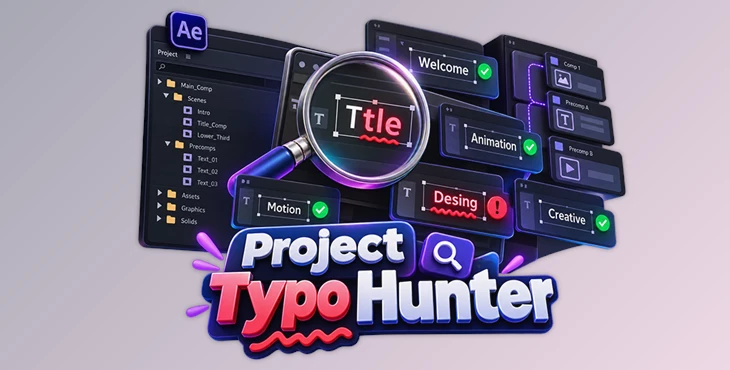
Downloadable Files
You can download Project Typo Hunter for free from the bottom of this page.
Catch Typos Before They Leave Your After Effects Project
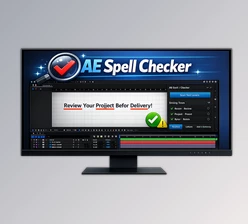
Built for Adobe After Effects, this tool checks spelling and text across an entire project rather than limiting the scan to the composition currently being viewed. It searches text layers throughout the project, including text buried inside precomps, and collects detected spelling problems into a results list for faster review and correction.
This project-wide approach is particularly valuable in large After Effects files. Instead of opening compositions and nested precomps individually to look for incorrect text, you can run a single scan and work through the detected issues from one place.
Spell-Check an Entire After Effects Project
The main purpose of Project Typo Hunter is to make spelling review practical when an After Effects project contains many compositions and text layers.
The tool scans every text layer across the project in one pass. This means spelling errors located deep inside precomps can be detected along with mistakes in more immediately visible compositions.
Once the scan is complete, the results are presented in a list rather than requiring you to search through the project manually. Misspelled words are highlighted, making individual problems easier to identify.
The basic workflow is:
Scan the project → Review detected spelling errors → Select a result → Jump to its composition → Correct the text
Project Typo Hunter can also be used retroactively. Existing, older, or inherited After Effects projects can be opened and scanned, so the spelling check does not need to be part of the project from the beginning. This makes it possible to review completed work, templates, or complex files received from someone else.
Find and Correct Detected Words
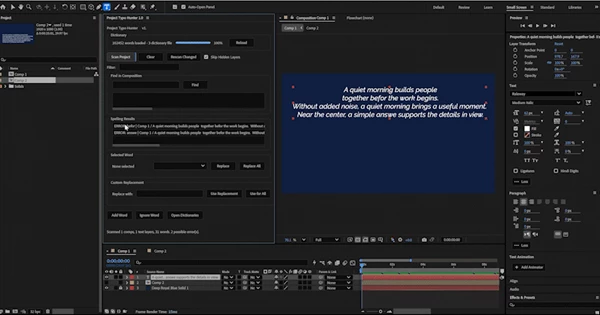
Finding a typo is only part of the process. Project Typo Hunter includes tools for moving from a detected problem directly to the text that needs attention.
Its Find in Composition function lets you jump from a result to the corresponding composition and text. This avoids manually tracing a spelling error through the project structure after it has been detected.
For corrections, the tool provides Replace and Replace All options. A single occurrence can therefore be corrected individually, while multiple occurrences of the same typo can be replaced together when appropriate.
A Custom Replacement field is also available for entering the exact replacement you want to use.
The spelling workflow includes:
Multi-comp search
Quick word lookup
Filterable results list
Highlighted misspelled words
Ranked spelling suggestions
Replace and Replace All
Custom Replacement field
Find in Composition
Together, these controls keep detection, navigation, and correction within the same spelling-review process.
Build a Personal Dictionary
Not every unfamiliar word in an After Effects project is necessarily a mistake. Projects can contain names, specialized terminology, brand-specific wording, and other valid words that a standard spelling check may not recognize.
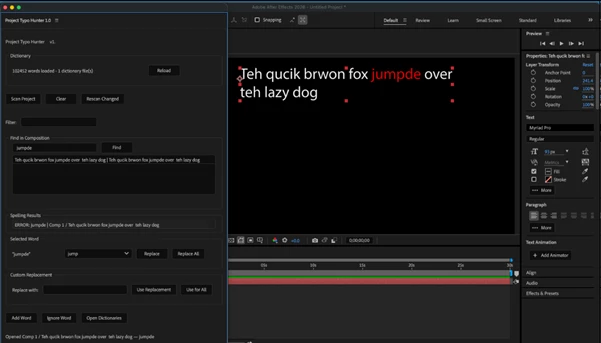
Project Typo Hunter includes a growable personal dictionary for these cases. Words can be added to the dictionary so they are recognized during spelling review rather than continually appearing as potential errors.
This is especially relevant when repeatedly working with terminology that is correct for a particular project or workflow but is not normally present in the spelling dictionary.
Review Large and Nested Projects More Efficiently
The distinction between Project Typo Hunter and a spell checker that only examines the active or nested composition becomes more important as an After Effects project grows.
A project containing numerous comps and precomps can make manual text checking cumbersome. Text may be located several levels deep, and reviewing each composition individually creates the possibility of simply overlooking a layer.
Project Typo Hunter instead treats the whole project as the search scope. After detecting an issue, it provides a direct path back to the relevant composition and text so the mistake can be corrected in place.
This can be useful when checking a finished After Effects project, reviewing templates with lots of text, working with projects created by someone else, or managing large projects with many comps and precomps.
One behavior to keep in mind is that hidden layers are skipped during the scan. Text placed on hidden layers therefore needs to be considered when deciding what should be included in the spelling review.

Files Password : gfxplugin.com OR 123456