Downloadable Files
You can download Forge: Cad Precision Modelling In Blender for free from the end of this page.
Forge: Cad Precision Modelling In Blender by Superhivemarket
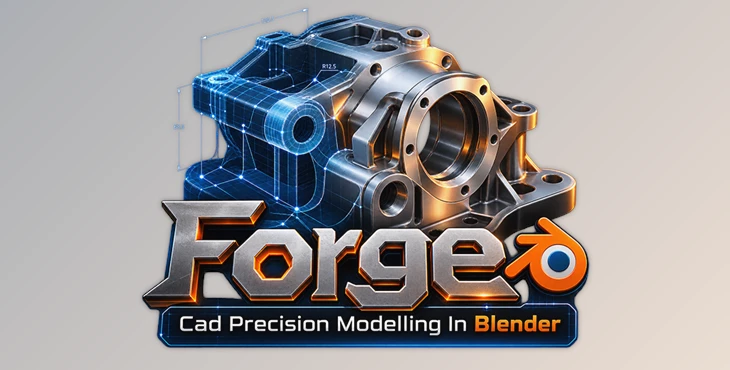
Forge: Cad Precision Modelling In Blender brings true CAD modeling directly into Blender, combining precise BRep geometry with a workflow that stays inside the 3D viewport. It is designed for creating hard-surface and mechanical forms with mathematically accurate surfaces, booleans, fillets, and other parametric operations.
Instead of relying only on polygon topology while designing a model, Forge lets you work with CAD geometry first. Once the design is complete, it can be converted into a clean Blender mesh that is ready for animation and further work.
True CAD Geometry Inside Blender
The main idea behind Forge is to provide a CAD environment without requiring you to leave Blender. It works with precise BRep geometry, allowing surfaces and solid bodies to be calculated mathematically rather than built entirely through conventional polygon modeling.
This approach is particularly focused on hard-surface designs where accurate shapes and clean intersections matter. Forge handles operations such as booleans, fillets, chamfers, cuts, and surface creation within its CAD workflow.
The tool provides its own Forge Mode, a dedicated workspace integrated into Blender. Similar to entering Edit Mode, you can enter Forge Mode and access its CAD modeling environment directly from the 3D viewport.
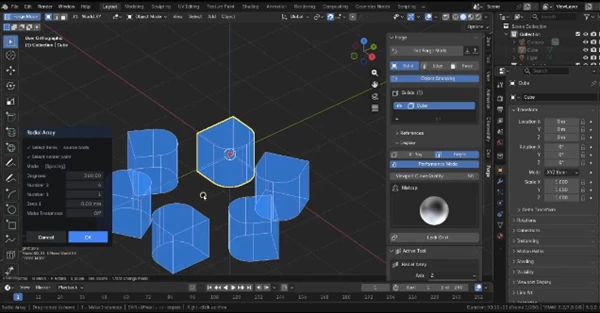
Parametric Modeling Tools
Forge includes a broad collection of tools for constructing profiles, curves, solid bodies, and mechanical shapes.
Some of its core tools include:
Line: Creates precise profiles and hard-surface boundaries.
Spline: Produces continuous curves that can guide operations such as lofts and sweeps.
Cylinder: Generates cylinders with parametric radius and depth controls.
Sphere: Creates mathematically defined spheres for base forms or boolean operations.
Boolean: Supports live cuts, unions, and intersections with a real-time ghost preview.
Fillet and Chamfer: Creates calculated surface blends and angled bevels.
Split: Separates bodies and faces using planes or sketched lines.
Trim: Removes unwanted sketch lines or overlapping body geometry.
Loft: Builds solid transitional forms between multiple 2D profiles.
Sweep: Moves a 2D profile along a custom 3D path or spline.
Revolve: Rotates a 2D profile around an axis to generate symmetrical parts.
Pipe: Creates hollow or solid tubes along a sketched path.
Mirror: Reflects sketches or solid bodies across an axis and supports auto-fusing for symmetrical geometry.
The toolkit also includes operations such as Extrude, Offset, Inset, Imprint, Shell, Thicken, Array, Auto-Regions, Clean Topology, and Project.
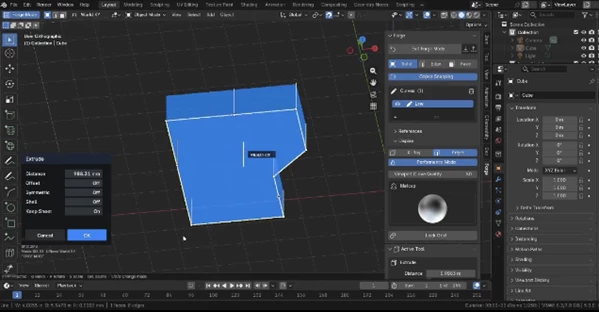
Building Complex CAD Forms
The different modeling operations can be combined into more complex workflows without switching to external CAD software.
For instance, a profile can be created using lines or splines and then turned into a three-dimensional form through Sweep, Loft, or Revolve. Boolean operations can then cut or combine solid bodies, while Fillet and Chamfer can refine their edges.
A typical Forge workflow can therefore follow a structure such as:
Sketch → Build Solid Geometry → Boolean / Split / Trim → Refine Surfaces → Convert to Blender Mesh
Because these operations take place within the dedicated Forge environment, the CAD stage remains integrated with the rest of the Blender project.
Auto-Retopology for Blender Meshes
CAD geometry and standard Blender meshes serve different purposes, so Forge includes Auto-Retopology for moving from the precision modeling stage into a conventional Blender workflow.
After the CAD design is finished, Forge can convert it into a clean, animation-ready Blender mesh. This provides a direct transition between precise CAD construction and the mesh-based environment used elsewhere in Blender.
It is particularly relevant when a model needs accurate CAD-style construction first but must ultimately exist as regular Blender geometry for later stages of a project.
STEP, IGES, and BREP Import and Export
Forge also supports CAD file exchange through its Universal I/O system.
It can directly import and export:
STEP
IGES
BREP
These formats can be handled from within the Blender viewport. This gives Forge a way to work with CAD geometry created outside Blender as well as export geometry for workflows that use these formats.
Performance Mode for Different Hardware
Forge includes a Performance Mode for systems where displaying detailed CAD geometry could put more pressure on viewport performance.
The Viewport Curve Quality setting can be adjusted to control how curves are displayed while working. Lowering the required viewport quality provides a way to keep the modeling environment responsive on hardware that is not a high-end workstation.
This means the viewport representation can be adjusted according to the available system performance rather than requiring the same display quality for every device.
A CAD-Focused Hard-Surface Workflow in Blender
Forge: Cad Precision Modelling In Blender is centered on combining BRep CAD modeling with Blender's existing 3D environment. Its dedicated Forge Mode provides tools for sketching, creating solids, performing precise booleans, building swept or revolved forms, refining edges, and handling other parametric operations without moving the design process into separate CAD software.
The ability to convert finished CAD designs into clean Blender meshes connects that precision workflow with animation and other mesh-based stages. STEP, IGES, and BREP support further extends the workflow when models need to move between Blender and CAD-based pipelines.

Files Password : gfxplugin.com OR 123456