Downloadable Files
You can download Photo Card for free from the end of this page.
Photo Card by Ashampoo
This software is designed to turn personal photos into elegant greeting cards without requiring a separate graphics editor. Its workflow stays simple: select an existing image or take a webcam snapshot, choose a suitable template, customize the text, and prepare the finished greeting.
Create Personal Photo Greetings Quickly
Photo Card focuses on making personalized cards from your own images. Instead of building a card layout from scratch, you can start with one of the included templates and combine it with a photo and custom text.
The basic process is straightforward:
Select a photo or take a webcam snapshot → Choose a template → Edit the text → Send your greeting
This approach is suitable for occasions where you want to create a personal card without spending a long time designing individual elements.
Templates for Different Occasions
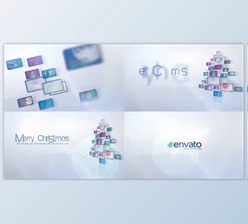
The software includes numerous thematic templates for different types of greetings and events. Available themes cover occasions such as Christmas, weddings, and birthdays, giving you ready-made designs that can be matched with your photos.
Photo Card also includes an integrated clipart library. Templates and clipart can be combined in different ways, providing more design options without requiring external graphic assets for every element.
This combination lets the same application handle different types of personal greetings while keeping the creation process based around ready-to-use visual elements.
Built-In Photo Editing Tools
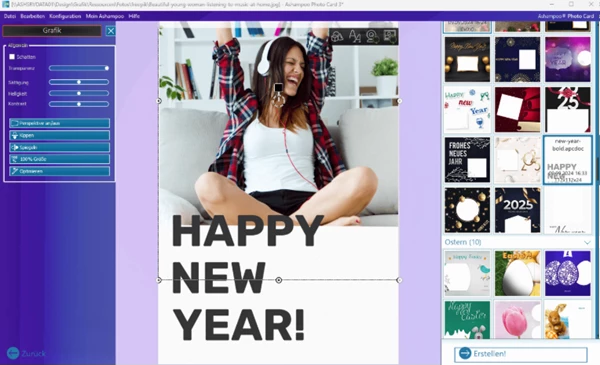
Photo Card is not limited to placing an image inside a card template. Basic image adjustments can be made directly in the application, so common corrections do not require opening the photo in another editor first.
The available editing controls include:
Image size adjustment
Brightness control
Contrast adjustment
Color saturation adjustment
Image mirroring
Image flipping
Perspective correction
There is also a 1-click image optimization option for quickly improving a photo when you do not want to adjust its settings individually.
These tools keep photo preparation and card creation in the same workflow. You can correct the source image and then continue working on the greeting without switching between separate applications.
From Your Photo to a Finished Card
The main idea behind Photo Card is to keep the number of steps between choosing an image and creating a greeting small. You can begin with an existing photo or capture a new image through a webcam, then move directly to the card design.
After selecting a template, the text can be edited to fit the occasion and recipient. The built-in photo controls can then be used when the image needs changes to brightness, contrast, saturation, orientation, perspective, or size.
For users who prefer ready-made designs over manually constructing layouts, Photo Card brings templates, clipart, text customization, and essential image editing together in one dedicated tool.

Files Password : gfxplugin.com OR 123456