Downloadable Files
You can download Dependency Graph for free from the bottom of this page.
Dependency Graph by Aescripts
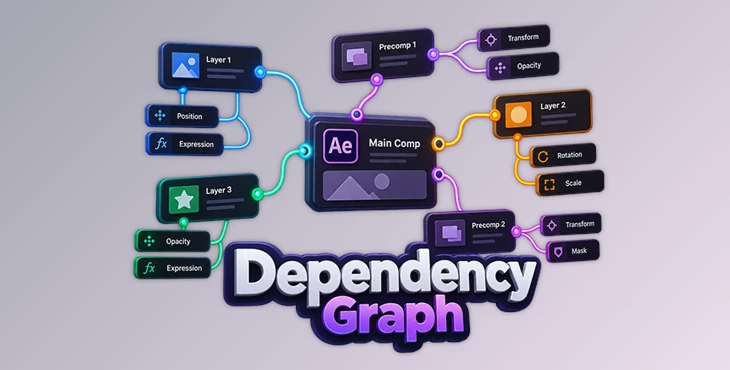
This After Effects tool turns layer relationships into a visual, interactive graph, giving you a clearer way to understand how different parts of a composition depend on each other.
Complex compositions can become difficult to inspect when parent links, property relationships, and expressions are spread across many layers. Dependency Graph brings these connections together into a visual map, reducing the need to dig through the timeline simply to understand the structure of a comp.
See Layer Relationships as a Graph
The main purpose of Dependency Graph is to reveal the logic behind an After Effects composition. It reads composition data and translates relationships between layers and properties into connected nodes.
Instead of treating the timeline as the only place to investigate dependencies, you can view the hierarchy as a graph. This makes it possible to see how elements are connected and follow dependencies through the composition from a more structural perspective.
The graph covers relationships involving:
Layer parenting
Property relationships
Expressions
Dependencies between connected elements
Overall hierarchy within the composition
This approach is particularly relevant when working with a comp whose structure is no longer immediately obvious from its timeline.
Exploring Complex Compositions
A timeline filled with layers and expression code can require a lot of inspection before its internal logic becomes clear. Parent and property links may be located across different layers, while expressions introduce additional relationships that need to be followed.
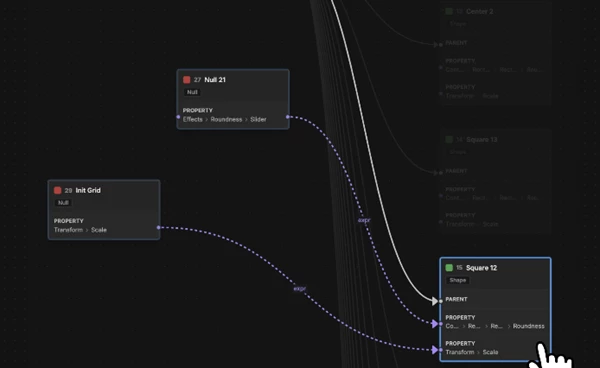
Dependency Graph is designed specifically around this problem. By converting those relationships into an interactive graph, it provides a centralized view of the dependencies rather than leaving them scattered throughout the timeline.
The graph is not limited to passive visualization. The available workflow includes layer and node selection as well as graph tools for navigating and inspecting the structure.
For projects containing precompositions, Dependency Graph can also dig through a precomp. Breadcrumb navigation provides a way to keep track of where you are while moving through this deeper composition structure.
Graph Layout, Navigation, and Filtering
Dependency Graph includes controls for working with the graph itself. Graph layout settings can be used to control how the dependency information is presented, while filtering helps narrow the displayed information when needed.
Its workflow combines several related tools:
Read comp data → Generate dependency graph → Navigate layers and nodes → Explore precomps → Adjust layout or filters
This keeps the focus on understanding the relationships already present in the After Effects project rather than changing the composition into a different structure.
Node and layer selection also connects graph exploration with the elements being inspected, which is useful when tracing a specific relationship through a larger hierarchy.
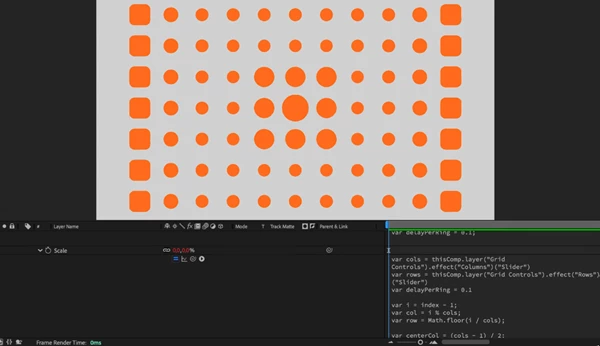
A Different View of an After Effects Composition
In large After Effects projects, it can be difficult to understand how layers are connected. Parents, properties, and expressions can be in different parts of the project, so you may need to spend time checking many layers to find these connections.
The tool reorganizes that information into a graph where the connections become the central view. This is useful for examining projects with extensive parenting, expression-driven setups, nested precompositions, or other structures where understanding dependencies is important before continuing work on the comp.
Rather than functioning as a general-purpose project management tool, Dependency Graph stays focused on layer relationships and composition hierarchy. Its graph-based interface provides an alternative way to read the internal logic of an After Effects project when the timeline becomes difficult to follow.

Files Password : gfxplugin.com OR 123456