Downloadable Files
You can download Un-PreCompose for free from the end of this page.
Un-PreCompose by Aescripts
Working with pre-compositions in After Effects can keep a timeline organized, but there are situations where those nested layers need to return to the parent composition. Un-PreCompose is designed specifically for this task. It reverses the standard Pre-compose process by extracting layers from a pre-comp and placing them back into the parent composition while doing as much as possible to preserve their existing appearance, position, animation, and properties.
Rather than manually opening a pre-comp, copying its layers, moving them to another composition, and rebuilding affected properties, Un-PreCompose provides a direct extraction workflow from the Layer menu.
Reverse the After Effects Pre-compose Process
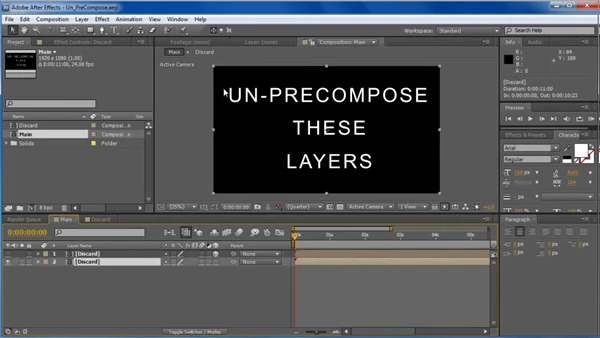
After Effects' built-in Pre-compose command takes selected layers, moves them into a new composition, and leaves a composition layer behind in the original timeline. Un-PreCompose works in the opposite direction.
When a pre-comp is selected, the tool releases its internal layers into the parent or root composition. During this process, it attempts to maintain the original positioning and visual result of the content.
The basic workflow is straightforward:
Select a pre-comp → Open the Layer menu → Run Un-PreCompose → Extract its layers into the parent composition
This is particularly useful when a project has been organized with pre-comps but the individual layers later need to be accessible directly from the main timeline.
Preserving Effects, Keyframes, and Expressions
Extracting nested layers is more complicated than simply copying them between compositions. Their appearance may depend on properties and animation applied within the original pre-comp structure.
Un-PreCompose is built to retain these elements wherever possible. It can maintain existing keyframes and expressions while also copying effects to the extracted layers.
As a result, animated content can be brought back into the parent composition without requiring every property to be reconstructed manually.
The tool focuses on preserving:
Layer positioning
Keyframes
Expressions
Effects
The overall appearance of the extracted content
This preservation is performed on a best-effort basis, since some After Effects setups cannot be transferred without changing the result.
Extract Multiple Pre-Comps in One Run
Un-PreCompose can process multiple pre-comps in a single operation. Instead of extracting nested compositions individually, several pre-comps can be handled together.
For timelines containing multiple nested sections that need to be flattened or reorganized, this reduces the number of separate extraction operations required.
The tool can also prepend extracted layers with the name of their original pre-comp. This provides additional context after the layers have been moved into the parent composition, where content from several different pre-comps could otherwise become harder to identify.
Handling Randomized Expressions
Expressions introduce an additional challenge when layers are moved between compositions, particularly when randomization is involved.
Un-PreCompose includes an option to attempt to correct the placement of layers that contain randomized expressions. This is intended to help when expression-driven positioning could otherwise change during extraction.
However, this does not guarantee identical results in every expression setup. Randomized expressions that are not controlled by a random seed are specifically among the cases where extracting layers may alter their appearance or placement.
Important Extraction Limitations
Un-PreCompose does as much as possible to maintain the positioning and appearance of layers, but the structure of some After Effects compositions makes a perfectly unchanged extraction impossible.
Potential problem cases include:
A pre-comp and its parent composition both containing cameras for a 3D scene
Expressions using uncontrolled randomization
Effects that generate 3D results
Particle simulations
Other setups whose appearance depends directly on the original composition structure
These limitations are important when working with complex 3D or procedural compositions. The tool is intended to preserve the result where possible, but extracting layers fundamentally changes their composition context, and some effects or relationships can respond differently after that change.
For standard pre-comps based on layers, animation, effects, and expressions, Un-PreCompose provides a focused way to reverse the nesting process while retaining the relevant properties wherever possible.
A Focused Tool for Timeline Reorganization
Un-PreCompose solves a specific After Effects workflow problem: getting layers back out of a pre-comp without manually rebuilding the contents in the parent composition.
The tool works directly from the Layer menu, so it fits naturally into the usual After Effects workflow. It can also handle multiple pre-comps, copy effects, keep keyframes, work with expressions, and add prefixes to layer names, making it useful for more than just moving layers out of a composition.
For projects where pre-compositions need to be reorganized, flattened, or opened back into the main timeline, Un-PreCompose provides the reverse operation that After Effects' built-in Pre-compose command does not provide.

Files Password : gfxplugin.com OR 123456