Downloadable Files
You can download Time & Date Pack for free from the end of this page.
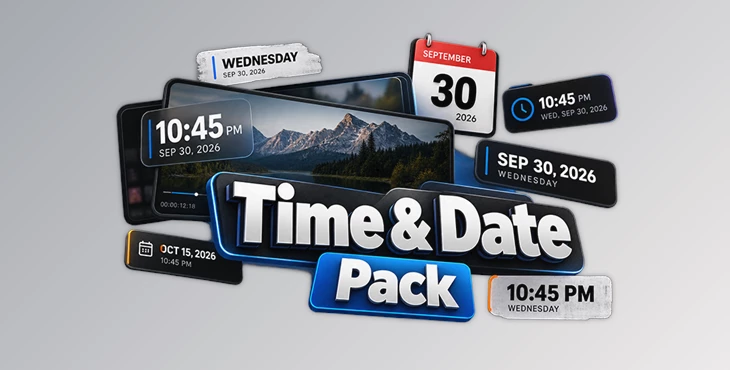
Time & Date Pack by Video Editor Studio
Adding time and date information to a video can help establish exactly when a scene takes place, but building and animating these graphics manually adds extra motion-design work to the edit. Time & Date Pack provides more than 20 ready-made time and date titles for DaVinci Resolve, with controls designed to stay directly inside the Edit page.
The pack focuses on a straightforward workflow: add an asset from the Effect Library, customize its content and appearance in the Inspector, and adjust its animation timing without having to build the graphic in Fusion.
20+ Animated Time and Date Assets
Time & Date Pack contains over 20 assets built specifically for displaying time and date information. Rather than functioning as a collection of visually unrelated templates, the assets share typography, motion language, and color logic.
This consistent design system is particularly relevant when several time or date graphics appear throughout the same project. Editors can switch between different assets while maintaining a related visual style instead of combining titles with noticeably different design approaches.
The complete collection can be previewed back to back, making it possible to see the available designs before deciding which title fits a particular scene.
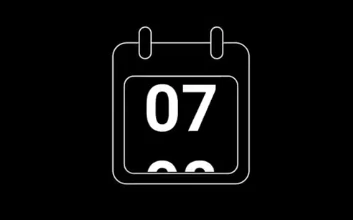
Edit Everything from the DaVinci Resolve Edit Page
A central part of the pack is its Edit-page workflow. The assets do not require Fusion knowledge for regular customization. Once an element has been added from the Effect Library, its main properties can be controlled through the Inspector.
Available adjustments include:
Text
Colors
Animation timing
Animation type
Animation timing is especially important for these titles because it lets editors adapt the motion to the pacing of a scene without manually creating keyframes.
The workflow can therefore remain focused on the main editing timeline:
Effect Library → Add Asset → Edit in Inspector → Adjust Animation → Reuse
For editors who primarily work on the Edit page, this keeps time and date graphics within the same environment used for the rest of the edit.
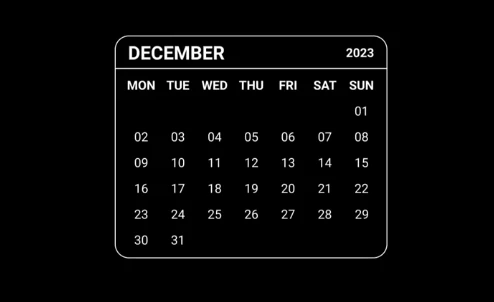
Flexible Timing for Different Edits
The included graphics are not locked to a single animation speed. Their timing can be adjusted according to the surrounding footage, allowing a title to fit different editing rhythms.
This flexibility also extends to frame rates. Time & Date Pack supports projects from 24 to 120 fps, while the technical specifications describe frame-rate support as unrestricted. The assets can therefore be incorporated into timelines with different frame-rate requirements without rebuilding their animations manually.
Resolution and Aspect Ratio Support
The pack is designed to work across different delivery formats rather than being restricted to one predefined canvas.
It supports:
| Specification | Support |
|---|---|
| Resolution | Any |
| Aspect Ratio | Any, automatically |
| Frame Rate | Any |
| DaVinci Resolve | 19–21 |
| Editions | Free and Studio |
| Operating Systems | macOS, Windows, Linux |
Automatic aspect-ratio support is useful when the same style of time or date graphic needs to appear across projects with different timeline dimensions, including vertical formats.
Reusing Titles Across Projects
Time & Date Pack is also designed around repeat use. Customized assets can be saved to Power Bins, allowing them to remain available for future projects.
This is useful when a particular time/date treatment becomes part of an ongoing visual system. Instead of starting again with the original asset for every project, an editor can prepare a customized version and keep it accessible for later timelines.
Because the assets already share common typography, motion, and color logic, multiple elements from the pack can also be used together without introducing unrelated visual styles into the same video.
Installation and Technical Requirements
The pack is supplied as a DRFX package. Installation involves opening the DRFX file and installing the included fonts, after which the assets become available through the DaVinci Resolve Effect Library.
Time & Date Pack works with both the Free and Studio editions of DaVinci Resolve and supports macOS, Windows, and Linux.
The recommended hardware specifications are 16 GB of system RAM and 4 GB of VRAM. The pack itself has a download size of approximately 2 MB.
Time & Date Pack gives you a collection of ready-made time and date titles that you can customize directly from the Inspector. You can change the animation timing and use them with different timeline formats, all without having to open Fusion.

Files Password : gfxplugin.com OR 123456