Downloadable Files
You can download AI Text & Image to 3D Generator Pro 3 for free from the end of this page.
AI Text & Image to 3D Generator Pro 3
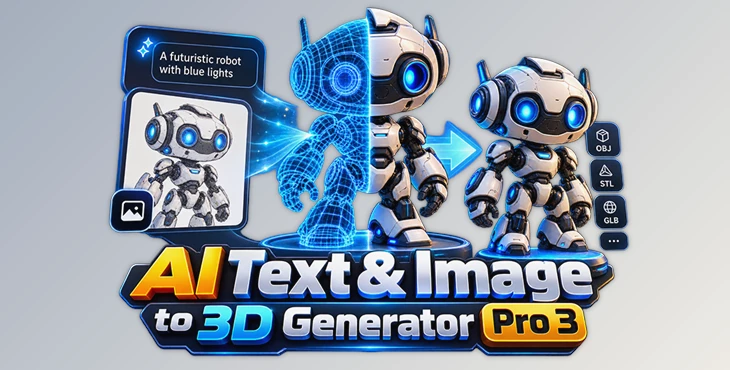
AI Text & Image to 3D Generator Pro 3 is a local-first desktop studio for converting text prompts and single reference images into 3D assets. It combines AI-based generation with mesh preparation, an interactive 3D viewport, local asset management, and export tools for game engines, 3D applications, web projects, and 3D printing.
The software does more than just generate a 3D model with AI. You can also check the model, optimize the mesh, and prepare it for use in your projects.
It supports AI models such as Shap-E, TripoSR, Stable Fast 3D, and SPAR3D. Which models you can use and how well they perform depends on the selected engine and your computer hardware.
Text and Image to 3D Generation
The application supports two main approaches to creating 3D content.
Text-to-3D uses Shap-E to generate a 3D concept from a written description. A prompt such as a wooden chair or sports car can serve as the starting point for a new model without requiring a reference image.
Image-to-3D works from a single imported image. Depending on the chosen engine, reconstruction can be handled by Shap-E Image, TripoSR, Stable Fast 3D, or SPAR3D.
Generation is designed to run locally once the selected model and its required components are installed. GPU acceleration and optimized reconstruction models can improve processing speed, although actual generation time varies according to the AI model and available hardware.
AI Models and Generation Controls
Different AI engines have different requirements and capabilities, so the software includes a dedicated Models workspace. It displays information such as engine readiness, hardware requirements, and supported capabilities.
For models that expose additional parameters, users can adjust several aspects of the generation process, including:
Inference steps
Guidance scale
Frame size
Foreground ratio
Automatic background removal
Model-specific recommended settings are also available as a starting point when configuring a generation.

Inspecting and Preparing Generated Meshes
Generated assets can be examined before export through the hardware-accelerated 3D viewport. The viewport provides rotation, panning, zooming, and asset framing, allowing the geometry to be inspected interactively.
AI Text & Image to 3D Generator Pro 3 also includes mesh-processing features intended to prepare generated geometry for downstream workflows. These include mesh validation and repair, automatic normalization, configurable polygon reduction, and the creation of multiple Levels of Detail.
Vertex colors can be preserved during processing, while convex collision meshes can be generated for workflows that require collision geometry. Target-specific coordinate processing is also available when preparing assets for different destinations.
This combination of generation and preparation keeps several stages of the 3D asset workflow inside the same application rather than treating the generated mesh as the final step.
Export Options for Engines, 3D Software, and Printing
The application supports both standard 3D formats and destination-specific export presets.
For Unity, it can produce ZIP bundles containing models, LODs, collision meshes, manifests, and an Editor importer. Unreal Engine bundles can include LODs, UCX collision meshes, manifests, and an Unreal Python importer.
Optimized GLB assets are available for use with Blender, Godot, and web applications. For 3D printing, models can be exported as STL or 3MF files.
Standard export formats include:
GLB
GLTF
OBJ
PLY
STL
3MF
These options allow the same generated asset to be prepared differently depending on whether its destination is a game engine, a conventional 3D workflow, a web application, or a 3D printer.
Local Asset Library and Workspace
Generated models are automatically organized in a persistent local asset library. Previous creations can be reopened for preview, exported again, or deleted without having to manage every result outside the application.
The AI 3D Studio interface separates the workflow into Create, Library, Models, and Preferences workspaces. Generation controls can be collapsed when they are not needed, while live progress and engine-status reporting provide information about active processes.
A generation and export console is also included for monitoring operations. The interface supports light and dark themes, keyboard shortcuts, and local project and asset management.
A typical workflow can therefore remain relatively contained:
Text Prompt or Reference Image → AI Generation → 3D Preview → Mesh Preparation → Export
Local Processing and Internet Requirements
A key part of the workflow is local processing. Prompts, reference images, projects, and generated assets remain on the user's computer rather than being uploaded to a cloud service for generation.
Internet access is still required when downloading model weights or installing optional external engines. After the chosen model and all required components have been installed, supported generation tasks can operate locally.
There are also technical differences between the available models. Hardware requirements, generation speed, model availability, and output quality vary depending on the selected engine. Some optional reconstruction engines require separate installation.
Where AI Text & Image to 3D Generator Pro 3 Fits
The software is designed around workflows where a generated 3D concept needs to move beyond an initial AI result. Game developers can prepare LODs and collision meshes and package assets for Unity or Unreal Engine, while digital artists can export models to applications such as Blender. STL and 3MF support provides a path toward 3D-printing workflows, and optimized GLB output covers Godot and web-based projects.
By combining text-to-3D and image-to-3D generation with mesh processing, local asset organization, interactive inspection, and multiple export targets, AI Text & Image to 3D Generator Pro 3 provides a single desktop environment for creating and preparing AI-generated 3D assets.

Files Password : gfxplugin.com OR 123456