Downloadable Files
You can download GridWarp for free from the end of this page.
GridWarp by Aescripts
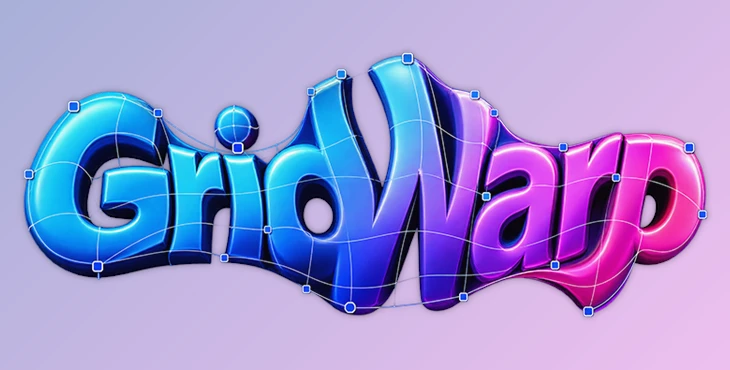
GridWarp is an After Effects effect from NewMediaFX designed for stretching, squeezing, and warping layers through an editable grid. Rather than manipulating the entire image with a single transform, you work directly with column and row guide lines in the viewer. Moving these lines changes the space between them, stretching or compressing the underlying image in real time.
The effect can be applied to text, logos, shapes, and footage, making it particularly suited to layout experiments, typography treatments, and animated distortions where individual regions of a layer need different amounts of stretching.
Grid-Based Stretching and Warping
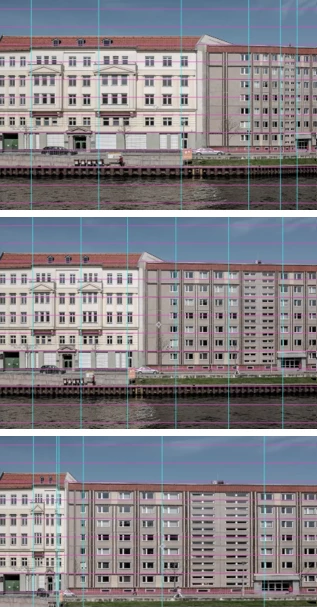
The central workflow in GridWarp is based on a customizable grid. After applying Effect > NewMediaFX > GridWarp, you define the grid using Num Columns and Num Rows and then drag its lines directly in the Comp or Layer viewer.
The basic process is:
Apply GridWarp → Set Columns and Rows → Drag Grid Lines
When one guide line is moved, neighboring lines follow its movement. Lines farther away are affected less, producing a more elastic transition across the grid rather than an isolated displacement. The lines are also prevented from crossing each other.
This behavior is controlled through the Elasticity group, which provides:
Elasticity Strength
Falloff Profile
Tension Radius
Min Line Spacing
Stretch Easing
Easing Distance
Together, these controls determine how movement spreads from a dragged line into the surrounding grid and how the resulting stretch is distributed across the layer.
Procedural Wave Animation
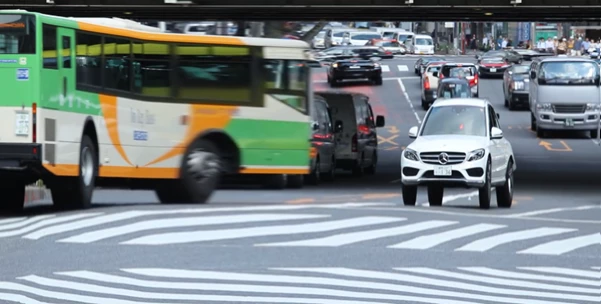
GridWarp does not require every deformation to be animated manually. Its Wave Animation controls can move the grid procedurally without keyframes.
The available parameters are:
Amplitude
Frequency
Phase
Speed
Axis
The Axis control can restrict the wave behavior to columns or rows. This provides a different workflow from manually changing individual grid positions, particularly when the intended result involves continuous or repeating movement.
Keyframing Grid Positions
For animations that require specific layouts at specific moments, Grid Positions can be keyframed in the After Effects Timeline.
You can arrange the grid on one frame, create another arrangement on a different frame, and let After Effects interpolate the grid lines between those states. This makes the deformation itself part of the normal timeline-based animation workflow.
GridWarp therefore supports two distinct approaches to movement: procedural waves for automatically animated deformation and Grid Positions for explicitly keyframed layouts.
Grid Visualization
The grid can remain visible while setting up and adjusting a deformation. GridWarp includes a dedicated Visualization group with controls for:
Enable Visualization
Column Stroke Color
Row Stroke Color
Stroke Width
Opacity
Separate colors can be assigned to column and row guides, while stroke width and opacity control how prominently the grid appears in the viewer. These visualization settings are intended for working with the grid itself rather than altering the underlying layer content.
Rendering and Edge Controls
GridWarp also includes Edge Behavior and Render Quality controls in its Rendering group. These provide options related to how the warped result is rendered and how the effect handles the edges of the layer.
One practical limitation is important when using extreme stretching: GridWarp cannot create image detail that does not exist in the original layer. If a small area is stretched significantly, the available source information must cover a much larger output area. For very large stretches, the developer recommends starting with a larger source.
Working with Different Layer Types
You can use GridWarp with different types of layers in After Effects, including:
Text
Logos
Shapes
Footage
For example, you can stretch text by moving the grid lines, change the proportions of a logo or shape, or stretch only certain parts of your footage. This gives you more freedom than using regular layer transform controls alone.
The combination of direct viewer manipulation, elasticity controls, procedural waves, and keyframeable Grid Positions gives GridWarp several ways to approach the same underlying idea: reshaping a layer by controlling the horizontal and vertical divisions of a grid.

Files Password : gfxplugin.com OR 123456