Downloadable Files
You can download Zeid's Mixer Brush Pack for free from the end of this page.
Zeid's Mixer Brush Pack by Gumroad
Zeid's Mixer Brush Pack is a collection of 18 mixer brushes created for digital artists who want to bring more of the loose, textured character of traditional painting into their digital workflow. The pack was developed around the idea of making digital brushwork feel less rigid, encouraging expressive strokes, visible texture, blending, and the kinds of unexpected results that can naturally appear when working with physical paint.
Rather than replacing standard digital brushes, these brushes are intended to work alongside regular digital painting techniques. They are the same mixer brushes used by the creator in their own painting process to keep the experience intuitive, loose, and less controlled.
18 Brushes for Different Painting Behaviors
The core of Zeid's Mixer Brush Pack consists of 18 brushes divided across several types of painting behavior:
Opaque brushes
Wet brushes
Smudge brushes
Scatter and texture brushes
This variety gives artists different ways to build and manipulate paint digitally. Opaque brushes can be incorporated into more solid strokes, while wet and smudge brushes focus on interactions and blending between painted areas. Scatter and texture brushes introduce more irregular surface characteristics.
The emphasis of the collection is not simply on producing clean digital marks. It is designed around texture, looseness, and the slightly messy qualities associated with traditional painting. Combining these brushes with standard digital techniques lets artists retain familiar parts of their workflow while introducing a different character to their brushwork.
Designed for Photoshop's Mixer Brush Tool
An important technical detail is that Zeid's Mixer Brush Pack was specifically created for the Mixer Brush tool in Adobe Photoshop. This is where the brushes provide their intended mixer-brush behavior.
The brushes can also be loaded into programs such as Procreate and Clip Studio Paint (CSP). However, in those applications they function as regular brushes rather than providing the Photoshop Mixer Brush behavior for which they were originally designed.
This distinction is particularly important when choosing software for the pack:
| Software | Brush Usage |
|---|---|
| Adobe Photoshop | Designed for the Mixer Brush tool |
| Procreate | Can be loaded and used as regular brushes |
| Clip Studio Paint (CSP) | Can be loaded and used as regular brushes |
Artists looking specifically for the intended mixing workflow should therefore use the brushes with Photoshop's Mixer Brush tool.
Learning and Process Files Included
The brush collection is accompanied by several resources that show how the brushes are actually used rather than leaving users with only the brush files.
A 20-minute walkthrough video demonstrates the creator's approach to using the brushes. This provides direct context for understanding how different brushes can fit into a painting process and how they can be combined with existing digital techniques.
The pack also contains two process PSD files. Because these are actual working files, users can inspect their layers and explore how the paintings were constructed.
A high-resolution painting is included as well. It provides a detailed reference that can be viewed closely to examine the final textures produced during the painting process.
In total, the package contains:
18 mixer brushes
A 20-minute usage walkthrough
2 process PSD files
A high-resolution finished painting
A Looser Approach to Digital Painting
The main idea behind Zeid's Mixer Brush Pack is closely connected to the difference between conventional digital brushwork and the experience of working with physical paint.
Traditional painting has natural textures, mixed colors, and imperfect brush strokes. These small details can make a painting feel more real and interesting.
Digital painting tools give you more control, but sometimes they can feel too clean. Because of this, it can be harder to get the same natural feeling as painting on a real canvas.
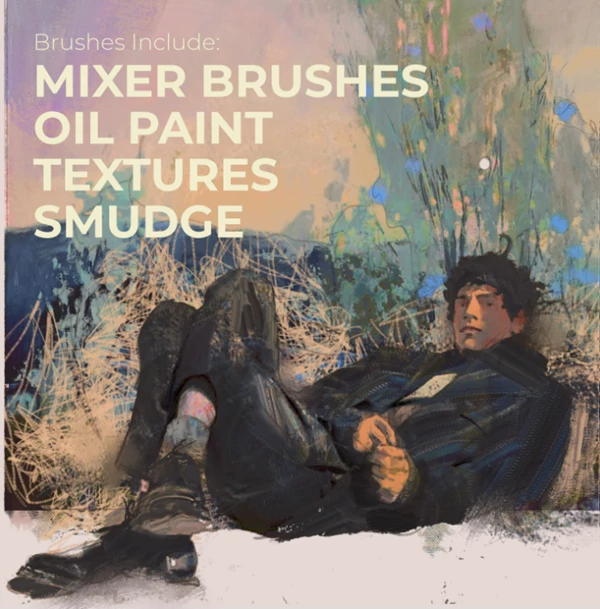
These mixer brushes were organized to bring some of that unpredictability and tactile character into a Photoshop workflow. Their opaque, wet, smudging, scattering, and texturing behaviors give artists several ways to approach a painting without relying exclusively on conventional digital brush strokes.
The pack is therefore particularly relevant to artists who want to experiment with a more expressive painting process while continuing to use familiar digital techniques. Instead of defining a single painting style, the brushes provide different stroke and texture behaviors that can be mixed into an existing workflow.
With its 18 specialized brushes and accompanying process materials, Zeid's Mixer Brush Pack provides both the painting tools and practical examples needed to explore this approach, with Photoshop's Mixer Brush tool serving as its intended environment.

Files Password : gfxplugin.com OR 123456