Downloadable Files
You can download Neat Freak for free from the end of this page.
Neat Freak by Aescripts
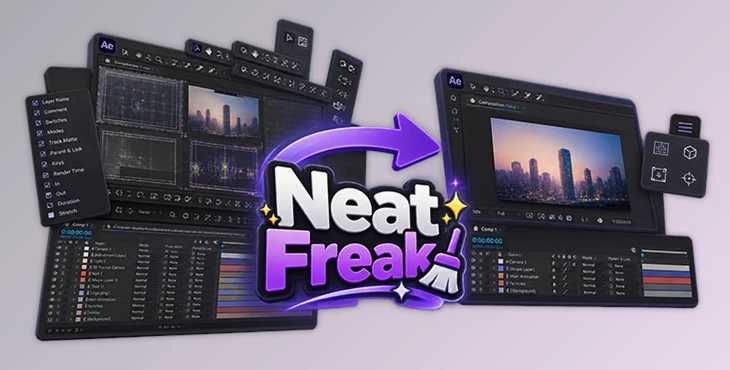
After Effects projects created by different designers do not always arrive with a convenient interface setup. Timeline columns may occupy too much space, layer properties can be left expanded, the viewer layout may be changed, or interface elements such as rulers and grids may remain enabled. Neat Freak is a utility for configuring these UI elements across an After Effects project.
Rather than changing the visual content of a composition, the script focuses on the workspace surrounding it. It can control timeline columns, timeline buttons, layer-property expansion, timeline zoom, viewer configuration, and viewport layout. This makes it particularly relevant when opening template projects, collaborating with other designers, or working with third-party After Effects projects.
Project-Wide After Effects UI Cleanup
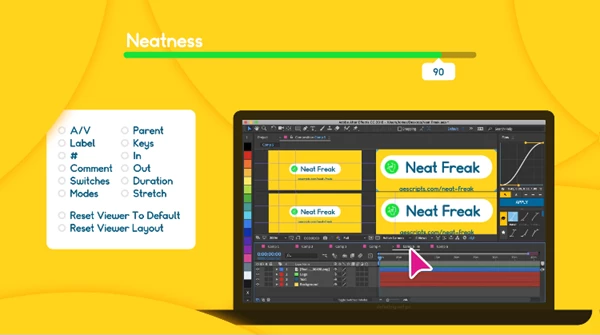
One of the main functions of Neat Freak is applying interface-related settings across a project. A common example is an After Effects timeline containing numerous columns that are not needed for the current task. Columns such as Comments, Keys, In, and Out can consume horizontal screen space and leave less room for viewing layers.
Neat Freak provides control over the visibility of these timeline columns, allowing unnecessary ones to be removed from view. This is also relevant when working on smaller displays where available interface space is limited.
The tool is not designed as something that necessarily needs to be used constantly. Its role is more specific: cleaning up and standardizing UI configurations when a project arrives with an inconvenient or unfamiliar workspace setup.
Timeline and Layer Controls
Neat Freak includes several functions specifically for reorganizing the After Effects timeline:
Set Timeline Columns – Controls which timeline columns are visible.
Twirl-up Layer Properties – Closes layer properties that are currently expanded in the timeline.
Zoom-out Timeline – Adjusts the timeline view so the entire composition is visible.
Set Timeline Buttons – Controls the state of composition buttons such as Draft 3D and Shy.
For timeline buttons, a button is enabled only when the composition contains at least one layer that matches the corresponding property.
Together, these controls address situations where a project contains expanded properties, unnecessary columns, or timeline settings inherited from another user's workspace.
Viewer and Viewport Configuration
The script also includes controls for the composition viewer. Reset Viewer to Defaults restores the viewer to its default configuration, while Set Viewport Layout controls how many viewports are displayed.
Neat Freak can additionally handle interface details such as turning off rulers and the title safe grid and repositioning the composition in the center of the viewport. These functions are useful when the viewer has been left with settings that are unnecessary for the current project.
The overall workflow can be summarized as:
Open Project → Select UI Settings → Apply Project-Wide Changes → Continue Working
This approach is particularly suited to template authors and collaborative workflows where projects may move between different After Effects users with different interface preferences.
An Important Detail About How Neat Freak Works
Neat Freak does not simply change every setting through normal interactive After Effects commands. It saves the current project as an XML file and modifies that file offline.
Because of this process, the project should be backed up before running the script. There is also no Undo step for the changes made by Neat Freak. Keeping a backup is therefore an important precaution before applying its project-wide modifications.

Files Password : gfxplugin.com OR 123456