Downloadable Files
You can download Thicc Pro for free from the end of this page.
Thicc Pro
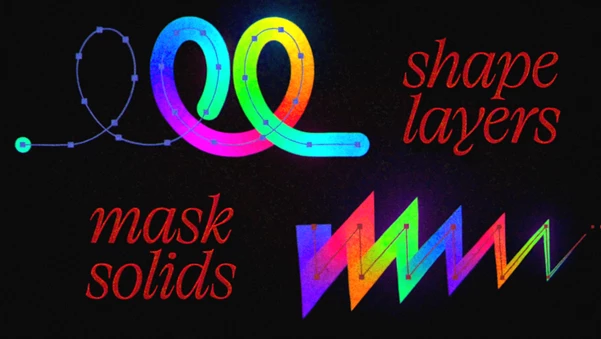
Thicc Pro is a professional gradient and variable-width stroke generator for Adobe After Effects, built around real geometry with support for both 2D and 3D workflows. It can generate strokes from shape layers, masks, text, and 3D motion paths while responding to 3D camera perspective.
Beyond basic stroke generation, Thicc Pro provides detailed control over gradients, stroke width, pen shapes, caps, joins, dashes, dots, and repeated geometry. Its rendering engine supports 32-bit per channel (bpc) HDR color and is GPU- and Multi-Frame Rendering (MFR) accelerated.
Real Geometry and 3D Perspective
A key part of Thicc Pro is that it generates strokes as actual geometry. This becomes particularly important when working in 3D.
With 3D motion paths, individual vertices can be positioned with precise XYZ control. The resulting geometry is perspective-aware, so paths and dashes respond to the After Effects 3D camera rather than behaving like flat graphics placed over the composition.
Thicc Pro can use several types of layers and paths as its source:
Shape layers
Masks
Text layers
3D motion paths
For shape layers, nested groups and vector transforms are respected, allowing strokes to remain crisp at different resolutions. With text layers, gradient-along-path strokes update live when the text is modified and remain compatible with After Effects text animators.
Advanced Gradient Control
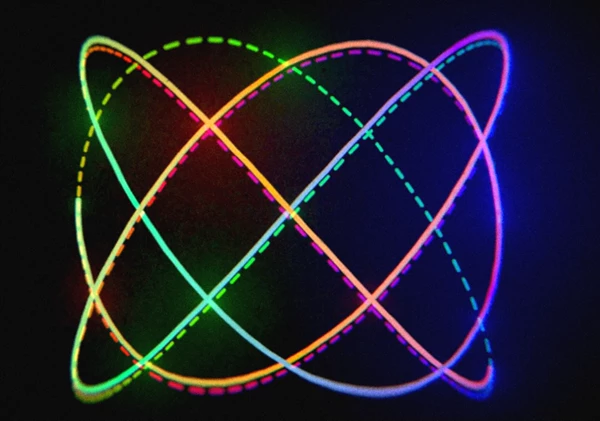
Thicc Pro includes an RGBA gradient editor designed for more detailed color manipulation than a simple linear gradient.
Gradients can be processed in three color spaces:
Oklab
RGB
HSL
Built-in gamma correction provides control over how colors transition, while the editor also supports HDR superbright values above 1.0.
Additional gradient controls include cycling, mirroring, hue shifting, palette presets, gradient blending, and automatic gamma correction. The preset previews respond to changes in blending, hue shift, and gamma, making it possible to see how those parameters affect a palette directly in the interface.
Gradient blending itself is adjustable. At 0% blending, colors remain distinct rather than smoothly interpolating. Color stops can also be looped, repeated, or hue-shifted together.
Four Variable-Width Control Modes
Stroke thickness can be controlled through four different width modes:
| Width Mode | Control Method |
|---|---|
| Constant Width | Maintains a consistent width |
| Start & End | Controls width at both ends |
| Start, Middle & End | Adds an additional midpoint width |
| Graph Editor | Provides detailed control over thickness along the path |
The dedicated Thiccness Graph is intended for more precise shaping when simple start and end values are not enough.
Pen Shapes, Caps, and Joins
Thicc Pro separates pen shape, cap style, and join behavior, allowing them to be mixed to create different stroke profiles.
Available combinations include round and flat pens with round, projecting, or butt caps. A Sphere pen is also available for 3D strokes.
Join options include:
Miter Join
Round Join
Bevel Join
Round and flat pen shapes can be combined with these join modes, while the Sphere pen provides a dedicated option for 3D geometry.
Dashes and Dots in 2D or 3D
Dashed strokes are also geometry-based. Individual dashes can have their own gradients and variable widths, and they can operate in either 2D or 3D.
In a 3D setup, the dashes respond to perspective from the After Effects camera. Setting the dash length to a very low value, such as 0.1, can turn the pattern into dots.
Dashes also work together with trim paths, providing additional control over how dashed or dotted geometry appears and animates.
Trim Paths and Transitions
Thicc Pro can create transitions using only a small number of trim path keyframes. Because the strokes can use continuous rasterization, these transitions can be adapted to different resolutions and aspect ratios while maintaining their geometry.
This approach can be used for animated paths and stroke-driven transitions without relying on a fixed-resolution graphic.
Built-In Repeater
The integrated Repeater can generate hundreds of copies while applying offsets to properties such as:
Time
Hue
Width
Thickness
Transforms
These repeated elements are processed in a single GPU draw call. This makes the Repeater suitable for building more elaborate patterns from the same stroke geometry without treating every repeated element as a separate operation.
GPU, MFR, and 32bpc HDR Support
Thicc Pro is designed to use modern hardware through GPU acceleration and After Effects Multi-Frame Rendering.
According to the developer's performance example, the plugin can run faster than real time when rendering 4K footage at 30 fps on a MacBook M4. In the same referenced scene, the original Thicc Stroke rendered five times slower and at lower fidelity.
The plugin also supports 32bpc HDR colors, including gradient values above the standard 1.0 range.
Where Thicc Pro Fits
Thicc Pro brings several stroke and path tools into one effect. You can change the stroke width, create gradients, work with real geometry, and use the effect with 3D cameras.
It can be useful for animated text, motion graphics, colorful paths, dashed or dotted lines, 3D paths, and trim-path animations.
The distinction between 2D and 3D is especially important: when working with 3D paths, the generated geometry can exist within the camera perspective rather than simply imitating depth through a flat effect.

Files Password : gfxplugin.com OR 123456