Downloadable Files
You can download Calligram Creator Procreate Toolkit for free from the end of this page.
Calligram Creator Procreate Toolkit
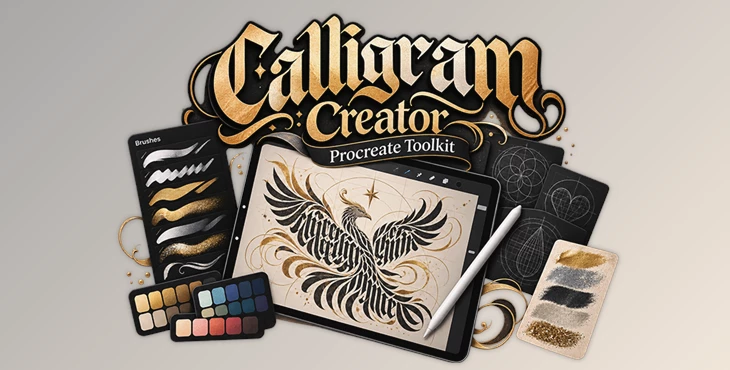
Creating a calligram requires more than lettering brushes alone. The composition's shape, spacing, decorative details, texture, and color all contribute to the finished artwork. Calligram Creator Procreate Toolkit brings these elements together in a collection made specifically for creating calligrams in Procreate.
The toolkit combines 37 unique brushes, 10 texture brushes, 16 grid stamps, 4 composition grids, 6 color palettes, and a PDF guide. Its tools cover different stages of the process, from establishing a composition's structure to adding bold lettering, shadows, flourishes, metallic effects, glitter, and texture.
Creating Different Calligraphy Styles and Effects
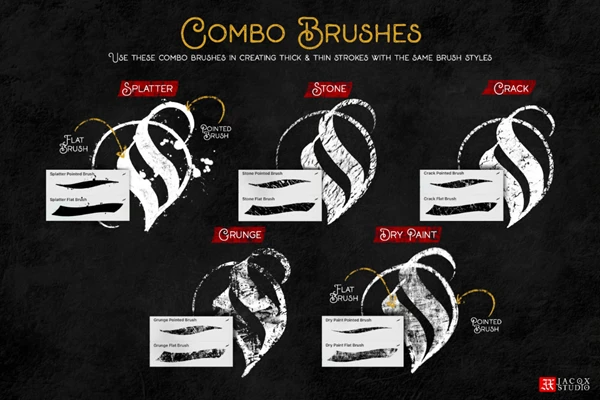
The 37 unique brushes support a range of visual approaches, from fine details to bold strokes. Rather than limiting the artwork to a single lettering style, the collection provides tools for creating different types of calligram compositions.
Flat brushes work well for blackletter-style work and expressive abstract artwork with strong, bold strokes. Other specialized brushes expand the available effects:
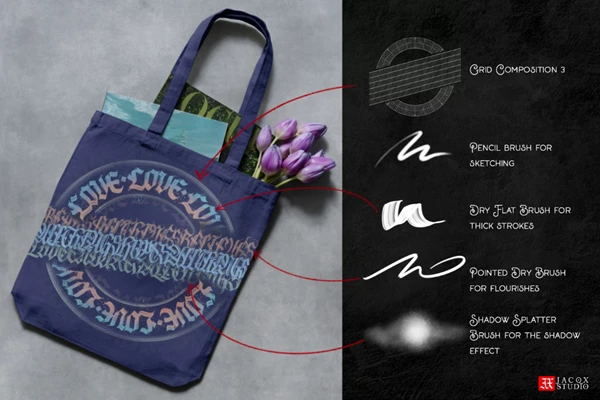
Shadow brushes add depth to lettering and shapes.
Pointed brushes create flourishes and decorative details.
Metallic and glitter effects introduce more decorative finishes.
Texture brushes add artistic texture, depth, and dimension.
This combination lets you develop different parts of a calligram with dedicated tools, instead of relying on one brush type for the entire design.
Grids for Building Structured Calligrams
Composition is an important part of this toolkit. Alongside its drawing brushes, Calligram Creator Procreate Toolkit includes tools for establishing the shape and structure of the artwork before or during the lettering process.
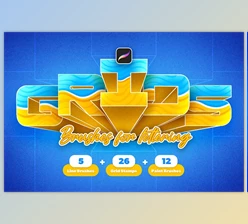
The package contains 16 grid stamps for setting up the canvas and maintaining consistency and structure. Different grid shapes give artists a framework around which to arrange lettering.
The package also includes 4 composition grids designed to help with composition. These bonus grids provide starting structures you can use when developing a calligram, rather than starting with a completely empty canvas.
A basic workflow can therefore be organized as:
Choose a Grid → Build the Composition → Draw the Lettering → Add Shadows & Flourishes → Apply Texture or Decorative Effects → Add Color
The exact combination of tools can vary depending on the artwork's shape and style.
What's Included in Calligram Creator Procreate Toolkit
The complete toolkit contains:
| Included Content | Quantity | Purpose |
|---|---|---|
| Unique Brushes | 37 | Fine details, bold strokes, lettering, shadows, flourishes, and other styles |
| Texture Brushes | 10 | Adding texture, depth, and dimension |
| Grid Stamps | 16 | Setting up structured and consistent calligram layouts |
| Composition Grids | 4 | Helping establish calligram compositions |
| Color Palettes | 6 | Providing curated colors for artwork |
| PDF Guide | 1 | Explaining the brushes and providing a basic tutorial |
The six curated color palettes complement the brush and composition tools by providing ready-made color selections for finished artwork.
The included PDF guide explains each brush and includes a basic tutorial, giving you a starting point for learning how the toolkit's different components are intended to be used.
Procreate and Hardware Requirements
Calligram Creator Procreate Toolkit is made specifically for Procreate on iPad. Update the Procreate app to the latest version.
The required setup is:
Procreate for iPad
iPad
Apple Pencil or a third-party stylus
The latest available iOS version is recommended
Important limitation: the toolkit works only in Procreate. It is not compatible with Affinity software, Adobe Photoshop, or other design applications.
Download Format and Product Notes
The toolkit is supplied as a digital product in ZIP format. According to the product information, after purchase the download link is provided on the checkout page and by email, and the link remains valid for 30 days.
The original product terms also state that files should be downloaded and saved promptly because replacements are not issued. Refunds and exchanges are not available.
The product is offered with Personal Use and Commercial Use purchasing options. Users should select the appropriate license for their intended use and follow the applicable licensing terms.
Calligram Creator Procreate Toolkit is ultimately a focused collection for artists who want the lettering tools and structural guides needed to build calligrams within a single Procreate workflow. Its combination of specialized brushes, grid stamps, composition grids, textures, palettes, and instructional material covers both the construction and decorative stages of calligram artwork.

Files Password : gfxplugin.com OR 123456