Downloadable Files
You can download Clay More for free from the end of this page.
Clay More
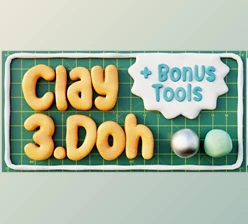
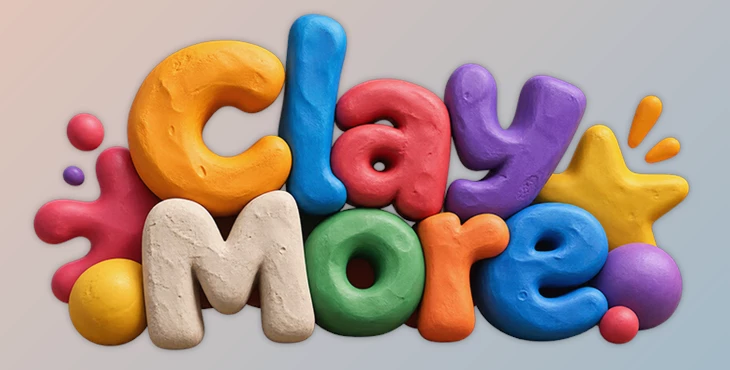
Creating a convincing clay look in After Effects isn't just about adding texture. The shapes need the soft, dimensional character associated with claymation, while the surface itself may range from smooth plasticine to rough, handmade modeling clay. Clay More, developed by Filthy Baguette, is designed specifically for this transformation, turning text and shapes directly inside Adobe After Effects into stylized clay graphics.
The tool combines ready-made clay presets with customizable appearance controls, making it suitable for titles, logos, illustrations, stop-motion-inspired graphics, and 3D-looking shapes.
Turn Text and Shapes into Clay
Clay More works with text and shapes inside Adobe After Effects, converting ordinary graphics into soft clay-style designs. It focuses on reproducing the handmade visual character of clay rather than simply applying a generic surface effect.
This makes the tool relevant to several types of visual work:
Clay animation
Stop-motion style graphics
Playful titles
Logos
Illustrations
3D-looking shapes
Because the transformation takes place directly in After Effects, the clay treatment becomes part of the motion-design workflow rather than requiring the graphic to be created elsewhere first.
Six Clay Presets with a Customizable Look
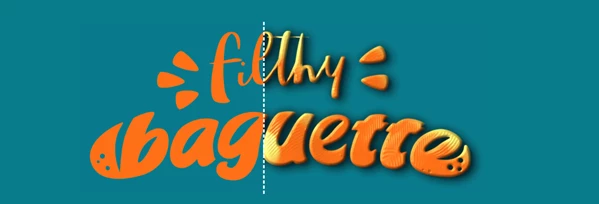
Clay More includes 6 clay presets that provide starting points for the appearance. You can select a preset first, then customize it to better match the project's visual direction.
The presets are therefore not limited to fixed final styles. They provide a base clay appearance while leaving room to modify the result.
This combination is particularly relevant when several elements need to share a recognizable clay aesthetic without every design having exactly the same surface character.
Smart Texture System
A key part of Clay More is its smart texture system. The system reproduces different types of clay surfaces rather than treating clay as a single uniform material.
The available customization can cover looks ranging from:
Smooth and polished plasticine → Rough, handmade modeling clay
This range changes the character of the result significantly. A polished surface can produce a cleaner clay appearance, while a rougher texture emphasizes the imperfect, handmade quality associated with physically modeled clay.
As a result, the same underlying text or shape can be adapted to different clay aesthetics without changing the original design concept.
A Simple Clay-Styling Workflow
The core workflow is deliberately straightforward:
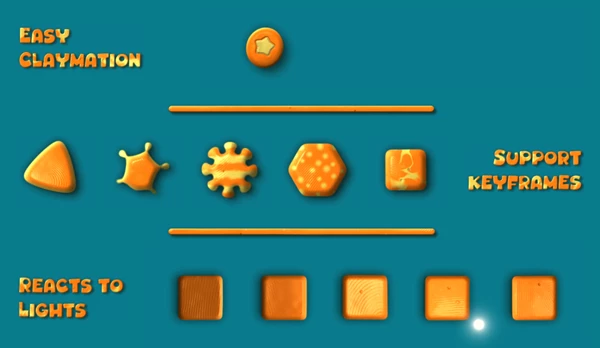
Text or Shape → Choose One of 6 Clay Presets → Customize the Clay Appearance → Use the Styled Graphic in Your Composition
Rather than building the clay appearance from scratch, the preset provides the initial look, and the customization system is used to refine it.
You can apply the process to typography and graphic shapes, so Clay More isn't limited to title design. Logos, illustrations, and other shape-based elements can receive the same claymation-inspired treatment.
From Clean Plasticine to Handmade Clay
One of the defining aspects of Clay More is the ability to move between different interpretations of clay.
Clay does not always have the same visual quality. Some projects may call for a clean, polished plasticine finish, while others benefit from a rougher modeling-clay appearance that makes the graphic feel more handmade.
Clay More addresses both directions through its customizable texture system while retaining the soft, stylized clay character at the center of the effect.
For motion designers working in Adobe After Effects, this provides a focused way to transform existing text and shapes into clay-style artwork while controlling how polished or handcrafted the final surface appears.

Files Password : gfxplugin.com OR 123456