Downloadable Files
You can download Auto Unwrap for free from the end of this page.
Auto Unwrap
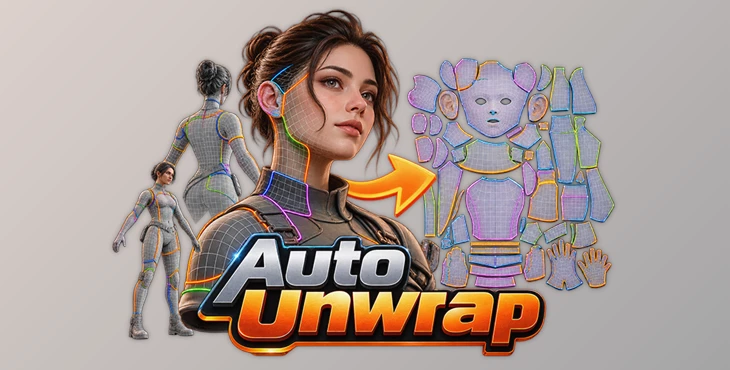
UV unwrapping can require very different decisions depending on whether the model is a character, a mechanical object, or a garment. Auto Unwrap is a Blender add-on designed around these differences rather than applying the same unwrapping method to every mesh. It provides dedicated approaches for organic models, hard-surface geometry, and clean quad garments, with automatic seam placement, part detection, UDIM tools, and controls for refining individual UV islands when needed.
The basic workflow is deliberately short: select the model, press Unwrap, and let the add-on determine how the geometry should be cut and flattened.
Three Approaches to UV Unwrapping
Auto Unwrap handles three major types of geometry differently:
| Model Type | Approach |
|---|---|
| Organic models | Detects parts, determines cuts, and unwraps them with minimal stretching |
| Hard-surface models | Uses Smart UV projection designed to reduce unnecessary cuts and UV islands |
| Clean quad garments | Places seams according to garment-specific rules derived from artist-seamed clothing |
This separation is important because the seam layout that works for a character body is not necessarily appropriate for a vehicle part or a pair of pants.
Organic Unwrapping with Part Detection
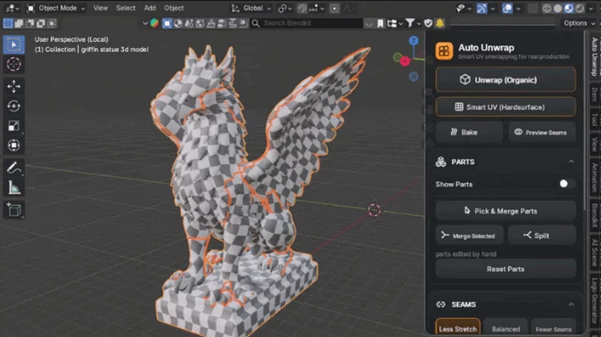
The Organic engine is built on the OptCuts engine and is intended for characters, creatures, sculpts, scans, and AI-generated image-to-3D models.
Before creating the UVs, Auto Unwrap automatically divides the model into parts using Smart Segmentation. The detected regions can be inspected with Show Parts, making it possible to see the segmentation in color before committing to the unwrap.
You can then pick and merge parts that should remain together or split them where necessary. The system supports detection of up to 5,000 parts.
The workflow is therefore:
Detect Parts → Show Parts → Pick / Merge / Split → Unwrap
Once the structure is established, the Organic engine determines where to cut and lays the pieces flat while aiming to minimize stretching.
For character bodies and heads, the tool is designed to place cuts where a character artist would place them and produce flat, even islands. This also makes it suitable for sculpts, scans, and generated characters that arrive without existing UVs.
Smart UV for Hard-Surface Models
Hard-surface geometry uses a different system. Smart UV mode works as a piece-by-piece projector and attempts to place the fewest possible cuts along the model's own lines.
The supplied test demonstrates the difference in island count clearly: on the same car model, Auto Unwrap produced 178 islands, while Blender's built-in Smart UV produced 563 islands.
The hard-surface workflow also provides several controls rather than locking the user into one automatic result. You can choose between the Auto Unwrap and Blender engines, adjust Piece Size, and select between:
Fewer
Balanced
Smoother
Blender's own Smart UV settings remain accessible as well.
Garment-Aware Seam Placement
Auto Unwrap includes dedicated seam logic for clean quad garments, including exports from Marvelous Designer or CLO.
Rather than treating clothing as generic organic geometry, the system follows seam-placement patterns learned from around 40 garments seamed by artists.
For different garment structures, it can place seams such as:
Cuff and armhole loops
Collars and bands
A straight seam from the armpit down the body
Center front-to-back lines
Outer and inner leg seams
Waistbands on pants
Waist and side seams on dresses and skirts
This gives clothing its own specialized unwrapping process rather than forcing it through the same rules used for characters or hard-surface objects.
Automatic Results with Manual Control
Although Auto Unwrap is designed around automatic processing, the result does not have to be accepted as an all-or-nothing operation.
Seam Balance lets you choose the trade-off between UV distortion and the number of seams using Less Stretch, Balanced, or Fewer Seams.
With Preview Seams, cuts can be inspected before the unwrap is committed.
Individual islands can also be selected directly on the model. Join Into One merges multiple selected islands, while Redo Selected Island re-unwraps only the chosen piece without changing the rest of the UV layout.
For symmetrical models, Symmetry applies identical cuts to both sides and creates mirrored island pairs.
UDIM and Packing Tools
Auto Unwrap also handles the organization of finished UVs across UDIM tiles.
Parts can be distributed using Object or Balanced UDIM modes, and an island is never divided between two tiles.
Packing tools include:
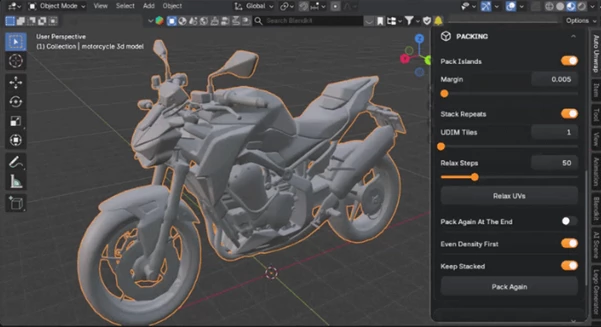
Pack Islands — automatically arranges the UV islands.
Stack Repeats — places identical pieces in the same position so their texture resolution is shared.
Pack Again — re-packs the result tile by tile.
These tools keep UDIM distribution and island organization inside the same unwrapping workflow.
Viewport Card and Workflow Feedback
The add-on's controls are collected on a dedicated card directly inside the Blender viewport. A classic sidebar panel is also available for users who prefer that layout.
The interface provides animated explanations when hovering over buttons, while play buttons give direct access to the available YouTube lessons. During processing, a progress bar displays the current job, and Esc can be used to stop it.
Status messages provide feedback about operations, and the card itself can be customized with different colors and corner rounding.
Built-in lessons for Texel Density and UDIM are also accessible from the panel.
Compatibility and Tutorials
Auto Unwrap requires Blender 4.2 or later and supports:
Windows
Linux
Full video tutorials are available in six languages:
English · Korean · Japanese · Portuguese · German · Spanish
Where Auto Unwrap Fits Best
The add-on creates UVs based on the shape of your model. For characters, it includes tools made for bodies, heads, and clothing. For hard-surface models, Smart UV can help create cleaner UV layouts with fewer separate islands.
It also addresses models from scanning and AI image-to-3D workflows, where geometry may arrive without UVs and needs to be segmented, cut, and unwrapped before texturing.
By combining model-specific unwrapping methods with part detection, seam preview, selective re-unwrapping, symmetry, UDIM distribution, and packing, Auto Unwrap keeps both the automatic and corrective stages of UV preparation within a single Blender add-on.

Files Password : gfxplugin.com OR 123456