Downloadable Files
You can download Effects Core Pack for free from the bottom of this page.
Effects Core Pack
DaVinci Resolve already includes a large collection of effects, but some specific treatments still require extra work or a trip into Fusion. Effects Core Pack adds 16 effect plugins designed to fill some of those gaps while keeping the workflow directly accessible from the timeline.
The pack includes effects for glow, light sweeps, shattering, strokes, chromatic aberration, beveling, and more. Each effect can be applied from the Edit page or used as a node in Fusion, with controls available through the Inspector and no keyframing required.
It is GPU-accelerated, works with both the Free and Studio editions of DaVinci Resolve 20+, and supports macOS and Windows.
16 Effects Built for DaVinci Resolve
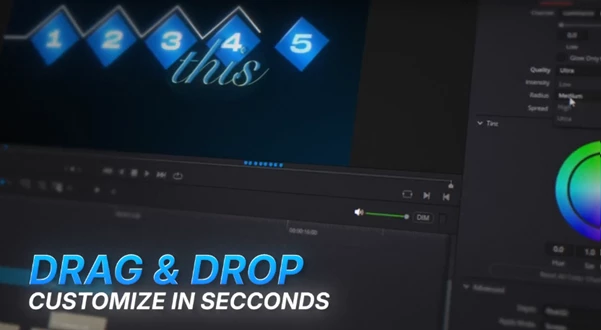
Effects Core Pack contains 16 effect plugins. Rather than requiring a Fusion graph to be built manually, the effects are designed around a simple workflow:
Search “Neo” → Drag the effect onto a clip → Adjust it in the Inspector
You can also use the same effects inside Fusion when you prefer a node-based workflow.
Among the 16 included plugins are Glow, Light Sweep, Shatter, Stroke, Chroma, Bevel, and 10 additional effects. The supplied product information highlights several of them in more detail.
Shatter
Shatter breaks text, titles, or graphics apart directly over your footage. According to the developer, DaVinci Resolve does not provide a native equivalent for this type of effect.
It is intended for:
Titles
Text
Motion graphics
Chroma
Chroma creates chromatic aberration through an RGB spectrum split. Rather than producing only a strong red-and-cyan separation, it creates a fuller spectrum split.
The effect can be applied to:
Text
Motion graphics
Video footage
Bevel
Bevel gives flat elements a beveled edge to introduce visible depth. It is designed for graphics that would otherwise remain visually flat, including:
Motion graphics
Text
Icons
Logos
Glow
The included Glow is a multi-layer glow rather than a basic soft glow. Its key distinction is that text and edges remain sharp while the glow is generated, rather than blurring the entire frame.
It is primarily designed for text and motion graphics.
Light Sweep
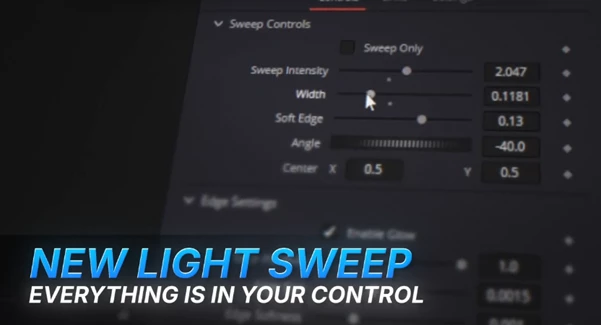
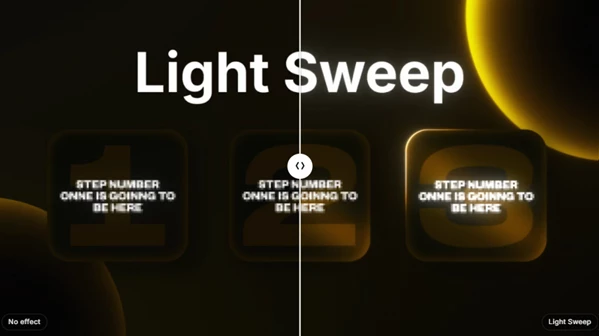
Light Sweep creates a clean sweep of light across a graphic. It can be used to produce a bright moving edge on text or motion graphics and to emphasize specific visual elements.
Edit Page or Fusion
Every effect in Effects Core Pack can be used in two different parts of DaVinci Resolve.
| Workflow | How the effect is used |
|---|---|
| Edit Page | Drag the effect directly onto a clip and adjust its controls in the Inspector |
| Fusion | Use the effect as a node inside a Fusion composition |
This gives the pack two ways of working without requiring separate versions of the effects. For timeline-based editing, the Edit page provides the direct drag-and-drop approach. When working inside Fusion, the same effects are available as nodes.
The effects do not require keyframes for their standard operation, and the Edit-page workflow does not require building or wiring a Fusion graph.
Built-In Tutorial Access
Effects Core Pack includes 16 tutorial chapters organized as one complete walkthrough.
A Tutorial button is available on every effect. Selecting it takes you directly to the corresponding chapter, so you can access instructions for the particular effect you are currently using rather than searching through the entire tutorial manually.
Compatibility and Requirements
The pack is designed specifically for DaVinci Resolve 20 or newer.
| Requirement | Support |
|---|---|
| DaVinci Resolve | Version 20+ |
| Resolve Edition | Free & Studio |
| macOS | Apple Silicon & Intel |
| Windows | Windows 10 & 11 |
| Resolve Pages | Edit & Fusion |
| Processing | GPU-accelerated |
Both DaVinci Resolve Free and Studio are supported, so the effects are not restricted to Studio users.
What’s Included
The complete Effects Core Pack provides:
16 effect plugins
Glow
Light Sweep
Shatter
Stroke
Chroma
Bevel
10 additional effects
16 tutorial chapters
One complete tutorial walkthrough
Tutorial button on every effect with direct access to its relevant chapter
Edit page support
Fusion node support
Effects Core Pack is centered on adding effects that can be searched through “Neo,” dropped directly onto clips, and controlled from the Inspector while remaining available for Fusion workflows when needed. Its combination of 16 effects and dual Edit/Fusion usage makes it a focused extension of DaVinci Resolve 20+ for creating effects such as multi-layer glows, RGB spectrum splits, beveled graphics, light sweeps, and shattering text or graphics.

Files Password : gfxplugin.com OR 123456