Downloadable Files
You can download VINTAGE FILM BURNS for free from the end of this page.
VINTAGE FILM BURNS
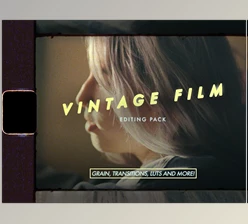
Digital footage can sometimes feel too clean when a project calls for the irregular character of analog film. VINTAGE FILM BURNS is a collection of handcrafted film burn and light leak overlays designed to introduce those organic imperfections directly into an edit. Rather than generating the effect through a plugin, the pack provides scanned footage that can be placed over existing video and blended into the shot.
The package contains 69 Film Burns in 4K UHD ProRes format, giving editors a range of variations for creating nostalgic film textures, transitions, and overexposed light effects.
How the Film Burn Effect Was Created
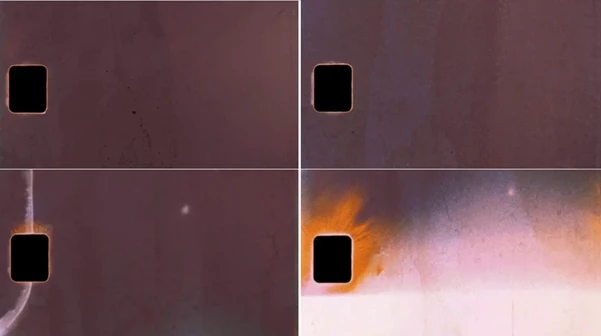
The visual character of this pack is based on an effect associated with physical film. Between shots, several frames can become overexposed when the film remains stationary for an extended period, with that overexposure bleeding into neighboring frames.
The creators experimented with this behavior using different lights and gels, producing multiple film burn variations from test rolls. The resulting assets reproduce the irregular light, color, and texture associated with old film rather than relying on a digitally generated filter.
Because the collection contains more than 60 variations, editors can choose different burns instead of repeatedly applying the same effect throughout a project.
What Is Included in VINTAGE FILM BURNS?
The package includes:
69 Film Burns
4K UHD ProRes files
Handcrafted film burn and light leak effects
Multiple film burn variations
Commercial license
Unlimited usage
Lifetime access
Instant download
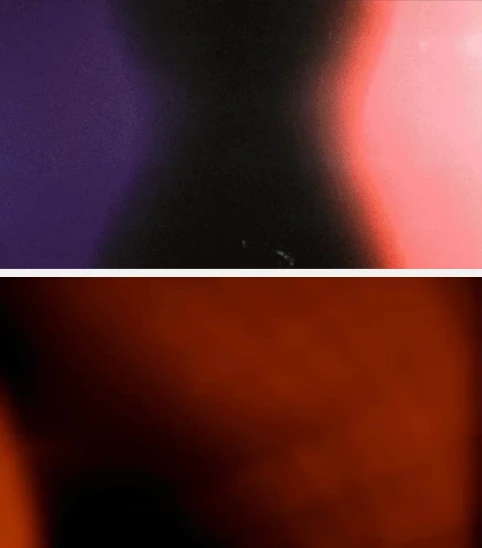
The effects are intended to introduce the warmth, overexposure, light leaks, and organic texture associated with vintage film footage. According to the product description, the collection can be used for looks ranging from the character of a 1950s home movie to 1990s film.
Overlay-Based Workflow — No Plugin Required
VINTAGE FILM BURNS does not require installation or a dedicated plugin. The files work as video overlays and can be imported in the same way as regular footage.
The basic workflow is straightforward:
Import the Film Burn → Place it above the main footage → Change the Blending Mode → Adjust the result
Since the assets remain separate video layers, their color and contrast can also be adjusted to better fit the underlying footage.
This approach keeps the pack independent from a particular plugin ecosystem. The main requirement is that the editing software supports multiple video layers and Blending Modes.
Software Compatibility
The pack is compatible with editing and compositing software capable of working with layered video and changing blending modes. The listed applications include:
| Software | Compatibility |
|---|---|
| Adobe Premiere Pro | Supported |
| Adobe After Effects | Supported |
| Final Cut Pro | Supported |
| DaVinci Resolve | Supported |
The product description also states that it works with other software that offers the same multi-layer and blending-mode capabilities.
This is an important distinction: compatibility is based on the editor's ability to handle the overlay workflow rather than on installation of a software-specific extension.
4K Scans and Multiple Variations
The included Film Burns are provided as 4K UHD ProRes files. The high-resolution source material gives editors room to use the textures in projects where detailed film texture is needed.
Another central part of the pack is variation. Instead of providing a single generic burn, the collection includes 69 individual Film Burns created through different experiments with film, lighting, and gels.
These assets can introduce subtle light leaks and organic textures or become more noticeable visual elements between shots, depending on how they are incorporated into the edit.
Where the Film Burns Fit Best
The pack is designed around a vintage, analog aesthetic, making it ideal for clean digital footage that needs the imperfections associated with physical film.
The creator specifically highlights documentaries, music videos, and other creative video projects as suitable uses. The assets can also support projects aiming for the visual character of different analog periods, including home-movie-inspired footage and 1990s-style film treatments.
Because the Film Burns are individual overlays rather than a single fixed effect, editors can select different elements according to the visual direction of each sequence.
A Flexible Way to Add Analog Imperfections
The main idea behind VINTAGE FILM BURNS is simple: provide real scanned film-burn material that can be layered over digital footage without requiring additional plugins. With 69 4K UHD ProRes Film Burns, multiple visual variations, adjustable color and contrast, and compatibility based on standard video layers and blending modes, the pack offers a practical way to incorporate vintage film artifacts into an existing editing workflow.

Files Password : gfxplugin.com OR 123456