Downloadable Files
You can download Disappear for free at the end of this product page.
Making a person, vehicle, or other subject vanish from a shot usually requires more than simply cutting between two clips. The transition needs enough visual impact to sell the moment while still fitting naturally into the edit. Disappear is an effect generator designed specifically for this purpose, combining the disappearance with a cinematic pulse, camera shake, shockwaves, and chromatic aberration.
The effect works right inside the Edit page, so you don’t need to use Fusion. This makes it easier to create disappear or reappear effects without switching to a separate compositing workflow.
Make a Subject Disappear or Reappear
The core function of Disappear is straightforward: place the effect over your clips to make a subject vanish from the frame. It can also be inverted to produce the opposite result, allowing the subject to reappear instead.
A dedicated invert button switches the direction of the effect, so the same generator can handle both versions without requiring a separate effect.
The visual treatment combines several elements:
Cinematic pulse
Smooth camera shake
Shockwaves
Clean chromatic aberration
Adjustable glow
These elements are built into the effect rather than requiring the editor to construct them individually.
Customize the Impact of the Effect
Disappear is not limited to a single fixed appearance. Its controls let you adjust different parts of the effect to better match the shot.
You can customize parameters including glow, camera shake, and shockwave strength. This gives you control over how strongly the disappearance affects the frame while retaining the overall visual style of the generator.
The combination of shockwaves, pulse, shake, and chromatic aberration is particularly suited to edits where a simple cut would feel too plain. The product specifically highlights real estate videos, car edits, music videos, and other creative projects as potential uses.
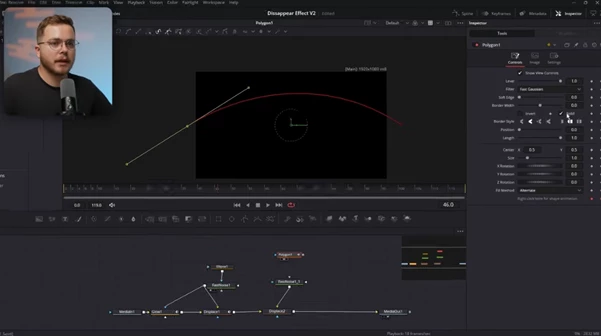
No Fusion Workflow Required
One of the notable aspects of Disappear is that it is built entirely for the Edit page. You do not need to open Fusion to use the effect.
The workflow is therefore kept relatively direct:
Prepare the footage → Install the DRFX → Add Disappear on the Edit page → Adjust the effect → Invert it when a reappearance is needed
The product is supplied as a single .drfx file, designed for one-click installation.
A Clean Plate Is Still Required
Disappear generates the visual effect around the disappearance, but it does not remove the need to prepare the shot correctly.
You still need to film a clean plate. In practical terms, the effect relies on having the necessary footage of the scene without the subject so that the disappearance can transition into a clean background.
This is an important requirement to consider before shooting. Disappear provides the stylized visual treatment, but it does not replace the footage needed to reveal the scene behind the disappearing subject.
Where Disappear Fits Best
The effect is designed for situations where a subject needs to leave or enter the frame through a noticeable stylized transition rather than an ordinary edit.
In real estate videos, it can be used when an agent needs to disappear from a shot while keeping the property visible. For car edits, the same effect can create a stylized disappearance or reappearance of a vehicle. Its pulse, shake, shockwave, and chromatic aberration also make it suitable for music videos and other creative edits that call for a more cinematic visual event.
Because the direction can be flipped with the invert control, both entrance and exit effects can be created from the same generator.
File and Workflow Details
| Detail | Information |
|---|---|
| Product | Disappear (Effect Generator) |
| Main function | Make subjects disappear or reappear |
| Editing environment | Edit page |
| Fusion required | No |
| Installation format | .drfx |
| Delivered file size | 17KB |
| Direction control | Invert button |
| Adjustable elements | Glow, shake, shockwave strength, and more |
| Footage requirement | Clean plate required |
Disappear is focused on one specific task: turning a disappearance or reappearance into a cinematic effect while keeping the setup inside the Edit page. Its built-in pulse, camera shake, shockwaves, chromatic aberration, customization controls, and invert option provide the visual components needed for this type of transition in a single effect generator.

Files Password : gfxplugin.com OR 123456