Downloadable Files
You can download Pop Dot Comics for free from the end of this page.
Turn Your Photos Into Comic Book Art with Pop Dot Comics
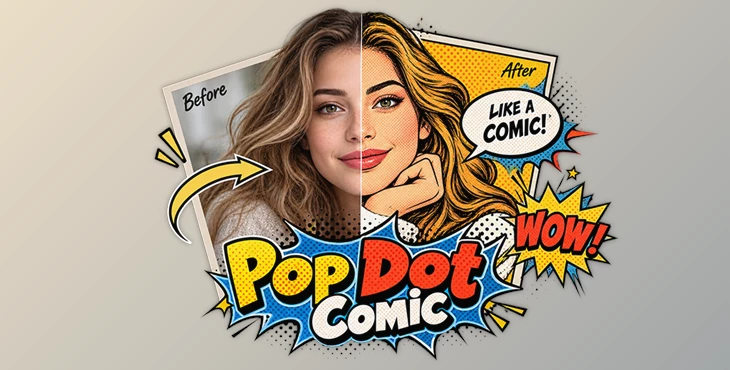
Have you ever looked at a normal photo and imagined it as a colorful panel from an old comic book? Thick black outlines, bold colors, tiny halftone dots, aged paper, and speech bubbles can completely change an image's personality.
Creating this style by hand can take a lot of time. You have to work on the colors, outlines, halftone dots, contrast, and paper texture separately, then bring everything together to get the final comic look.
Pop Dot Comics makes it easy to turn regular photos into comic-style images. You can start with one of the included styles and adjust the effects to create anything from bright, colorful comics to darker noir-style artwork.
What Makes the Comic Book Look So Distinctive?
Traditional comic and newspaper artwork has a visual language that is easy to recognize. Strong outlines define important shapes, limited or exaggerated colors make subjects stand out, and halftone or Ben-Day dots create the printed texture associated with classic comics.
Instead of simply applying a filter to an image, combining these elements can make a photograph feel more like a printed illustration.
For example, a portrait can become a bright pop-art image, while a street photo can become a gritty noir scene. Family and travel photos can also become playful comic panels with borders, speech bubbles, and visual sound effects.
These details help the result feel more convincing.
Meet Pop Dot Comics
Pop Dot Comics is a creative photo app that converts photographs into comic book-style illustrations. It is available for both Mac and Windows and provides automatic settings alongside customizable controls.
The software applies elements such as thick outlines, bold colors, halftone patterns, Ben-Day dots, paper textures, borders, and comic decorations to your images.
Instead of building each part of the effect manually, you can start with an included setting and then customize the result.
This makes it useful for portraits, family photos, social media graphics, poster-style artwork, pulp-inspired illustrations, and other projects where a traditional comic appearance fits the idea.
Features That Shape the Comic Style
One of the most useful parts of Pop Dot Comics is the variety of comic styles included with the software.
Five Different Comic Styles
The software provides five main approaches to comic artwork:
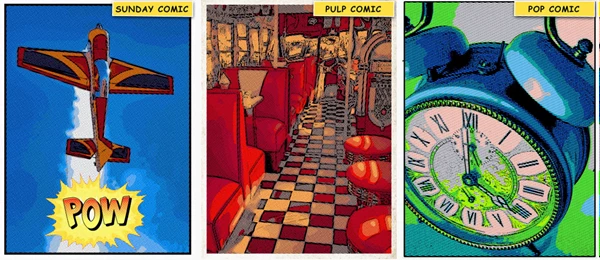
Sunday Comics turns photographs into colorful cartoon-style images.
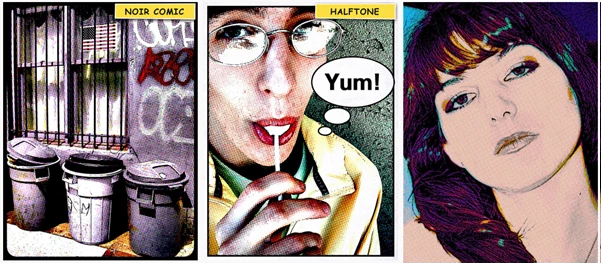
Halftone creates a newspaper-inspired halftone appearance.
Pop Comics produces bright pop-art illustrations with bold colors and dots.
Pulp Comics combines cartoon processing with vintage colors and aged paper.
Noir Comics creates high-contrast or black-and-white artwork with optional selective color.
These styles make it possible to use the same photograph in very different ways without rebuilding the effect from scratch.
Halftones, Benday Dots, and Outlines
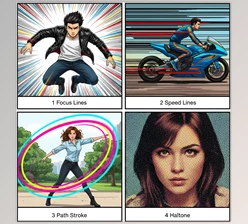
Halftone patterns are an important part of the classic printed-comic appearance. Pop Dot Comics includes five Benday dot, line, and halftone sizes, giving you control over how noticeable the printed texture becomes.
You can also adjust color areas and outlines.
This is particularly helpful with portraits. Stronger outlines can make facial features, clothing, and hair look more illustrated, while smaller halftone patterns can preserve more of the original photographic detail.
Borders, Papers, and Comic Details
A convincing comic image often needs more than a cartoon effect.
Pop Dot Comics includes a comic book-style border with adjustable width, inset, and color. It also provides paper tinting and a collection of 46 papers, allowing you to move away from a perfectly clean digital background and create something closer to printed artwork.
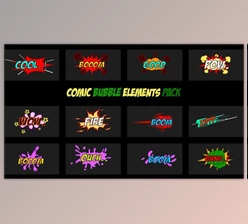
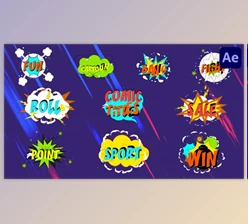
For more playful compositions, the software includes 48 fun objects and visual sound effects as well as 48 editable speech bubbles.
These elements can be useful when turning several photos into comic panels or creating humorous images with friends and family.
Start Quickly with One-Touch Settings
Not every image needs detailed manual adjustment.
Pop Dot Comics includes 100 one-touch settings that can quickly transform a photograph into a finished comic-style image. These presets provide a useful starting point, especially when you want to explore different looks before adjusting individual settings.
The software also supports quick previews and a Randomize option, making experimentation easier.
Once you find a direction you like, you can fine-tune the customizable settings instead of starting from zero.
Tips for Better Comic-Style Results
Choosing the right source photo can make a noticeable difference. Images with a clear subject and good separation between the foreground and background usually work well because strong outlines can define the important parts of the scene more clearly.
Pay attention to the halftone size too. Large dots create a more obvious retro printed effect, while smaller patterns can keep more detail visible. For portraits, try to avoid making the outlines so heavy that small facial details disappear.
Paper textures can also change the overall mood. A clean paper can suit colorful modern comic artwork, while aged or tinted paper works naturally with pulp and vintage styles.
Speech bubbles and visual sound effects are fun, but they work best when they support the composition rather than covering important parts of the image. Leaving some open space around the subject can give these elements room to breathe.
For noir-style images, experiment with selective color carefully. Keeping most of the scene monochrome while allowing one important element to retain color can create a strong focal point.
More Control for Everyday Creative Projects
Beyond its comic-specific tools, Pop Dot Comics includes several general features that make experimentation easier.
It supports high-resolution images and output, multiple undo, quick previews, customizable settings, and randomization.
These controls are useful when trying different combinations of paper, outlines, colors, and halftones. You can explore several visual directions without having to commit to the first result.
Give Ordinary Photos a Completely Different Personality
Pop Dot Comics offers an approachable way to turn everyday photographs into artwork inspired by newspapers, pulp comics, pop art, and classic illustrated panels.
Its combination of five comic styles, adjustable halftones, Ben-Day dots, outlines, borders, 46 paper options, 48 editable speech bubbles, 48 decorative objects and sound effects, and 100 one-touch settings gives you plenty of room to experiment.
Whether you want a colorful portrait, an aged pulp illustration, a newspaper-style image, or a dramatic noir scene, the software brings the main pieces of the comic-book look together in one place.
The best results often come from experimenting with the details rather than simply choosing a preset. Try different dot sizes, papers, outlines, and colors until the original photograph starts to feel like it belongs inside its own comic panel.

Files Password : gfxplugin.com OR 123456