Downloadable Files
You can download SUMI for free from the end of this page.
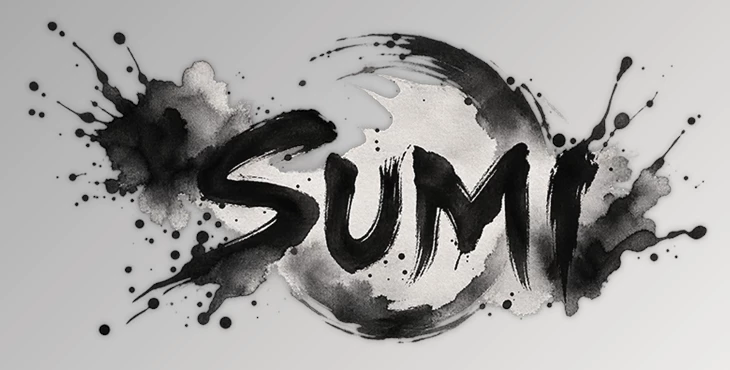
SUMI
Creating convincing ink effects in After Effects is not simply about expanding a dark shape or adding a rough texture around its edges. Real ink interacts with the material underneath it. It travels through paper fibers, gathers pigment around drying edges, creates irregular blotches, and changes its behavior depending on how absorbent the surface is.
SUMI brings this behavior directly into After Effects. Instead of relying on stock footage or manually animating masks, it simulates ink travelling through paper frame by frame. This gives you much more control over where the ink appears, how it spreads, and how the paper itself influences the final result.
When the Paper Becomes Part of the Effect
One of the most interesting aspects of traditional ink is that the paper actively influences the appearance of every stroke and drop. Ink on washi paper does not behave exactly like ink on watercolor paper or a smoother surface.
SUMI approaches the effect in the same way by simulating the paper itself. It includes models for Washi, Watercolor, and Kent paper, with controls for properties such as fiber scale, fiber strength, and absorbency variation.
As a result, the ink does not simply expand uniformly from its starting point. It travels according to the simulated fibers and absorbency of the surface.
This can be useful when creating:
Traditional sumi-inspired animations
Watercolor-style reveals
Organic logo animations
Ink transitions
Illustrated title sequences
Abstract motion graphics
Artistic backgrounds
Hand-painted visual effects
Because the behavior develops over time, these effects can feel more organic than a simple animated mask or expanding procedural texture.
SUMI for After Effects
SUMI is a native C++ effect plugin designed specifically for Adobe After Effects. It provides a deterministic simulation of ink traveling through paper fibers directly on the timeline.
Rather than hiding the simulation behind a fixed preset, SUMI exposes its behavior through adjustable parameters. The effect is organized into eight control groups covering Drop Mode, Scatter Drops, Manual Drops, Streaks and Splash, Bleed, Texture, Paper, Time, and Output.
This means you can control not only what the ink looks like, but also where it begins, how it travels, what type of paper affects it, and how the effect develops through the animation.
Simulated Paper Behaviour
SUMI includes simulated Washi, Watercolor, and Kent paper. You can adjust fiber scale, fiber strength, and variations in absorbency to change the way ink spreads across the surface.
Changing these properties can produce noticeably different results even when the same ink drops are used.
Use Your Own Texture as Paper
You are not limited to the included paper models.
Any layer can be supplied as a texture map, and SUMI interprets its luminance as absorbency. This allows scanned paper, custom textures, logos, footage, or other visual material to influence the direction and character of the bleed.
It is particularly useful when the ink effect needs to feel connected to a specific material rather than sitting on top of it as an unrelated overlay.
Detailed Sumi-Style Edges
The edges of an ink stain are an important part of making the effect convincing. SUMI simulates pigment gathering around drying edges while water can move ahead of the darker pigment.
Grain, blotch, and ring textures can also appear inside the ink. When drops overlap, they darken and blend together, helping produce the appearance of interacting wet paint rather than isolated graphic shapes.
Colored Ink and Diffusion
Although traditional sumi black is the default appearance, SUMI is not restricted to black ink.
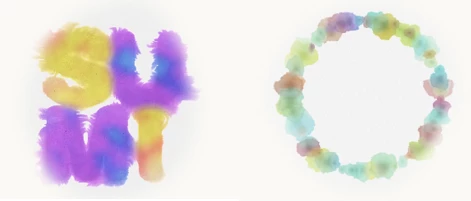
Each ink can have its own color, and per-drop hue jitter introduces controlled variation between drops. When different wet colors meet, they can diffuse into one another.
This makes the plugin suitable for colorful watercolor-style effects as well as traditional black ink animations.
Manual and Scatter Modes
Different projects require different approaches to placing ink.
In Manual Mode, you can carefully craft an individual drop. Up to five crafted drops can be used, with each having its own color diffusion into the surrounding ink.
Scatter Mode allows drops to be distributed across a region or placed along a path. Splash droplets and radial streaks can also be introduced when a more energetic or irregular result is needed.
These options make it possible to move between precisely directed animations and more scattered, organic compositions.
Start the Bleed From a Shape
SUMI can also begin an ink simulation from a supplied shape.
Two different behaviors are available:
Soak lets ink seep outward from the shape's outline.
Fill floods the shape itself with ink.
This works especially well for text, logos, symbols, and illustrated shapes. Instead of simply revealing the graphic with a conventional mask, the shape can appear as though ink is physically spreading through the paper.
Making SUMI Effects Feel More Natural
A convincing result usually comes from allowing some irregularity into the animation. Real paper and liquid rarely behave with perfect symmetry, so small variations in fiber properties, absorbency, drop placement, and internal texture can help the effect feel less digitally uniform.
When working with custom paper textures, choose material that contains meaningful variations in brightness. Since SUMI can interpret luminance as absorbency, those differences become part of the ink's behavior.
It is also worth experimenting with the same drops on several paper types before changing the ink settings. Washi, watercolor, Kent, and a custom texture map can each produce a different visual character from identical starting conditions.
For logo and text reveals, compare Soak and Fill rather than assuming one mode will work for every design. Soak can emphasize the perimeter and outward bleed, while Fill is useful when you want the supplied shape itself to become flooded with ink.
Colored inks can become more interesting when subtle hue variation is introduced instead of giving every drop exactly the same color. When multiple colors overlap, allowing their wet areas to diffuse can create richer transitions and more painterly results.
Finally, use streaks, splashes, grain, blotches, and rings according to the needs of the shot. Combining every available detail at maximum strength can make an effect unnecessarily busy. A few carefully controlled imperfections are often enough to establish the feeling of real ink and paper.
From a Single Drop to a Complete Ink Animation
SUMI can be approached at several levels of complexity. You can begin with a single manually controlled drop, build a composition from several crafted drops, distribute ink across an area, guide it along a path, or start the entire bleed from an existing shape.
That flexibility makes the plugin useful beyond recreating traditional Japanese sumi ink. The same simulation can support watercolor visuals, organic transitions, title reveals, logo animations, experimental motion graphics, and other projects where liquid pigment interacting with paper is part of the visual language.
Final Thoughts
SUMI gives After Effects users a way to create ink and paper interactions directly inside their compositions rather than constructing the effect from stock footage, manually animated masks, or simple expanding textures.
Its main strength is the relationship between the ink and the simulated paper. Washi, watercolor, Kent, and custom texture maps can actively influence the bleed, while controls for drops, paths, shapes, color diffusion, pigment edges, splashes, and internal textures provide room to direct the result.
Whether you want a subtle ink reveal around a logo or a composition filled with spreading, overlapping colored drops, SUMI provides a flexible system for building the effect while keeping its behavior connected to the physical qualities of ink travelling through paper.

Files Password : gfxplugin.com OR 123456