Downloadable Files
You can download Stabilizer for free from the end of this page.
Stabilizer
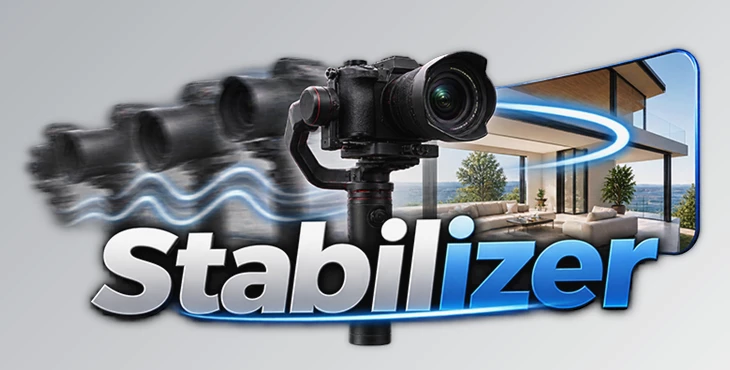
Shaky footage can quickly make an otherwise beautiful video feel unfinished. Even when you use a gimbal, small vibrations, micro jitters, or subtle handheld movements can still appear in the final shot. This becomes especially noticeable in real estate videos, where smooth walkthroughs and controlled camera movements are an important part of creating a professional result.
Stabilizer is a Fusion Macro for DaVinci Resolve designed to make stabilizing these types of shots faster and easier. Instead of letting unwanted movement distract from your footage, you can smooth out camera motion while maintaining control over how the stabilization behaves.
Turn Shaky Footage into Smooth Motion
Video stabilization is essentially about reducing unwanted camera movement while preserving the intentional motion of the shot.
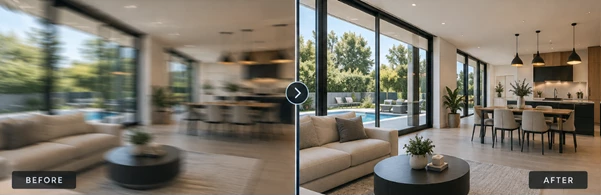
For example, imagine filming a walkthrough of a modern interior. You may be moving slowly through a room with a gimbal, but tiny vibrations can still appear as you walk. These small imperfections might not seem significant while filming, yet they can become much more obvious when viewed on a larger screen.
The same problem can happen with handheld footage, slow pans, or shots where the gimbal movement was not completely smooth.
Good stabilization helps reduce these distractions and allows viewers to focus on the subject instead of the camera movement. The goal is not necessarily to remove every bit of motion, but to make the movement feel controlled, smooth, and natural.
Meet Stabilizer for DaVinci Resolve
Stabilizer provides a set of stabilization tools that work directly inside Fusion in DaVinci Resolve. It was designed specifically with real estate videography in mind, but its stabilization workflow can also be useful for many other handheld and motion-heavy shots.
The package includes two different stabilization options, allowing users of both the free and Studio versions of DaVinci Resolve to work with the tool.
Features
Point Tracker – Free Version
The Point Tracker version is built using DaVinci Resolve's native tools and works with the free version of the software. It uses point tracking to provide clean and reliable stabilization without requiring DaVinci Resolve Studio.
This can be particularly useful when you have a visible reference point in the footage that can be tracked consistently throughout the shot.
Intelli Tracker – Studio Only
For DaVinci Resolve Studio users, Stabilizer also includes an Intelli Tracker version. This option uses more advanced tracking to generate refined tracking data and can produce smoother, more natural stabilization, especially when working with more complicated footage.
Having both versions included means you can choose the stabilization method that best matches your version of Resolve and the complexity of the shot.
Micro Jitter and Handheld Shake Reduction
Small vibrations are often some of the most distracting imperfections in moving footage. Stabilizer is designed to reduce micro jitters and handheld shake, helping footage feel more polished without requiring a complicated stabilization setup.
Fine Control over Stabilization
Not every shot needs the same amount of correction. Stabilizer provides controls for adjusting stabilization strength, smoothing, and motion response.
This flexibility is important because aggressive stabilization is not always the best solution. A subtle adjustment can often preserve the natural character of the original camera movement while removing the distracting imperfections.
Fusion-Based Workflow
The tools work directly inside Fusion, providing an efficient stabilization workflow without requiring additional third-party plugins.
Everything is built using DaVinci Resolve's existing capabilities, keeping the workflow contained within Resolve.
Where Stabilizer Can Make a Difference
Real estate footage is an obvious example. Smooth movement is especially valuable when showing interiors, hallways, kitchens, bedrooms, and other spaces through continuous walkthrough shots.
However, the same tools can also help with many other situations.
A handheld establishing shot with subtle shake can be smoothed out. A slow pan with small inconsistencies can feel more controlled. Gimbal footage that looks almost perfect but still contains tiny vibrations can receive an additional layer of stabilization.
The result is footage where the camera movement feels less distracting and more intentional.
Tips for More Natural Stabilization
When using Stabilizer, avoid automatically pushing stabilization strength to its maximum value. Start with a lighter correction and increase it only when necessary.
The objective should usually be to remove unwanted movement rather than completely eliminate the natural motion of the camera.
For real estate walkthroughs, pay particular attention to long straight lines such as walls, doors, windows, and furniture edges. These elements can make unwanted camera movement especially noticeable, so they are useful visual references when judging your stabilization.
When using Point Tracker, choosing a clear and consistent tracking point can also improve the reliability of the result. A point that remains visible throughout most of the shot will generally provide more useful tracking information.
For more complex footage, DaVinci Resolve Studio users can experiment with the Intelli Tracker version and compare the result with Point Tracker to determine which approach produces the most natural movement.
Finally, fine-tune the strength, smoothing, and motion response rather than relying on a single setting for every clip. Different camera movements often require different stabilization settings.
Final Thoughts
Stabilizer offers a practical way to deal with one of the most common problems in video production: unwanted camera shake.
With Point Tracker support for the free version of DaVinci Resolve and Intelli Tracker for Studio users, it provides options for different workflows and footage types. Controls for stabilization strength, smoothing, and motion response also make it easier to balance smoothness with natural camera movement.
While it is particularly useful for real estate walkthroughs and gimbal footage, it can also be helpful whenever micro jitters, handheld wobble, or imperfect camera motion are getting in the way of an otherwise strong shot.
Instead of rebuilding complicated stabilization setups for every clip, Stabilizer gives you a faster Fusion-based workflow for turning distracting movement into smoother, more controlled footage.

Files Password : gfxplugin.com OR 123456