Downloadable Files
You can download Nostalgia LUT Pack for free from the end of this page.
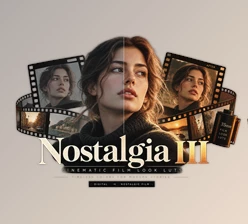
Nostalgia LUT Pack
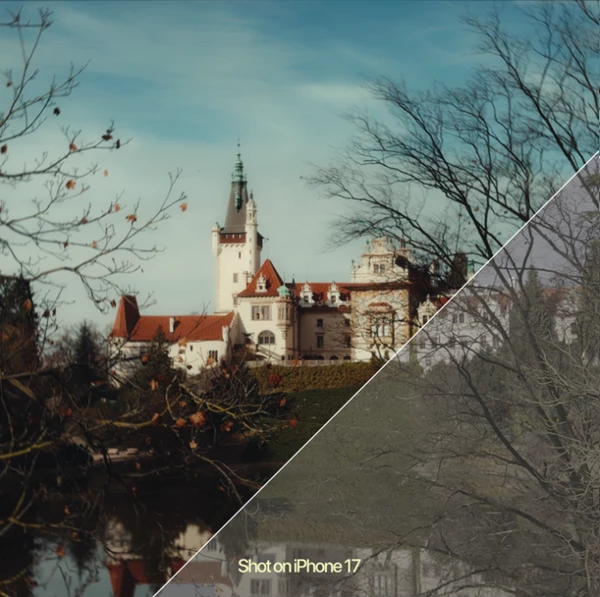
Giving digital footage a warm, timeless feel can completely change a video's mood. Clean and technically perfect colors are not always what a project needs. Sometimes, softer tones, warmer colors, and a little extra character can make an image feel much more memorable.
The Nostalgia LUT Pack is made for this type of application. This pack includes nostalgic looks that can be used to quickly achieve cinematic and warm visuals without having to create a full color grade.
Give Digital Footage a Timeless Character
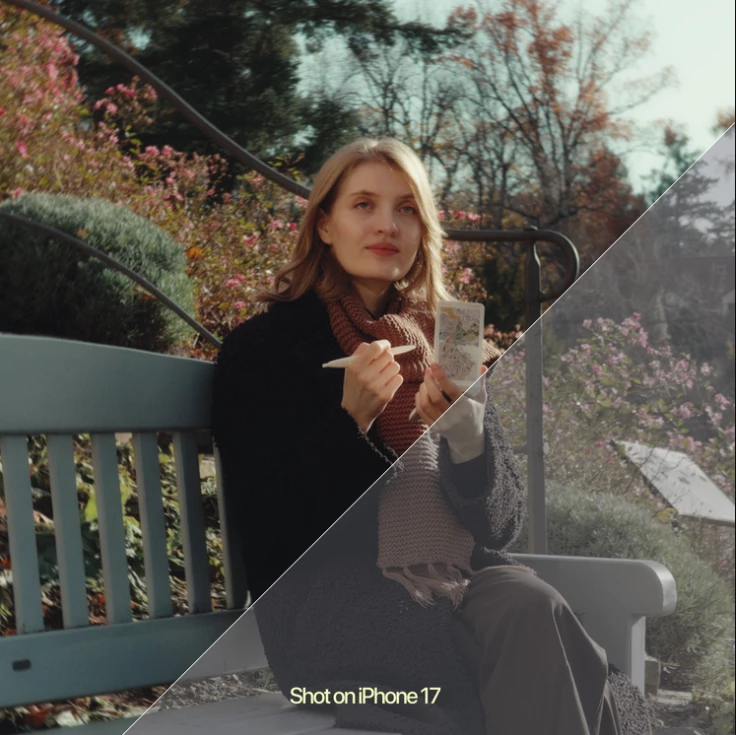
A nostalgic color grade is less about making footage look old and more about creating a particular feeling. Warm colors and carefully balanced tones can give modern digital footage a softer, more emotional character.
This approach can work particularly well for travel films, personal videos, cinematic projects, lifestyle content, and everyday footage. Instead of leaving the image with a neutral digital appearance, you can use a nostalgic look as a creative starting point and then adjust the grade to suit the scene.
For example, footage from a trip can feel warmer and more memorable, while an everyday street scene can gain a more cinematic personality through thoughtful color treatment.
What Is Nostalgia LUT Pack?
Nostalgia LUT Pack is a collection of LUTs and a DaVinci Resolve PowerGrade created to help users achieve warm, nostalgic, and cinematic color styles more quickly.
The pack works with both Rec.709 and Log footage, making it flexible for different cameras and color workflows. It can be used with footage captured on devices such as Sony cameras, iPhone, and DJI Osmo Pocket, as well as other compatible camera systems.
The LUTs can also be imported into a wide range of editing and color grading applications, including DaVinci Resolve, Final Cut Pro, Adobe Premiere Pro, and CapCut Desktop.
Features
Nostalgia LUTs
The included Nostalgia LUTs provide ready-made color looks designed around warmth, cinematic character, and a timeless visual style.
Instead of manually creating every aspect of the look, you can apply a LUT as your starting point and then fine-tune the result according to your footage.
Nostalgia Powergrade
For DaVinci Resolve users, the pack also includes a dedicated Nostalgia Powergrade.
A Powergrade can provide a more flexible starting point when you want greater control over your color grading workflow. You can use the provided look as a foundation and adjust your image to better match each project's needs.
Support for Rec.709 and Log Footage
One of the useful aspects of the pack is its flexibility across different types of footage. The looks are designed for use with both Rec.709 and Log footage, so they can fit into different shooting and post-production workflows.
This makes the pack useful whether you're working with footage that already has a standard contrast profile or material captured in Log for greater grading flexibility.
Flexible Camera Compatibility
The looks can be used with footage from cameras and devices such as Sony, iPhone, and DJI Osmo Pocket, among others.
This flexibility can be especially useful for creators who regularly combine footage from multiple devices in the same project.
Broad Software Compatibility
The LUTs are compatible with editing software that supports LUT imports. This includes:
DaVinci Resolve
Final Cut Pro
Adobe Premiere Pro
CapCut Desktop
Other LUT-compatible editing applications
The included Powergrade is specifically intended for DaVinci Resolve.
Quick Guide Included
The pack also includes a Quick Guide explaining how to use the LUTs and Powergrade. This can help users get started without having to figure out the workflow entirely on their own.
Where Can You Use These Looks?
The nostalgic aesthetic can fit many different types of projects. A travel filmmaker might use it to add warmth and personality to footage from a memorable trip, while a content creator could use it to give everyday videos a more distinctive visual identity.
For cinematic projects, the looks can serve as a creative foundation before additional grading. Personal videos can also benefit from the softer, warmer character when the goal is to make the footage feel more emotional or timeless.
Because the pack works with different cameras and editing programs, the same general aesthetic can be carried across multiple projects and shooting setups.
Tips for Better Results
Think of a LUT as a starting point rather than the final step of your color grade. After applying a Nostalgia LUT, check the exposure, white balance, contrast, and saturation of your footage and make small adjustments where necessary.
The look's strength should also match the scene. A subtle application often feels more natural, especially with skin tones or footage that already has strong colors.
When grading multiple shots from the same sequence, try to balance them before applying the creative look. Matching exposure and white balance between clips can help the nostalgic style remain consistent throughout the edit.
For Log footage, make sure your color-management or conversion workflow is correctly configured before judging the final appearance. A well-prepared image will generally give you more predictable results when applying a creative LUT.
A Faster Way to Build a Nostalgic Look
The Nostalgia LUT Pack offers a great starting point for those who desire cinematic, characterful, and warm visuals without having to create the same grade over and over again.
Nostalgia LUTs work with DaVinci Resolve PowerGrade, support both Log and Rec.709 footage, and work with some of the most popular editing software out there. This lets you integrate the pack into many post-production workflows.
Use these looks for cinematic footage, travel video, personal videos, or everyday video, and you will have a starting point you can adapt to your specific video while still creating that nostalgic feel.

Files Password : gfxplugin.com OR 123456