Downloadable Files
You can download HSX GlowCraft for free from the end of this page.
Edit and Enhance Photos Without Sending Them to the Cloud
Photo editing has become increasingly tied to online services, especially with AI-powered tools. While cloud processing can be convenient, it also means your photographs may need to leave your computer before you can apply an enhancement.
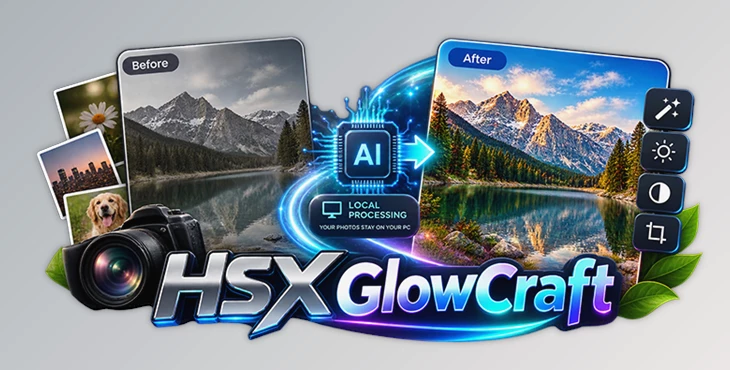
HSX GlowCraft takes a different approach. It is a Windows photo editor built around local processing, allowing both regular edits and AI-powered enhancements to run directly on your own hardware.
There is no account to create, no cloud service behind the editor, and no requirement to upload photographs for processing. Once installed, the application can continue working even when your computer is disconnected from the internet.
For photographers, sellers, and anyone who frequently works in folders of photos, this provides a simple photo editing experience with privacy and offline processing from the outset.
What Is HSX GlowCraft?
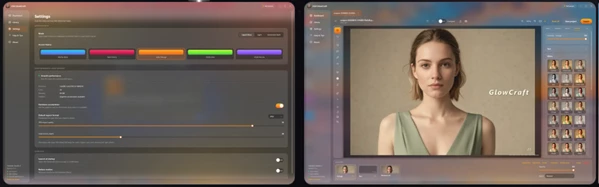
HSX GlowCraft is a photo editing application for Windows 10 and Windows 11 that combines conventional photo editing with on-device AI enhancement tools.
The important idea behind the software is local-first image processing. Instead of sending an image to an external server whenever an AI feature is needed, processing happens on the CPU or GPU inside your PC.
This means the photographs you open remain on your machine throughout the editing process.
For example, a photographer can work on personal photographs without uploading them to a third-party processing service. A seller preparing product images can finish a folder of pictures locally, while someone working without a reliable internet connection can continue editing normally after installing the application.
Local processing can therefore make the workflow useful when privacy, offline availability, or control of original image files matters.
On-Device AI Photo Enhancement
One of HSX GlowCraft's central features is its integrated AI enhancement functionality.
AI processing takes place directly on the user's computer rather than on a remote server. This combines the convenience of AI-assisted photo editing with a workflow that keeps source photos stored locally.
It can be especially useful for private images or project files you prefer not to send to an online service.
Fully Local Photo Processing
Both editing operations and AI processing run on your own hardware.
Your photographs are not uploaded or transmitted externally as part of the editing process. This makes HSX GlowCraft suitable for users who want more control over where their images are processed and stored.
Works Offline
HSX GlowCraft does not require an active internet connection for photo editing and processing.
Once installed, you can disconnect from the network and keep working. The Microsoft Store may still require a connection for installation and license checks, but the application's editing workflow doesn't depend on a remote processing server.
This is especially convenient for laptops, offline workstations, travel workflows, or environments with limited internet connectivity.
No Account Required
HSX GlowCraft requires no registration or sign-in.
Instead of creating another online identity before starting your work, you can install the application and begin using its editing tools directly.
No Telemetry
According to the developer, HSX GlowCraft does not include analytics, external usage tracking, or crash reporting that sends information away from the device.
Combined with local photo processing, this reinforces the application's privacy-focused design.
No Subscription
HSX GlowCraft uses a free-trial, one-time-purchase model rather than a recurring subscription.
Users can try the software first and then purchase it through the Microsoft Store to unlock it permanently, without an ongoing subscription fee.
Where Can HSX GlowCraft Be Useful?
The local-first approach can fit several practical photo workflows.
A photographer handling personal portraits or client photographs can process images without transferring them to an external AI service. Product sellers can work through folders of product photos while keeping their original files on their own computer.
It can also be useful when editing photographs in locations with unreliable internet access. Because processing doesn't depend on a cloud server, losing your network connection doesn't interrupt the core editing workflow.
For privacy-conscious users, this approach is particularly noteworthy. Local processing isn't an optional privacy mode you need to enable—it's how HSX GlowCraft is designed to operate.
Tips for a Better HSX GlowCraft Workflow
Because processing happens locally, the performance of AI-assisted operations can depend on the capabilities of your own computer. When working with large photographs or multiple files, allowing your CPU or GPU enough resources can help keep the editing process responsive.
It is also useful to approach AI enhancement as part of the finishing process rather than relying on it blindly. Start with a well-exposed source image whenever possible, apply enhancements carefully, and review important areas at full resolution before considering an image finished.
For folders containing many photographs, try to maintain a consistent editing approach across similar images. This is especially useful for product photography or other collections where differences in tone and overall appearance can become noticeable when you display several photographs together.
And because HSX GlowCraft keeps processing on your machine, organizing your original photographs and maintaining your own backups remains important. Local processing gives you control over your files, but good file management helps you make the most of that control.
A Private, Offline Approach to AI Photo Editing
HSX GlowCraft is a simple solution for Windows users who would like to edit and enhance their photos using AI, without cloud-based processing.
Its combination of on-device AI tools, offline operation, no account requirement, no telemetry, and a one-time-purchase model creates an editing experience centered around local control.
For photographers, sellers, and everyday users who regularly finish photographs on a Windows PC, the most interesting part of HSX GlowCraft may be its simplicity: open your images, edit them using your own hardware, and keep the entire process on your own machine.
If privacy and offline access matter alongside convenient photo editing, HSX GlowCraft is certainly an option worth exploring.

Files Password : gfxplugin.com OR 123456