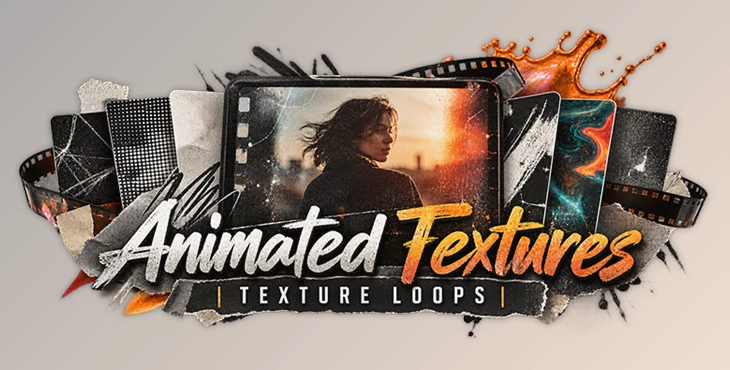
Downloadable Files
You can download Animated Textures Loops for free from the end of this page.
Give Your Videos More Texture, Depth, and Character
Sometimes a video looks technically polished but still feels a little too clean or flat. The footage is sharp, the colors are right, and the edit works—but the overall image could use more personality. This is where animated textures can make a noticeable difference.
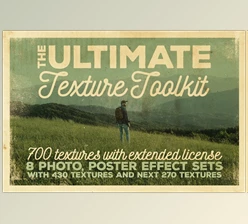
Rather than using static texture images, animated texture loops introduce variations over time. These variations could be film dirt, scratches, liquid motion, paper faults, halftone patterns or grunge. All of these can add more organic and tactile feel to a digital video.
Animated Textures Loops is a collection designed for exactly this purpose. With 160 vintage-style texture animations in 4K resolution, it gives editors and motion designers a flexible library for creating backgrounds, overlays, mattes, transitions, and mixed-media effects.
What Are Animated Texture Loops?
Animated Texture Loops are animated textures that can be used in front of, behind, or within other video elements. Unlike static textures, animated textures will have movement in their detail over time. This means you don't need to animate the texture yourself; the texture will move over time.
You can use film dirt over clean footage to add a vintage feel. You can use scribbles over text to add a handmade feel. You can use acid liquid as an abstract background.
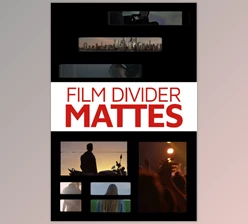
Animated textures also have practical uses. You can use them as alpha or luma mattes in After Effects. This means the texture can control the opacity or visibility of another layer in the composition. This is especially useful when creating organic transitions and reveals.
With the variety of textures included in this pack, you can use it across many video types, including motion graphics, social media videos, promotional clips, music videos, collages, title sequences, and experimental videos.
Animated Textures Loops: A Flexible 4K Texture Collection
Animated Textures Loops includes 160 texture animation loops, all provided in 4096 × 2160 4K resolution. They are compatible with video editing software and can be used as backgrounds, overlays, mattes, or transition elements.
The variety is one of the collection's strongest points. Instead of giving every project the same grunge treatment, you can choose a texture based on the visual language you want to create.
A photocopy texture, for example, can work well for rough editorial graphics and collage compositions. Film dirt can add an aged cinematic quality, while halftone patterns are useful for print-inspired and graphic designs. Acid liquid textures offer a more abstract and energetic direction.
Features
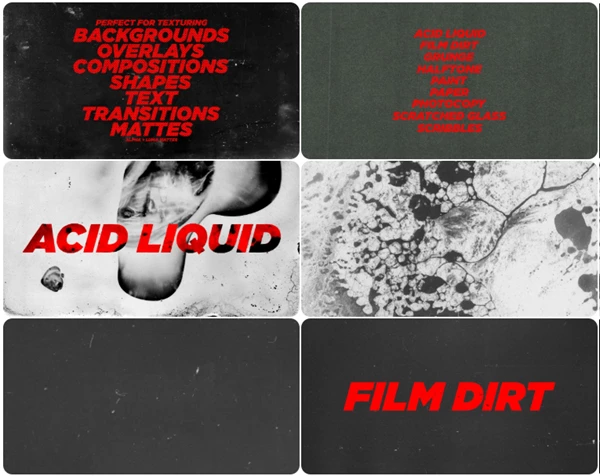
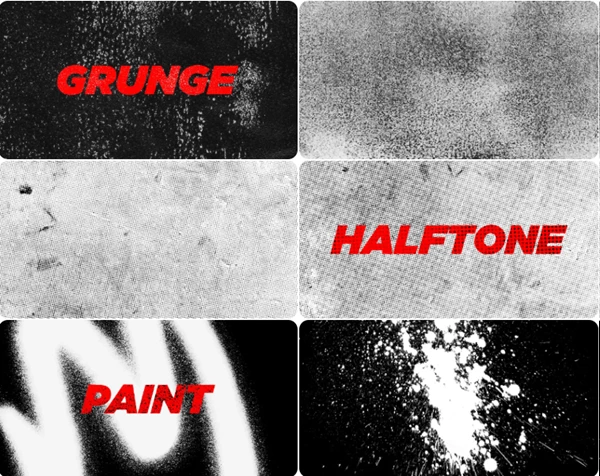
The collection contains several categories of animated textures:
- 160 Texture Animation Loops: A broad selection of moving textures for different editing and motion design styles.
- 25 Acid Liquid Texture Loops: Fluid and experimental animations suitable for abstract backgrounds and energetic overlays.
- 22 Film Dirt Texture Loops: Moving dirt and imperfections that can help clean digital footage feel more aged and analog.
- 21 Grunge Texture Loops: Rough textures for distressed, gritty, and alternative visual styles.
- 28 Halftone Texture Loops: Print-inspired patterns suitable for graphic, comic, retro, and mixed-media compositions.
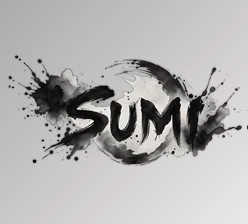
- 11 Paint Texture Loops: Animated paint elements that can introduce a handmade quality to motion graphics.
- 10 Paper Texture Loops: Useful for scrapbook, collage, editorial, and tactile paper-inspired designs.
- 17 Photocopy Paper Texture Loops: Ideal for photocopied, scanned, punk-inspired, and experimental compositions.
- 4 Scratched Glass Textures: Scratched surfaces that can add imperfections and additional visual depth.
- 22 Scribble Texture Loops: Animated scribbles for playful, handmade, and energetic motion graphics.
- 4K Resolution: All textures are supplied at 4096 × 2160, giving you plenty of resolution for modern video projects.
- Flexible Usage: The textures can function as backgrounds, overlays, mattes, and transitions.
- Broad Software Compatibility: The collection is designed for use with video editing software rather than being tied to one specific application.
From Subtle Overlays to Full Animated Backgrounds
One advantage of Animated Textures Loops is that the assets do not need to dominate the composition. A texture can be a major visual element or simply provide a subtle finishing layer.
For a cinematic edit, you might use film dirt gently over the footage to break up the overly clean digital appearance. In a music video, grunge, paint, or acid liquid textures could become much more visible and contribute directly to the overall art direction.
For motion graphics, paper, photocopy, halftone, and scribble textures can be combined with text, shapes, and other design elements to create a handmade collage aesthetic.
The textures can also be placed in the background. This is useful when a plain solid background feels too empty but a detailed image would distract from the main subject. A looping texture adds movement and depth while allowing the foreground elements to remain the focus.
Create More Organic Mattes and Transitions
Animated textures become even more versatile when used as mattes.
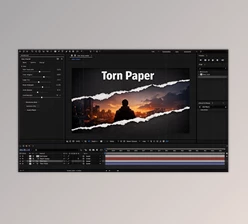
In After Effects, they can function as alpha mattes or luma mattes, making it possible to reveal footage, graphics, shapes, or text according to the changing texture.
Imagine a title appearing through an irregular paint texture instead of a simple linear wipe. Or a scene transitioning into another through a rough photocopy or grunge pattern. The underlying editing concept is still simple, but the irregular texture makes the result feel more organic.
This technique is especially useful when creating experimental titles, music-video transitions, scrapbook animations, and mixed-media sequences.
Tips for Getting Better Results
Animated textures usually work best when they support the design rather than overwhelm it. If you are using a texture as an overlay, experiment with its opacity and blending behavior until it becomes part of the footage instead of looking like a separate layer placed on top.
Try matching the texture to the personality of the project. Film dirt and scratched glass can complement vintage or cinematic footage, while halftone and photocopy textures naturally fit editorial and print-inspired designs. Paint and scribble animations can be more appropriate for handmade, energetic, or playful sequences.
You can also combine multiple texture types, but keep the composition controlled. For example, a paper texture could establish the base surface while a lighter scribble animation adds movement on top. Using several strong textures at full intensity can quickly make the frame visually crowded.
When creating transitions or reveals, experiment with contrast before using a texture as a luma matte. Stronger separation between light and dark areas can produce a clearer and more intentional reveal.
Finally, take advantage of the 4K resolution. You can crop, reposition, or scale portions of a texture to create variations and better fit different compositions without immediately sacrificing image quality.
Small Details Can Change the Whole Visual Style
A good texture does more than make an image look rough or vintage. It can change how the entire composition feels.
Animated Textures Loops provides 160 4K animations covering acid liquid, film dirt, grunge, halftone, paint, paper, photocopy, scratched glass, and scribble styles. More importantly, these assets can be approached in several different ways—as subtle overlays, moving backgrounds, animated mattes, or organic transition elements.
Whether you are creating a vintage-style video, a handmade collage, an experimental title sequence, or just looking to add character to a clean video, these animated textures can add depth, movement, and personality.

Files Password : gfxplugin.com OR 123456