Downloadable Files
You can download Mask Follow for free from the end of this page.
Introduction: Make Camera Tracking Faster and Easier
Following a camera in video can be a tricky endeavour for the editor. To keep the subject centred whilst moving, manual Position and Scale adjustments usually need to be made to the keyframes. This can be very time consuming.
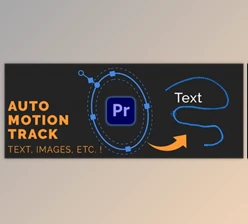
With Mask Follow characters, objects, and text on screen can be automatically tracked, and smooth camera follow motion created within Adobe Premiere Pro. Simply select the subject and let Mask Follow analyse the motion, and the professional reframe will be created instantly. There is no need to manually create and tweak hundreds of keyframes.
Mask Follow can be used in sports videos, gameplay, interviews, and dynamic social media content. It allows the editor to create interesting camera motion whilst maintaining high levels of efficiency within the editing process.
What Is Mask Follow and How Does It Work?
Mask Follow is a powerful Premiere Pro plugin that automatically follows moving subjects and creates camera-style animations using Position and Scale controls.
Normally, creating this type of effect requires manually tracking the subject and adjusting keyframes throughout the entire clip. Mask Follow removes this repetitive process by analyzing the subject’s movement and generating smooth Transform animations automatically.
For example, editors can use it to follow a specific player in gameplay footage, keep a speaker centered during an interview, or create dynamic zoom movements in fast-paced videos.
By automating the technical part of camera tracking, Mask Follow allows creators to spend more time focusing on storytelling and creative decisions.
A Smarter Way to Create Dynamic Reframing
Mask Follow brings automatic tracking and camera movement directly into Adobe Premiere Pro without requiring After Effects. It is designed for editors who want professional-looking results with a simpler and faster workflow.
The plugin detects the selected subject, follows its movement throughout the clip, and creates editable Transform keyframes directly on the Premiere Pro timeline.
Features
Automatic Character and Object Tracking
Mask Follow can track visible characters, objects, and important elements in your footage. After selecting a subject, the plugin automatically analyzes its movement and creates a smooth camera path.
This makes it useful for:
- Gameplay videos where you need to follow specific players.
- Sports footage with fast-moving subjects.
- Interviews where the focus needs to stay on a person.
- Creative edits that require dynamic camera movement.
Flexible Subject Selection
Mask Follow provides different ways to select your target.
You can manually draw a rectangle, ellipse, or circle around any visible subject. You can also use Player Name Search to locate characters or players by their on-screen names.
Additional controls such as accuracy adjustments, X/Y offsets, and HUD filtering help improve detection and avoid unwanted interface elements.
Fixed Zoom and Adaptive Zoom
The plugin gives you complete control over how the camera follows the subject.
Fixed Zoom keeps a consistent crop throughout the entire shot, creating a stable and controlled camera movement.
Adaptive Zoom automatically adjusts between minimum and maximum zoom levels depending on how the subject moves.
These options allow you to create different styles, from subtle cinematic reframing to energetic action-focused edits.
Automatic Transform Keyframes
Once tracking is complete, Mask Follow creates Position and Scale keyframes directly through Premiere Pro’s Transform effect.
Instead of manually creating dozens or hundreds of keyframes, editors receive a ready-to-edit animation that can be reviewed and adjusted anytime.
Smooth and Natural Camera Movement
Tracking data can sometimes create rough or mechanical movement. Mask Follow includes smoothing and camera damping controls to make the final result feel more natural.
By adjusting these settings, you can create professional camera-follow effects that feel stable, cinematic, and visually pleasing.
Background Processing and Queue System
Mask Follow includes a Backburner Queue that allows you to prepare up to 20 clips and process them one after another.
This helps editors manage multiple clips efficiently without interrupting their workflow.
GPU Performance Controls
The plugin provides three GPU modes designed for different editing situations:
- Full Speed for maximum processing performance.
- Balanced for everyday editing.
- Cool for reducing system heat during longer sessions.
Fully Editable Premiere Pro Workflow
Everything stays inside Premiere Pro. Generated Position and Scale keyframes remain editable, allowing you to fine-tune the movement or undo the changes whenever needed.
No external software or After Effects workflow is required.
Local Processing
Mask Follow keeps your footage, masks, names, and tracking data on your own computer.
This local workflow helps maintain privacy while providing a fast and reliable editing experience.

Professional Tips for Better Results With Mask Follow
To achieve the most natural camera movements, start by selecting a subject that is clearly visible and separated from the background. Better selections usually lead to more accurate tracking results.
For cinematic videos, use smoother camera damping and moderate zoom values to avoid aggressive movements. Subtle reframing often creates a more professional look.
For fast-paced content such as gaming or sports videos, adaptive zoom can help maintain focus even when the subject moves unpredictably.
It is also recommended to preview the movement before finalizing the effect. Small adjustments to smoothing, transitions, and keyframe spacing can make the final animation feel much more polished.
Final Thoughts: A Faster Way to Create Professional Camera Follow Effects
Creating camera-follow movements no longer needs to be a slow and complicated process. Mask Follow provides an efficient way to track subjects, generate smooth animations, and create dynamic reframing effects directly inside Adobe Premiere Pro.
With automatic tracking, flexible zoom controls, editable Transform keyframes, and a streamlined workflow, Mask Follow helps editors save time while achieving professional results.
Whether you are creating gameplay videos, interviews, sports edits, or creative social media content, this tool can make your Premiere Pro workflow faster and more flexible.

Files Password : gfxplugin.com OR 123456