Downloadable Files
You can download PodFast for free from the end of this page.
Improve Your Audio Without Leaving Premiere Pro
High quality audio can have a huge impact on your video project, but often voice enhancement, transcription, and audio cleaning all require switching between multiple pieces of software and dealing with multiple files. PodFast brings AI voice enhancement and transcription directly into your Premiere Pro editing timeline to make the process quicker.
With PodFast, editors can utilise the tools from Adobe Podcast and VocalRemover.org all without leaving Premiere Pro. Voice enhancement, voice separation, and transcription can all be achieved within the editing program, resulting in a more efficient and smoother editing experience.
What Is PodFast?
PodFast is a Premiere Pro plugin that allows for AI-powered audio editing to be performed easily within the timeline. Rather than exporting audio, then using an external program to edit the exported audio and finally reimporting the edited audio, PodFast will allow for all of this to be performed with just a few clicks.
PodFast links Adobe Podcast and VocalRemover.org to Premiere Pro and allows for transcript generation, vocal removal, track splitting, and audio enhancement to be performed all within Premiere Pro.
A content creator can use PodFast to clean up a rough voice recording prior to using that recording in a video. A filmmaker can also use PodFast to quickly separate dialogue from background music while continuing to edit their project.
Features
Adobe Podcast Enhancement and Transcription Inside Premiere Pro
PodFast brings Adobe Podcast AI-powered audio enhancement and transcription directly into Premiere Pro.
Users can process selected audio clips with one click and improve voice quality without leaving their timeline. Tasks that previously required several minutes of exporting and uploading can now be completed in seconds.
The transcription feature also allows users to generate text from their audio and import the results directly into Premiere Pro’s text panel, making subtitle creation and text-based editing much easier.
VocalRemover.org Integration
PodFast integrates VocalRemover.org tools directly into Premiere Pro, giving editors more control over their audio tracks.
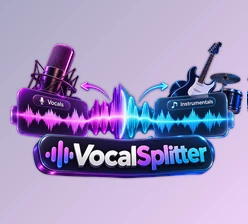
The Remover tool separates voice from music, making it easier to isolate specific audio elements. The Splitter tool divides audio into multiple components:
- Vocals
- Music
- Bass
- Drums
This is useful for music editing, podcast production, video remixes, and projects that require detailed control over individual sound layers.
Automatic Export and Processing
PodFast eliminates the need for manual exporting and file management.
When using Enhance or Transcript, the plugin automatically exports the selected audio and sends it for processing. After completion, the processed result is brought back into Premiere Pro automatically.
This workflow saves time and helps editors maintain focus on their creative process instead of managing files.
Automatic Timeline Replacement
After processing audio, PodFast can automatically place the improved version back into the timeline.
The enhanced audio file is added to a free track underneath the original clip, allowing users to compare both versions and make adjustments easily.
The replacement workflow can also be customized through the plugin settings for different editing preferences.
Automatic Renaming and Bin Organization
Large Premiere Pro projects can quickly become difficult to manage. PodFast helps keep projects organized by automatically renaming processed files and placing them into dedicated bins.
Users can customize clip labels and file behavior, making it easier to locate enhanced audio, transcripts, and separated tracks during complex projects.
Professional Tips for Using PodFast
Start With the Best Possible Recording
AI enhancement works best when the original recording has clear voice information. Using a good microphone, reducing background noise, and recording at proper levels will help PodFast produce more natural results.
Enhance Before Adding Audio Effects
For professional dialogue workflows, enhance your audio before applying additional effects such as compression, equalization, or reverb.
A cleaner voice foundation allows further processing to create a more polished final result.
Use Audio Separation for Creative Workflows
PodFast’s audio separation tools can be used for more than just fixing problems.
Editors can isolate vocals from music, adjust background tracks, create remixes, or reuse specific audio elements in different projects.
Keep Original Clips Available
It is suggested to keep the original clips even if auto-replacement functionality is present.
By having both the altered and original clips, you have greater options when looking at results or making fine-tuned changes.

Who Is PodFast For?
PodFast is great for anyone using audio in Premiere Pro, such as:
- Filmmakers
- Motion designers
- Video editors
- Content creators
- Podcasters
- Social media creators
It is especially useful for anyone looking to quickly enhance their audio using AI but not wanting to switch between too many applications.
Final Thoughts
PodFast offers strong AI functionality for audio within Premiere Pro, allowing for easier and quicker audio enhancement, separation, and transcription.
Using functionalities from both Adobe Podcast and VocalRemover.org, PodFast allows for a reduction in the editing process whilst still offering higher quality audio for the content creator.
PodFast can be used for podcasts, cinematic content, interviews, YouTube videos, and more. All within Premiere Pro audio can be enhanced with PodFast.

Files Password : gfxplugin.com OR 123456