Downloadable Files
You can download Light Leak & Lens Flare Transitions for free from the end of this product page
Give Every Cut a Cinematic Burst of Light
A cut can sometimes be all that a video requires. However, to give a transition more energy, cinematic quality, and a visual link between two pieces of footage, the use of light can be incredibly effective.
Light leaks, bokeh bursts, quick optical flashes, glowing streaks across the screen, and warm light can effectively mask a cut between two pieces of footage whilst also providing a sense of motion. Rather than two pieces of footage side by side, the clips can appear to flow into each other with a much more refined visual link.
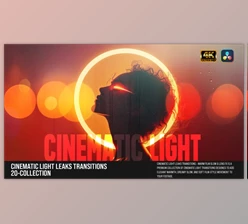
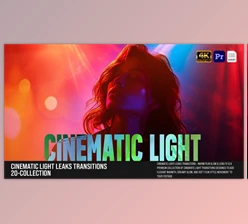
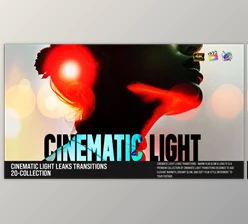
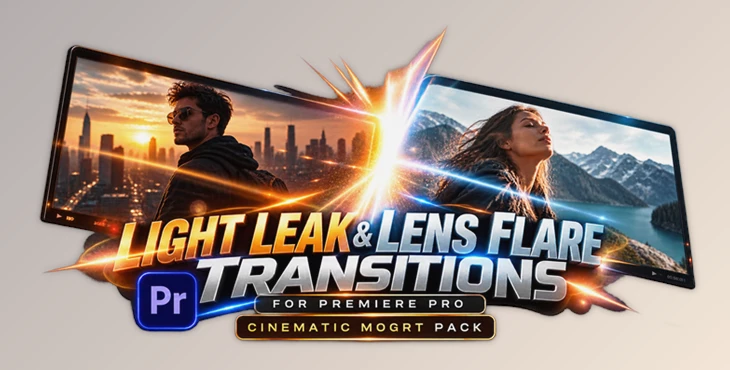
Light Leak & Lens Flare Transitions for Premiere Pro allows this project (Videohive 59808313) to be used within MOGRTs. They are great for providing beautiful transitions without the need to create complicated transitions.
What Are Light Leak and Lens Flare Transitions?
Light leak transitions use light, color, and glow to transition between clips. Lens flare transitions work similarly but instead use lens flare elements such as bursts, streaks, highlights, and optical style flashes that mimic the way intense light interacts with a camera lens.
These transitions can be very effective because the light temporarily fills or crosses the frame, allowing a natural opportunity to transition into the next clip.
For a travel clip transitioning from sunset to a city, a glowing streak can more smoothly transition the two vastly different scenes than a simple cut. For a fashion video, a brief lens flare between shot transitions can bring energy to the video while still staying out of the way of the model.
However, the benefit is not just a more noticeable transition. With careful application, light transitions can aid in maintaining the pacing of a video, supporting the atmosphere of the video, and creating a more seamless edit.
A Faster Light-Based Transition Workflow in Premiere Pro
Light Leak & Lens Flare Transitions for Premiere Pro is a cinematic MOGRT pack designed around light leaks, lens flares, glowing streaks, bokeh bursts, and optical flashes.
Because the pack uses an Essential Graphics / MOGRT workflow, the transitions can be incorporated directly into Premiere Pro. There is no need for additional plugins, making the workflow much easier for editors who want attractive results without introducing extra software into their projects.
The drag-and-drop approach is also useful for projects where speed matters. Rather than manually constructing light animations for every transition, you can start with a ready-made effect and adjust its appearance inside Premiere Pro.
Features
Light Leaks, Lens Flares, Glows, and Streaks
The pack includes multiple styles of light-based transitions, including light leaks, lens flares, glows, and streak effects. This variety makes it easier to match the transition to the mood and pacing of your footage.
A soft glow can work well in a lifestyle montage, while a stronger optical flash may be more appropriate for a music video, teaser, or fast-paced promotional edit.
Multiple Formats for Different Platforms
The transitions are provided for 4K, HD, portrait, and square formats.
This is especially useful for modern content workflows where the same visual style may need to appear across standard widescreen videos, vertical Reels or TikToks, and square social media posts.
No Plugins Required
No additional plugins are required to use the pack. Everything is designed around the Premiere Pro Essential Graphics / MOGRT workflow, helping keep the editing process straightforward.
Universal Expressions
Universal expressions help make the templates more flexible and practical within compatible Premiere Pro workflows.
Smooth, Modern Motion
The transitions are designed with smooth flow and modern pacing in mind. Rather than making every transition overly aggressive, the effects focus on polished motion and a clean visual finish.
Fast Drag-and-Drop Workflow
The MOGRT format allows you to quickly add transitions to an edit instead of recreating light effects manually each time.
This can be especially valuable when working on projects containing many cuts, such as travel montages, slideshows, promotional videos, or social media edits.
Adjustable Inside Premiere Pro
The look of the transitions can be adjusted directly inside Premiere Pro, giving you more control over how the effect fits your footage and overall visual style.
Video Tutorial Included
A voice-over video tutorial is also included, making it easier to understand the workflow and start using the transitions effectively.
Where Can You Use These Transitions?
This product (Videohive 59808313) can be used in a wide variety of videos. In Reels, TikTok videos, Shorts, and social media promos, quick flashes and streaks can be great for injecting energy between short clips.
In music videos, you can match the transitions to drops, beats, or transitions in the music. In travel videos and slideshows, soft bokeh and light leaks can be used to link images and locations together while still maintaining a cinematic look.
They can also be effective in trailers, openers, and teasers where more obvious visual light effects can call attention to key moments.
Clean lens flares and controlled lighting can give a professional look to commercial, lifestyle, and fashion videos while still allowing the product or star to be the focus of the video.
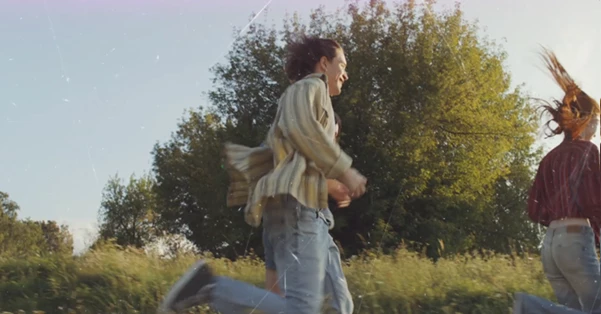
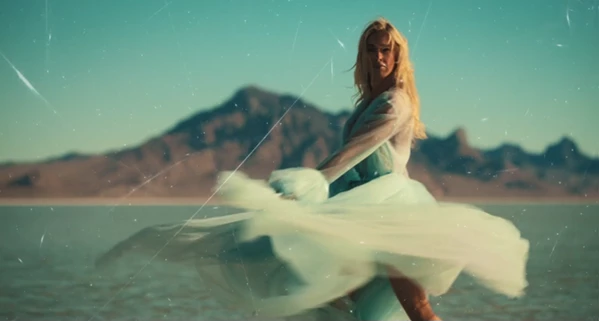
Make Light Transitions Feel More Natural
Light transitions tend to work better when they are related to the footage rather than just being layered on top of it.
A good technique is to find existing sources of light within the footage. For example, if one clip has sunlight, a headlight, a lamp, or another source of bright light, try using a transition close to that light source. This can make the transition appear related to the lighting in the rest of the video.
Timing also plays a role. Faster edits tend to benefit from sharper and shorter flashes of light, while slower motion scenes can do well with softer and more gradual light leaks.
For social and music videos, try syncing the peak of the transition to a beat or a key edit. This can help further connect the motion to the music.
Finally, try to maintain consistency throughout the edit. Utilizing all types of transitions within one edit can create a very busy visual experience. Often, selecting a smaller number of transitions that all share a similar style will yield better and more professional results.
Lastly, make sure to use transitions that complement the clip. Sometimes a soft glow can do more than a loud full-screen flare.
A Simple Way to Add More Energy to Your Edits
This product, Light Leak & Lens Flare Transitions for Premiere Pro, is a great set of light transitions for editors looking to add some cinema to their edits, but who don’t want to create all lens flares and other transitions by hand.
This bundle includes light leaks, lens flares, glows, streaks, bokeh bursts, multiple aspect ratios, adjustable controls, and supports MOGRT without the use of a plugin. It can be used for social media clips, music videos, trailers, travel videos, and commercials.
The main selling point of this bundle is the great trade off between aesthetic and usability. You can add professional lens flares fairly quickly and then continue to tweak the final appearance within Premiere Pro to fit your specific needs.
When used appropriately and in moderation, this product (Videohive 59808313) can transform standard edits into flowing transitions of light, motion, and cinema.

Files Password : gfxplugin.com OR 123456