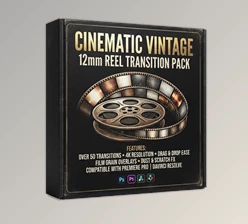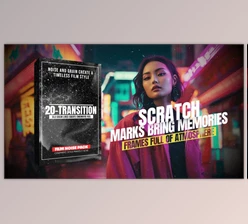
Downloadable Files
You can download the Vintage Film Grain Transitions MOGRT product for free from the end of this page.
Give Your Videos the Character of Old Film
Modern digital footage can sometimes feel a little too clean. Sharp images and polished colors are great, but certain projects need something more—texture, imperfections, and the nostalgic character of footage captured on real film.
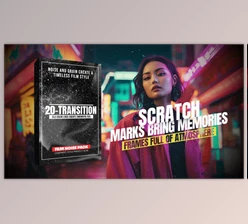
That is where Vintage Film Grain Transitions MOGRT comes in. This collection (Videohive 63293968) brings retro-inspired film transitions into your editing workflow using authentic-looking grain, dust, scratches, and cinematic noise. Instead of relying on perfectly clean transitions, you can move between shots with the organic imperfections associated with classic film reels.
The result can be especially effective when you want a music video to feel nostalgic, a documentary to have an archival mood, or a fashion edit to look more cinematic and textured.
What Makes Vintage Film Transitions Different?
A vintage film transition does more than simply move from one clip to another. It uses visual textures and imperfections to make the transition itself part of the overall atmosphere of the video.
Elements such as film grain, dust, scratches, and cinematic noise introduce irregular details that help break up the overly clean appearance of digital footage. These imperfections can make transitions feel more organic while reinforcing a retro or film-inspired visual style.
For example, imagine cutting between two shots in a wedding highlight. A normal transition may simply blend the clips together, while a grainy film transition can introduce scratches, dust, and noise during the change, giving the moment the feeling of an old recorded memory.
The same approach works beautifully in fashion films, trailers, documentaries, and music videos where visual atmosphere is just as important as the footage itself.
Vintage Film Grain Transitions MOGRT
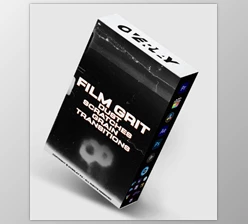
Vintage Film Grain Transitions MOGRT is a high quality set of vintage style transitions that can be used to rapidly incorporate the look of a film reel into any video.
The transitions are in 4K quality and are ready to use. These project (Videohive 63293968) are perfect for use in high resolution video. Simply drop a transition into your project, select a suitable blend mode, and then apply the transition to your clips.
This allows for a more cinematic vintage look to be achieved without having to manually create combinations of grain, dust, noise, and scratches for every transition.
Features
Authentic Film-Inspired Textures
The pack combines visual elements such as film grain, dust, scratches, and cinematic noise. Together, these details recreate the imperfect texture commonly associated with traditional film footage.
High-Resolution 4K Quality
Each transition is delivered in 4K resolution, allowing the effects to retain their visual detail when used in high-resolution video projects.
Simple Drag-and-Drop Workflow
The transitions are designed to be easy to integrate into an editing timeline. You can simply place the desired transition over your footage rather than constructing the entire effect manually.
Flexible Blend Modes
Blend modes such as Screen, Add, and Overlay can be used to integrate the transition with the underlying footage. Trying different modes can produce anything from a subtle layer of texture to a stronger, more noticeable film effect.
Useful Across Different Video Styles
This collection of transitions can be useful across a range of video types, including:
- Nostalgic or gritty visuals for music videos
- Energetic cinematic transitions for trailers
- Archival or vintage looks for documentaries
- Experimental film-style editing in fashion videos
- Warm and nostalgic looks for wedding videos
- More texture and visual interest for social media videos
Since these effects apply to film faults rather than a particular genre or subject, you can use them in a variety of editing situations.

Small Adjustments Can Make the Effect Feel More Natural
Vintage effects often work best when used to enhance the video rather than dominate it entirely. Once you have applied a transition, try playing with the blend modes. Try to find a blend mode that gives the best results in your particular situation.
Screen is good for brighter film faults that you would like to blend into the video. Add can give more intense results. Overlay can be good for textures that you would like to interact more with the video.
You should also think about the visual pacing of your edits. You don't necessarily have to use a heavy vintage transition between every clip. Instead, use these transitions strategically at key cuts to make them more purposeful and avoid a repetitive film look.
For a documentary or nostalgic wedding video, a more subtle approach might be more effective. Fashion, trailers, and music videos can often use more grain, scratches, and cinematic noise when a more obvious vintage look is desired.
Most important is to match the type of transition to the feel of the video. If the grain, scratches, and noise are matched to the overall look of the video, then the transition becomes a tool in conveying the message rather than simply something that is applied on top.
Turn Clean Digital Cuts Into Cinematic Moments
The Vintage Film Grain Transitions MOGRT is a simple addition to modern video editing that adds the look and feel of old film to your project. This pack includes 4K transitions with scratches, dust, grain, and cinematic noise. These transitions can add character and nostalgia to clean digital footage.
The user friendly drag and drop interface also makes this product (Videohive 63293968) easy to use. Rather than having to recreate the look of vintage transitions, you can simply select the right transition and blend mode for each transition.
These transitions can be useful in a variety of projects, including a trailer, wedding video, fashion video, music video, documentary, or social media video. Using these transitions can help create the look and feel of film reels while still maintaining fast and efficient editing.

Files Password : gfxplugin.com OR 123456