Downloadable Files
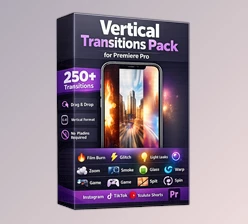
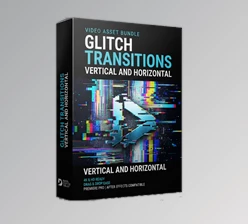
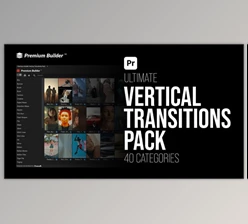
You can download Vertical Transitions Pack MOGRTs for free from the end of this product page.
Make Vertical Edits Feel Faster, Smoother, and More Dynamic
Vertical video has become one of the most popular formats for modern content, from Instagram Reels and TikTok videos to YouTube Shorts. But when you are working with fast-paced 9:16 edits, ordinary transitions can quickly make the final video feel repetitive.
This is where Vertical Transitions Pack MOGRTs can make a noticeable difference. Instead of building every transition manually, you get a large collection of ready-to-use seamless effects designed specifically for vertical editing in Adobe Premiere Pro.
With more than 700 transitions across 40 categories, the pack gives you plenty of creative options for moving smoothly between shots while keeping your videos energetic and visually engaging.
What Are Vertical Transitions?
Vertical transitions are effects designed to connect two shots while working naturally within a vertical 9:16 frame. Unlike assets originally designed around horizontal video, this product (Videohive 56966115) are optimized for the dimensions commonly used by Reels, TikTok, Shorts, and other social media content.
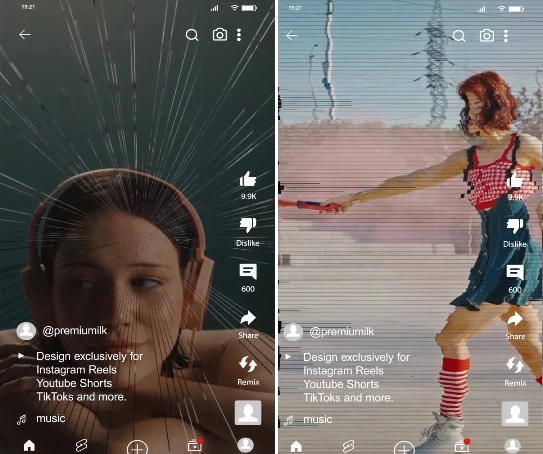
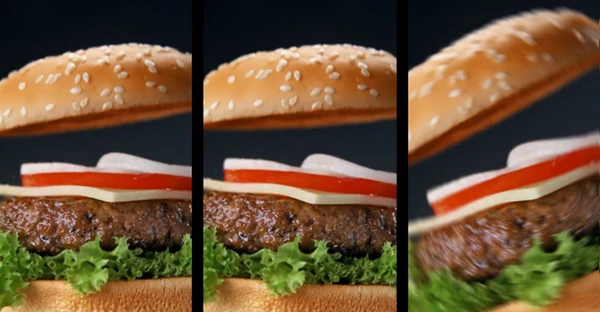
For example, you might use a fast Zoom transition between two lifestyle shots, a Glitch effect in a technology edit, a Film Burn for a cinematic sequence, or a Shake transition to emphasize the beat of a fast-paced montage.
Using transitions specifically created for vertical projects helps movement feel more intentional inside the frame. It can also save considerable editing time because you do not have to constantly adapt effects made for a completely different aspect ratio.
Meet Vertical Transitions Pack MOGRTs
Vertical Transitions Pack MOGRTs is a collection of more than 700 seamless transition effects for Premiere Pro 2021 and above.
The MOGRTs are optimized for 1080×1920 vertical projects, making them particularly useful for social media editors and creators who regularly produce 9:16 content.
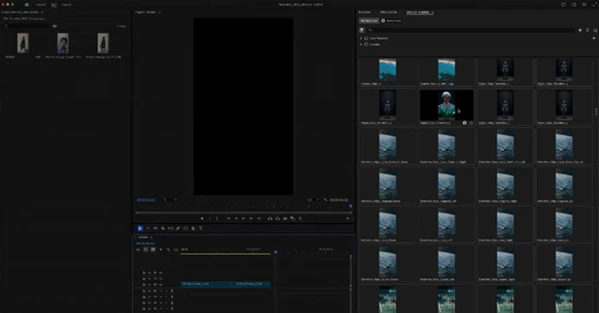
Instead of manually creating complicated transition animations, you can choose from a wide range of styles, preview them, customize the effect, and integrate them directly into your edit.
Features
- 700+ Vertical Transitions: A large collection gives you enough variety for different editing styles and project types.
- 40 Transition Categories: Effects are organized into numerous styles, making it easier to find something appropriate for each scene.
- Optimized for 9:16: The transitions are designed around 1080×1920 vertical editing.
- Seamless Effects: Smooth movement helps connect clips without making the transition feel disconnected from the edit.
- Live Preview: Previewing transitions makes it easier to compare different effects before choosing the right look.
- Easy Customization: Adjust the transitions to better match the pacing and visual style of your project.
- Universaliser Controller Included: The included controller provides additional flexibility when working with the pack.
- Any-Language Compatibility: The package can be used regardless of the language of your Premiere Pro installation.
- No Plugins Required: You can use the transitions without installing additional third-party plugins.
- Premiere Pro 2021+: The included MOGRT files are compatible with Premiere Pro 2021 and newer versions.
- Voice-Over Tutorial: A tutorial is included to help you understand the workflow and start using the effects more easily.
The collection covers a particularly broad range of transition styles, including Blur, Bounce, Brush, Burst, Camera, Creative, Digital Wipes, Distortion Wipes, Electric, Film Burn, Flash Shapes, Flip, Glass, Glitch, Glitch Lines, Grid Lines, Ink, Mirror, Motion, Motion Blocks, Motion Tiles, Page Flip, Paging, Paper Cut, Perspective, Radial Lens, Roll, Scale Wipes, Shake, Shape Wipes, Smoke, Spin, Split, Stretch, Stretch Lines, Tiles, Wiggle, Zoom, Zoom Chromatic, and Zoom Lens.
Where Can You Use These Transitions?
This project (Videohive 56966115) is especially useful for content where quick visual changes are an important part of the editing style. Instagram Reels, TikTok videos, YouTube Shorts, cinematic social media edits, and fast-paced modern videos are all natural use cases.
Imagine editing a short travel reel containing several locations. A Zoom or Camera transition could create stronger movement between scenes. For a technology-focused TikTok, Glitch or Digital Wipe effects could better complement the visual theme. For cinematic footage, Film Burn, Blur, Smoke, or Perspective transitions can introduce a different atmosphere.
Having multiple categories also means you do not have to force one transition style into every project.
Simple Tips for More Professional Results
A good transition should support the edit rather than become the main focus of every cut. Try matching the transition style to both the movement in your footage and the overall mood of the video.
For energetic sequences, effects such as Shake, Spin, Zoom, Glitch, or Motion can work well. For softer or more cinematic edits, Blur, Film Burn, Glass, Smoke, and Perspective effects may feel more natural.
It is also worth paying attention to pacing. Fast transitions generally work better when the surrounding clips already have enough energy to support them. If a scene is calm, using an extremely aggressive transition can make the cut feel unnecessary.
Another useful approach is to limit the number of transition styles used within a single short video. Even though the pack contains more than 700 options, choosing a small group of visually related effects can give your edit a more consistent identity.
Use the live preview to experiment before committing to an effect, and customize transitions when necessary, so they complement your footage rather than overpower it.
Give Your 9:16 Edits More Variety
Vertical Transitions Pack MOGRTs brings together more than 700 seamless effects specifically designed for vertical Premiere Pro projects. Its combination of 40 categories, 1080×1920 optimization, live preview, customization options, and plugin-free workflow makes it a practical collection for editors who regularly create social media content.
Whether you are cutting an Instagram Reel, TikTok video, YouTube Short, cinematic montage, or another fast-paced vertical project, the variety of transition styles gives you more freedom to match each cut with the visual energy of your footage.
The key is not to use as many effects as possible, but to choose the transitions that strengthen the rhythm, movement, and personality of your edit.

Files Password : gfxplugin.com OR 123456