Downloadable Files
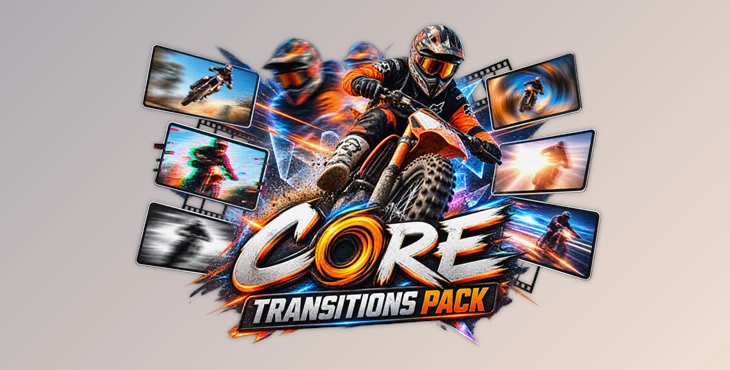
You can download the Core Transitions Pack for free from the end of this page.
Make Every Cut Feel More Dynamic
A simple cut can move a video forward, but the right transition can completely change its energy. Smooth camera movement, fast zooms, subtle blurs, flashes, glitches, and dynamic shakes can help connect shots while making an edit feel more polished and engaging.
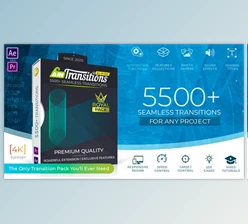
Core Transitions Pack is designed for editors who want to create these effects quickly inside Adobe After Effects. Instead of building complicated transitions manually, you get access to more than 350 handcrafted seamless transitions that can be previewed and applied directly to your projects.
Whether you are editing a music video, commercial, YouTube video, Reel, fashion project, or sports content, this product (Videohive 60230202) gives you plenty of ways to make transitions between shots feel more creative and cinematic.
What Are Seamless Camera Transitions?
Seamless transitions are effects designed to visually connect two shots through continuous movement or visual effects. Instead of simply cutting from one clip to another, the transition creates a sense that both shots belong to the same flowing sequence.
For example, a fast zoom can push the viewer from one scene into the next, while a shake transition can add impact to an energetic sports edit. Blur and fade transitions can create smoother changes between calmer shots, while glitch, distortion, and grunge effects can introduce a more experimental visual style.
These techniques can make edits feel more intentional because the transition becomes part of the visual rhythm rather than just a way to switch between clips.
Meet Core Transitions Pack
Core Transitions Pack is a collection of more than 350 professional seamless transitions created for Adobe After Effects 2022 and newer.
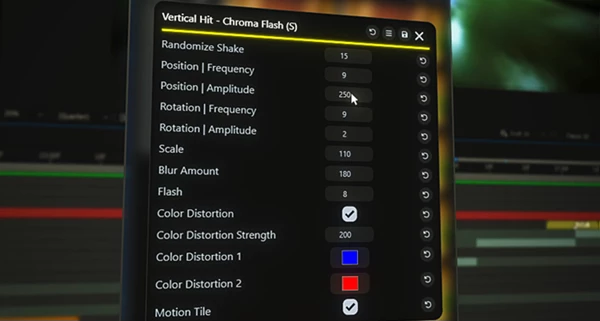
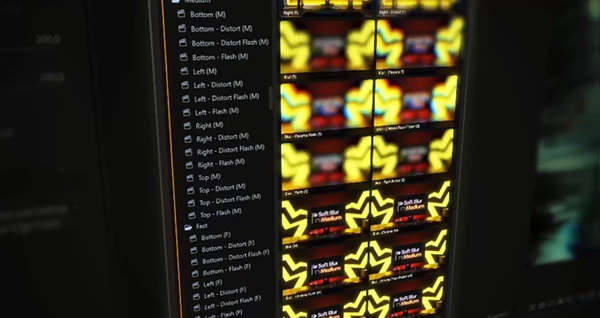
The transitions are powered by the free AAPower Extension, where they are organized into categories for easier browsing and previewing. Once you find an effect that works with your edit, it can be imported with one click.
Another useful feature is automatic resolution adjustment. The transitions support both horizontal and vertical formats, making the collection practical for traditional videos as well as modern social media content.
Features
350+ Handcrafted Transitions
This product (Videohive 60230202) contains more than 350 transitions covering a wide range of visual styles. This makes it easier to choose an effect that matches the pacing and mood of different projects rather than relying on the same transition repeatedly.
11 Transition Categories
The pack organizes its effects into several categories:
- Shake: 42 transitions
- Blur: 39 transitions
- Flash: 32 transitions
- Zoom: 57 transitions
- Spin: 24 transitions
- Slide: 48 transitions
- Distortion: 48 transitions
- Grunge: 12 transitions
- Glitch: 15 transitions
- Light Leaks: 15 transitions
- Fade: 14 transitions
This variety covers everything from clean and subtle movement to aggressive, energetic effects.
One-Click Import
Using the AAPower Extension, transitions can be previewed, organized, and imported with one click. This helps reduce repetitive setup and lets you spend more time working on the actual edit.
Automatic Resolution Support
Core Transitions Pack automatically adjusts to different resolutions and supports both horizontal and vertical projects. You can therefore use the same collection across standard videos, YouTube content, Reels, and other social media formats.
Flexible Resolution and Frame Rate
The transitions work with any resolution and frame rate, giving editors more flexibility when working with footage from different cameras and delivery formats.
Fast Preview and Rendering
The pack is designed for fast preview and render performance, which can make experimenting with multiple transition styles much more convenient during editing.
Tutorial and PDF Guide
A video tutorial and PDF guide are included to help users understand the workflow and start working with the transitions more easily.
Where Can You Use Core Transitions Pack?
The collection works especially well when an edit needs additional movement or energy. In a music video, for example, Shake, Flash, Spin, and Zoom transitions can help emphasize beats and connect fast-changing shots.
For commercials and promotional videos, Slide, Blur, Fade, or Light Leak effects can create smoother connections between product shots and lifestyle footage. Fashion and sports edits can benefit from the more energetic Distortion, Glitch, Shake, and Grunge categories.
It is also useful for YouTube videos, Reels, and other social content where quick pacing and visually interesting cuts can help keep sequences engaging.

Tips for Better-Looking Transitions
Most transitions work best when used to match the motion in your clip. For instance, if your camera is moving quickly towards an object, a Zoom transition may work better than a transition that has no relation to that motion.
Match the energy of your transitions to the energy in your clip. Effects such as Shake, Glitch, Flash, and Distortion work well around fast action, impacts, or beats. On the other hand, transitions such as Fade, Slide, Blur, and Light Leak work well when you’d like a smoother visual transition.
Avoid having too many style switches in a short sequence. Limiting the number of styles to a small number that complement one another will help create a more cohesive look and will allow the transitions to not overpower the content itself.
For vertical social videos, use the built in resolution auto-switching rather than creating separate transitions for each resolution. This will allow for smoother transitions between horizontal and vertical videos while still using the same editing style.
Technical Specifications
- Software: Adobe After Effects 2022+
- Required Extension: AAPower Extension (Free)
- Transitions: 350+
- Resolution: Any
- Frame Rate: Any
- Formats: Horizontal and Vertical
- Included Documentation: Video Tutorial and PDF Guide
- Series: AAPower Core Series
Final Thoughts
Core Transitions Pack is a large and diverse range of smooth transitions that will help any editor bring more motion, rhythm, and filmic quality to their After Effects compositions without having to create each transition individually.
This project (Videohive 60230202) contains over 350 transitions in 11 different categories. Transitions import with a single click using the AAPower Extension and automatically support both horizontal and vertical resolutions, and can be used with any resolution and frame rate. Due to this flexibility, the pack can be used within a variety of editing applications.
The range of transitions allows for great experimentation across music videos, sports videos, YouTube videos, fashion videos, commercials, and Reels.

Files Password : gfxplugin.com OR 123456