Downloadable Files
You can download 3Dgs Render By Kiri Engine for free from the end of this page.
Turn Real-World Captures Into Editable Blender Scenes ✨
Working with 3D scans has become easier than ever, but many artists still face a challenge: how to bring realistic scanned environments into a flexible 3D workflow. Gaussian Splats offer incredible visual detail, but managing, editing, and combining them with traditional 3D elements can often feel complicated.
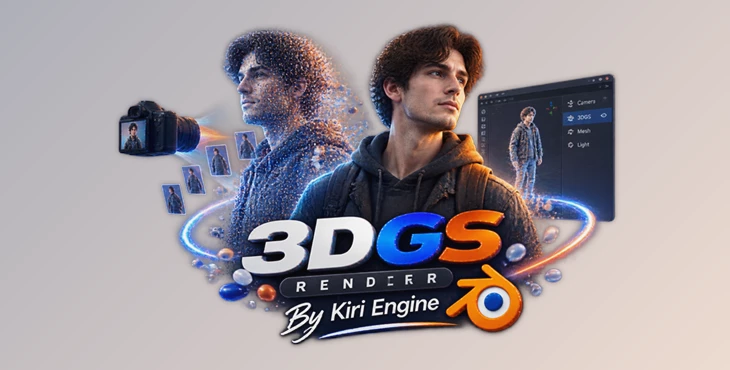
3Dgs Render By Kiri Engine changes this workflow by connecting Gaussian Splatting with Blender. It allows artists to import 3DGS .ply files, edit and style splats using familiar Blender tools, combine them with mesh objects, create animations, and export finished results without leaving the Blender environment.
Whether you are creating realistic environments, experimenting with VFX, or exploring new 3D workflows, this add-on gives you a powerful way to work with captured real-world data.
What Are Gaussian Splats and Why Do They Matter? 🌍
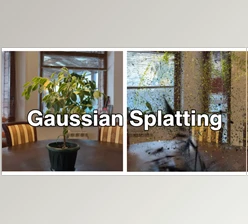
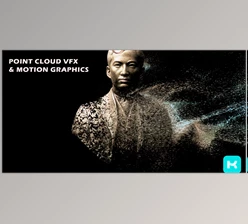
Gaussian Splatting is a new method of rendering in 3D that takes real world objects, and instead of using polygon meshes, they are represented by thousands or millions of visual points. Each point contains data such as position, colour and transparency. From videos or images, these can be used to reconstruct very detailed 3D scenes.
Unlike traditional 3D methods, which require the manual creation of geometry, Gaussian Splats can create complex scenes quite rapidly with a high level of realism.
It can be used for:
- Live environment capture
- Virtual worlds and digital twins
- Cinematic VFX
- Architectural visualisations
- Experimental animation
However, splats are typically captured data and not editable 3D objects. This is where tools like 3Dgs Render By Kiri Engine can help by enabling easier editing, combining, and use within creative pipelines, as splats can be made more editable.
Meet 3Dgs Render By Kiri Engine 🧩
3Dgs Render By Kiri Engine is a Blender add-on designed to bring Gaussian Splats directly into the Blender workflow. Instead of treating scanned splat data as a finished result, artists can now edit, customize, render, animate, and export it like part of a complete 3D scene.
The add-on creates a bridge between real-world captures and Blender’s powerful creative tools, making it easier to build hybrid scenes that combine realistic scans with traditional 3D elements.
Features
Import and Export 3DGS Files
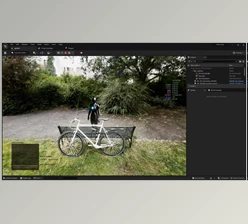
Easily import Gaussian Splat .ply files into Blender and continue working inside your familiar 3D environment. You can also export edited geometry changes and baked animations as numbered .ply sequences for compatible external workflows.
Edit Splats With Blender Tools
Treat your scans as editable scene elements. You can:
- Crop unwanted areas
- Remove unnecessary splats
- Isolate specific regions
- Reduce splat density
- Adjust colors and sizes
- Apply modifiers and creative effects
This makes it much easier to clean up scans and prepare them for professional projects.
Render Splats With Blender Scenes
Combine Gaussian Splats with native Blender objects and create mixed scenes containing both meshes and splat-based elements.
For example, you can place a realistic scanned environment behind animated 3D characters, add digital objects into a real location, or create unique VFX compositions that blend real-world captures with CGI.
Proxy-Based Animation Workflow
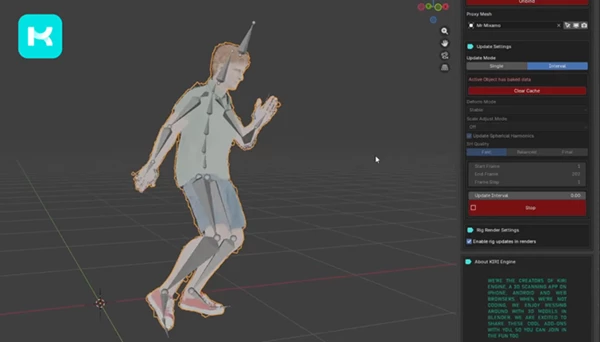
Animating Gaussian Splats directly can be challenging, but this add-on introduces a proxy workflow.
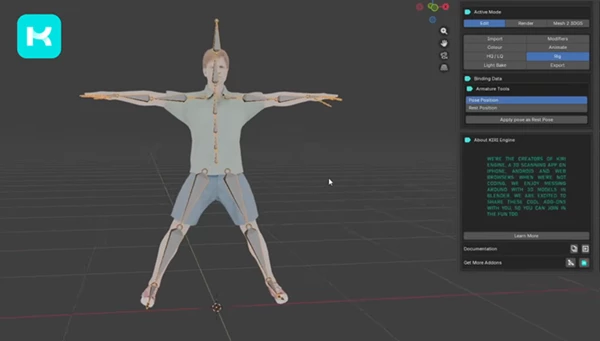
Artists can bind smaller proxy objects to splat scans, animate those proxies using:
- Armatures
- Lattices
- Other deformation methods
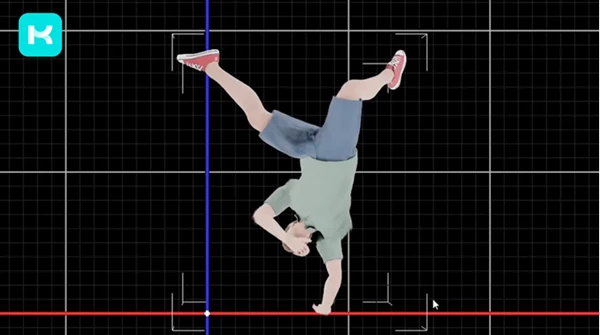
Then the movement can be transferred back to the splats and baked for rendering or exported as .ply sequences.
Lighting and Relighting Experiments
The add-on supports advanced lighting workflows, including proxy light baking and experimental real-time relighting features.
This helps splats integrate more naturally with Blender scenes by allowing them to react better to new lighting conditions.
Mesh and Splat Conversion Workflows
Explore workflows that combine traditional geometry and Gaussian Splats, including supported mesh-to-splat conversion methods for creating flexible hybrid projects.
Professional Tips for Better Results 🎯
Start With Clean Captures
The initial capture plays a large part in the final quality of the splat scene. Ensure that your images or videos have sufficient coverage to capture the features of interest, have good lighting, and are as clear as possible.
Remove Unnecessary Data
Large splat files can become difficult to manage. Use cropping, culling, and reduction tools to keep only the areas that matter for your final composition.
Combine Splats With Traditional 3D
Gaussian Splats work best when combined with Blender’s existing tools. Mixing scanned environments with modeled objects, effects, and animations can create more convincing results.
Use Proxy Animation Carefully
When working with animation, use lightweight proxy meshes. A simple and well optimized proxy will allow for smoother animation whilst retaining the quality of the original splat data.
Experiment with stylization
Splats do not need to represent realistic objects. Try attribute manipulation, combining different scans, recoloring, and artistic effects to create your own unique visual styles.
Bring Real-World Scans Into Creative 3D Workflows 🚀
Using 3Dgs Render by Kiri Engine, Gaussian Splats are now more accessible to artists in Blender. Scanned data can now be transformed into a tool that can be used artistically within Blender. Editing, rendering, animation, and exporting can all be done within this new workflow to explore the future of 3D creation.
If you are working in environments, VFX, visualization, or experimental 3D, this can be a very interesting method of combining real world data with the creative potential afforded by Blender.
Try out this workflow and see how real world data can be transformed into creative 3D objects.

Files Password : gfxplugin.com OR 123456