Downloadable Files
You can download FPV Drone Transitions for DaVinci Resolve for free from the end of this product page.
Create Cinematic Drone Moves Without Complicated Editing 🚁
Ever watched a FPV drone video and been curious about how the transitions in these fast, dynamic, and exciting drone shots are achieved? The blend of speed, directional shifts, and smooth transitions can be a very effective tool in helping a video appear more professional in a flash.
Achieving this type of transition by hand can be time-consuming, though. Creating realistic drone transitions, syncing timing, and providing smooth transitions between clips all require a relatively high level of editing skill.
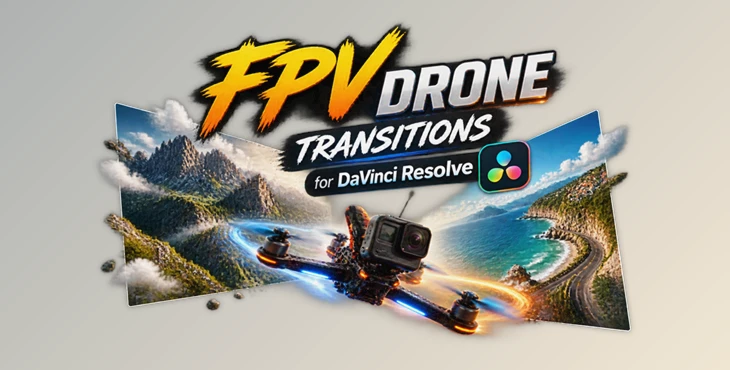
FPV Drone Transitions for DaVinci Resolve can help here. This product (Videohive 64588305) includes manually created transitions that can be used to achieve that same fast FPV drone footage look within your projects with a drag and drop implementation.
What Are FPV Drone Transitions? 🎥
FPV Drone Transitions are video transitions that mimic the motion of a first-person-view drone. This product (Videohive 64588305) can mimic a fast flying camera, gradual rotations, speeding up and slowing down, and dynamic motion between clips to create an exciting transition between clips.
FPV Drone Transitions work well in any type of video that requires motion and energy. They are very popular in travel videos, action videos, real estate videos, music videos, and social media videos.
Unlike a standard cut from one clip to another, FPV transitions give the illusion that the camera is flying from one clip to another. This increases the connection to the content and creates a more contemporary cinematic feel to the video.
Introducing FPV Drone Transitions for DaVinci Resolve ✨
FPV Drone Transitions for DaVinci Resolve is a collection of ready-made transition elements designed to help editors create professional motion effects quickly. The package focuses on simplicity, flexibility, and realistic drone-inspired movement.
Whether you are editing a short social media video or a larger cinematic project, these transitions can save editing time while adding more energy and creativity to your scenes.
Features
🚀 No Plugins Required
You can use the transitions directly inside DaVinci Resolve without installing additional plugins. This makes the workflow simple and accessible for editors of different levels.
🎬 Compatible with DaVinci Resolve 19 and Above
The package is designed for users working with modern versions of DaVinci Resolve, ensuring a smooth editing experience.
📸 Works for Photo and Video Projects
These transitions are not limited to video clips. You can also use them with photos to create dynamic slideshows, travel presentations, and visual stories.
🎞 Works with Any FPS and Resolution
No matter if your project is created in HD, Full HD, 4K, or different frame rates, the transitions can adapt to your workflow.
🖱 Easy Drag & Drop Workflow
Adding professional motion effects is simple. Just place the elements into your timeline and customize them based on your project needs.
🎨 Full Customization
You can adjust the transitions to match your own editing style, timing, and visual direction, giving you more control over the final result.
Where Can You Use These Transitions? 🌍
FPV Drone Transitions can improve many different types of video projects:
- Travel Videos: Create the feeling of flying through landscapes, cities, and locations.
- Action Content: Add speed and excitement to sports, adventure, and outdoor footage.
- Real Estate Videos: Make property showcases feel more immersive and modern.
- Music Videos: Build energetic sequences with smooth camera-like movements.
- Social Media Content: Create eye-catching edits for platforms where dynamic visuals attract more attention.
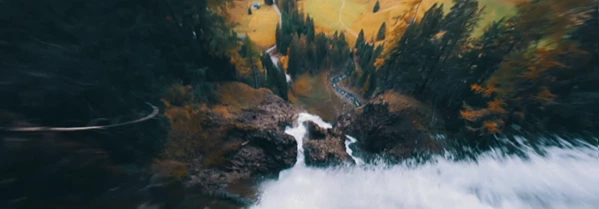
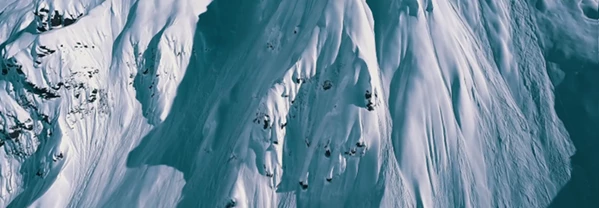
For example, a travel filmmaker can use these transitions to move from a mountain scene to a city shot with a continuous flying-camera feeling, while a content creator can make short videos feel more cinematic and engaging.
Professional Tips for Better Results 🎯
To get the most natural and impressive results from FPV Drone Transitions for DaVinci Resolve, consider these simple techniques:
Match Motion Direction
Try connecting clips that have similar movement directions. For example, if one shot moves forward, transition into another shot with a similar visual flow. This creates a smoother camera movement.
Use Transitions at the Right Moments
Avoid adding transitions between every clip. Using them on important scene changes helps maintain a professional and cinematic feeling.
Combine With Good Color Grading
A consistent color style across your clips makes FPV transitions feel more realistic and connected, especially in travel and cinematic projects.
Adjust Timing for Your Story
Fast transitions can create excitement, while slower movements can create a more elegant and dramatic atmosphere. Choose the speed based on the emotion you want to create.
Bring More Energy to Your Video Edits 🚁
Creating professional-looking motion transitions doesn’t always require complex techniques or advanced tools. With FPV Drone Transitions for DaVinci Resolve, editors can quickly add dynamic drone-inspired movements and create smoother connections between scenes.
The handcrafted elements, easy workflow, and customization options make this project (Videohive 64588305) a useful choice for anyone who wants to add a modern cinematic touch to their videos.
Try experimenting with different clips, movement styles, and timing choices to discover new creative possibilities for your next project.

Files Password : gfxplugin.com OR 123456