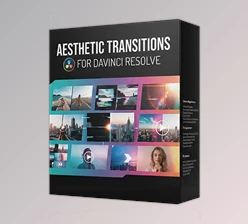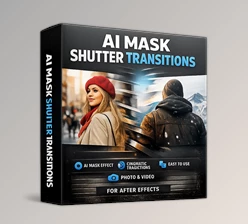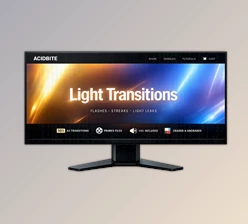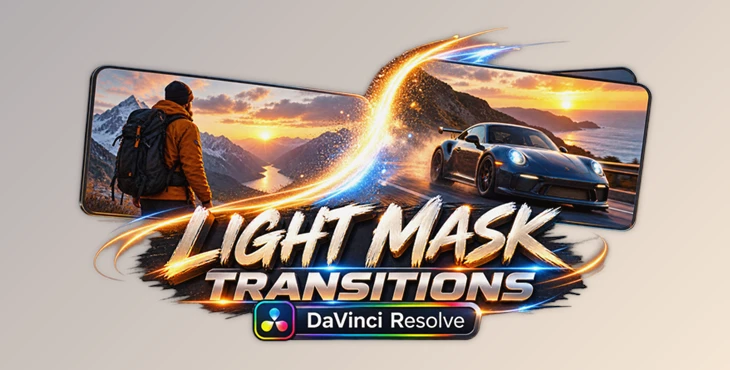
Downloadable Files
You can download Light Mask Transitions for DaVinci Resolve for free from the end of this page.
Give Every Cut a More Cinematic Feel
Transitions can drastically change how the edits in your film connect. Using the right type of transition can give the editing in your film a much smoother feel.
Light Mask Transitions for DaVinci Resolve is a collection of transitions made ready to use for editors looking to add cinematic cuts to their films without too much effort. These transitions work great with both photos and videos and can be used for a variety of projects.
Regardless of the type of editing project you are working on, whether it is for a cinematic edit, a travel edit, a promos edit, or even for social media content, these transitions will allow your edits to be visually interesting for the viewer.
What Are Light Mask Transitions?
Light mask transitions use areas of light within your editing software to reveal the next edit. Instead of simple cuts and transitions between edits, the area of light between the two edits acts as a visual mask between the two different pieces of media. For example, one light mask might feature a bright beam of light that reveals the next edit, while another edit may use a burst of light to reveal the next shot in your editing project. These types of edits can add further interest to your editing project while still maintaining a natural visual edit.
Light-based transitions work particularly well with footage that has highlights, sunlight, artificial lighting, or reflection effects. Using transitions that work with the lighting in the footage will help ensure that the cut appears to be part of the original footage rather than a special effect added to it.
A Ready-to-Use Transition Toolkit
Light Mask Transitions for DaVinci Resolve includes several pre-made transitions that can be instantly incorporated into your project. Each of these transitions avoids the need to manually create masks and adjustments to the footage.
As transitions work for both photos and video footage, they will also work for mixed-media projects. For example, you can transition from one photo to a video clip or use transitions to link several cinematic shots together or add more energy to a slideshow.
Features
Ready-to-Use Light Mask Transitions
The package contains transitions that are already prepared for use in DaVinci Resolve. This can significantly reduce the amount of time needed to create sophisticated scene changes manually.
No Plugins Required
You do not need to install third-party plugins to use the package. This keeps the workflow simpler and avoids adding unnecessary dependencies to your editing setup.
DaVinci Resolve 19 and Higher
The transitions are designed for DaVinci Resolve 19 or newer, providing a workflow suited to current versions of the editing software.
Works with Photos and Videos
The package is not limited to conventional video-to-video transitions. It can also be used with photographs, giving editors more flexibility when creating slideshows, presentations, montages, and mixed-media sequences.
Any FPS and Resolution
Support for different frame rates and resolutions makes the transitions easier to integrate into different projects. Whether you are working on a standard social media edit or a higher-resolution production, you can adapt the transitions to your existing timeline.
Easy to Use
The transitions are designed with accessibility in mind, allowing editors to achieve more sophisticated scene changes without building every animation manually.
Detailed Video Tutorial Included
A detailed video tutorial is also included with the transition pack to allow those new to the effects or editors looking to learn more about their use prior to deploying them into their projects.
Fully Handcrafted
This product (Videohive 61676869) was entirely created by hand without the use of AI to create a series of transitions that have a distinctly designed visual character to them that was created for editorial use in video editing software.
High-Quality Design
Each of these transitions has been carefully created to provide editors with scene changes that appear professionally edited and can be used in a variety of projects to enhance the editing process without detracting from the footage being edited.
Where Can You Use These Transitions?
These types of transitions can work within a variety of editing styles. For example, if your editing project is a travel video, such a transition can be used to connect one location to another. Similarly, in a cinematic montage, these types of transitions may be used to connect scenes in a feature film or documentary.
These types of transitions can also be used in promotional videos or photo slideshows.
Other types of videos that may benefit from the use of this project (Videohive 61676869) techniques include music videos, fashion videos, event videos, social media videos, intros and trailers for media content, and more.
The key here is not to simply add more transitions. The transition should suit the project’s existing rhythm, lighting, and atmosphere.
Tips for More Professional Results
Match the Transition to the Scene
Assess the light in each of your shots prior to choosing a cut. If the shot contains a lot of light and highlights, for instance, a transition that features the same type of lighting may be better suited to your project.
Use Transitions Selectively
Do not use a transition between every clip in your project. Only use transitions between important scenes or elements within your project.
Pay Attention to Editing Rhythm
The timing of your transitions should work with the editing pace of your project. Faster edits work better with scene changes that have more energy to them, whereas slower edits may work better with more smooth transitions.
Combine Them with Music
Position your transition within your composition to coincide with an important beat or change within your music. This will help to enhance the editing of your project.
Keep the Footage in Focus
Transitions should support your footage. If your audience is focused on every cut to transition rather than the footage itself, then you may want to edit with transitions less frequently in your project. This will produce more professional results.
Make Scene Changes Part of the Visual Story
Light Mask Transitions for DaVinci Resolve allows editors to quickly integrate visual transitions into their editing process with ready-made transitions that work with all types of photos and videos, at any frame rate or resolution, and without the need for any plugins.
The biggest benefit of using this product (Videohive 61676869) is the time that editors save by avoiding the creation of the individual light masks and transitions manually.
These transitions allow editors to quickly and easily add visual interest to their projects, all while maintaining the software’s commitment to an easy and accessible editing process.

Files Password : gfxplugin.com OR 123456