Downloadable Files
You can download Film Transition For DaVinci Resolve for free from the end of this page.
Cinematic Film-Style Transitions
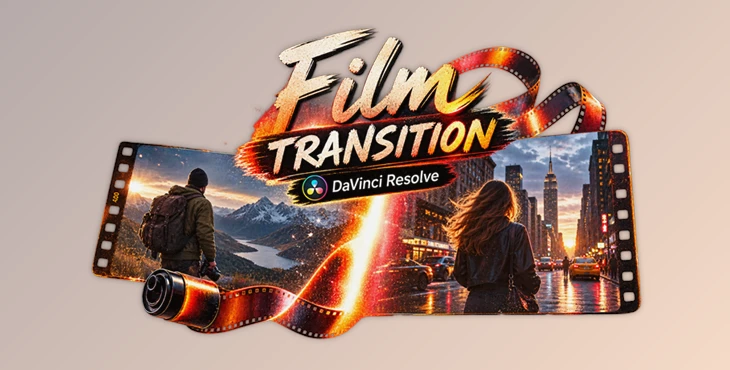
Film Transition For DaVinci Resolve is ideal for creating transitions that feel cinematic, but not digital. The goal of the transitions is to create scene transitions that have the characteristics of analog film yet appear natural within your cinematic edit.
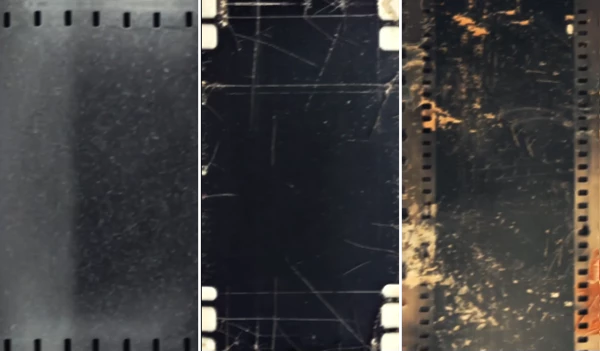
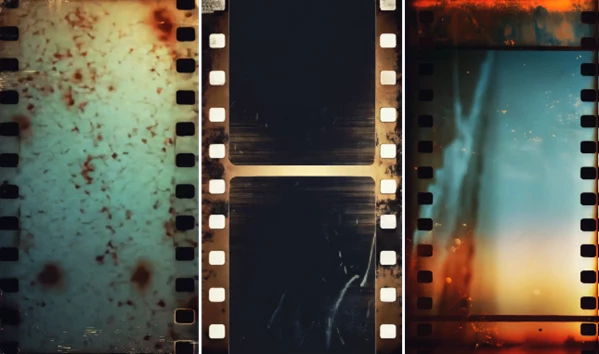
Each of the transitions utilizes the characteristics of analog film such as grain, flicker, dust, light leaks, and film movement to create a timeless edit that feels more immersive for the viewer.
Bring the Character of Analog Film Into Your Edits
Film-style transitions add elements like grain, flickering, film dust, and light leaks to your project. These features help to simulate the look of traditional film media and provide a visual element that softens the edits between movie clips.
For instance, if you are editing a travel video, you may want to go from shots of the sunset to a close-up shot of the person in the portrait. Alternatively, you could use film transitions to move from one shot in a music video to the next.
This product (Videohive 61693891) elements make film transitions feel as though they are a part of the video footage itself, rather than editing effects that have been added to the video clips.
What Is Film Transition For DaVinci Resolve?
Film Transition For DaVinci Resolve is a cinematic collection of classic film-inspired transitions created for editors who want smooth scene changes with authentic analog character.
The transitions combine organic motion with film textures and subtle imperfections. They can be used for cinematic trailers, documentaries, music videos, fashion projects, travel films, storytelling content, YouTube videos, and artistic motion graphics.
Because the effects are supplied in high resolution and require no additional plugins, they can also fit easily into an existing editing workflow.
Features
Cinematic Film-Style Transitions
The collection focuses on classic film-inspired movement rather than exaggerated digital animation. This makes the transitions particularly suitable for narrative and cinematic projects where maintaining the mood of the footage is important.
Organic Grain and Film Texture
Subtle grain adds texture and helps give clean digital footage a more tactile, film-like appearance. When used carefully, it can also make the transition blend more naturally with cinematic color grading.
Flicker and Analog Motion
Small variations in brightness and organic frame movement reproduce some of the visual characteristics associated with analog film. These imperfections help create a less sterile and more handcrafted appearance.
Light Leaks and Dust
Film-inspired light leaks and dust introduce additional atmosphere during scene changes. They can work particularly well with travel footage, fashion edits, music videos, nostalgic sequences, and emotional storytelling.
Smooth Scene Changes
The transitions are designed to connect shots smoothly without overpowering the actual footage. This is useful when you want the audience to feel the transition without having their attention pulled away from the story.
4K-Ready Resolution
High-resolution 4K assets provide enough detail for modern video projects and help keep film textures looking clean and convincing on larger displays.
Easy Drag-and-Drop Workflow
The transitions are straightforward to integrate into an edit. Place the appropriate transition between or over your clips and adjust it according to the sequence.
Blend Mode Ready
Depending on the transition and footage, blend modes such as Screen, Add, or Overlay can be used to integrate the film elements naturally with the underlying video.
No Plugins Required
No additional plugins are required, reducing setup time and making the collection easier to incorporate into different editing environments.
Where Can You Use These Transitions?
These special effects’ cinematic nature make them suitable for a variety of projects. For instance, documentaries can use these for more subtle edits between archived footage, while travel videos could use the light leaks to pair with their time outside.
Additionally, each of these edits could be used for various types of videos. For example, music videos and trailers could use these edits to highlight important changes or developments in the editing. Fashion and editorial videos can use the grain to give their videos a more styled edit.
Finally, individuals that create videos for YouTube or social media may also find this project (Videohive 61693891) helpful to give their ordinary videos a more polished, cinematic edit. Film transitions can also work well within narrative projects to help establish the atmosphere of a scene.
Tips for More Natural Film Transitions
Film transitions typically work best when they allow the footage to remain the stars of the film. Avoid using film transitions between every shot in your film. Using film transitions in combination with other editing techniques will yield the best results.
Try to use film transitions that work with the movements in the footage. If the footage in the first cut contains movement in a specific direction, choose a transition that compliments this movement within the film.
For transitions that use light leaks or bright elements within the film, try using the Screen or Add blending options. Use the Overlay option to enhance the interaction between the film transition and the screen. The best blending option for light leaks within film will depend upon the colors and brightness of the original footage.
You can also synchronize your transitions with the music in your project. This is especially helpful for music videos or film trailers.
Finally, make sure your transitions match the remainder of your film. Using film transitions with the same color grading and cinematic footage will help to provide a more convincing edit.
Give Your Scene Changes More Character
Film Transition For DaVinci Resolve offers a simple way to introduce classic analog character into contemporary video projects. Its combination of organic film movement, grain, flicker, dust, light leaks, and smooth transitions can turn ordinary cuts into more atmospheric and visually connected moments.
With 4K-ready quality, an easy drag-and-drop workflow, blend mode support, and no plugin requirements, the collection remains accessible while providing plenty of room for creative experimentation.
Whether you’re editing a documentary, travel film, cinematic trailer, fashion piece, music video, or storytelling project, thoughtful use of this product (Videohive 61693891) can help your scenes flow naturally while preserving the emotional focus of your footage.

Files Password : gfxplugin.com OR 123456