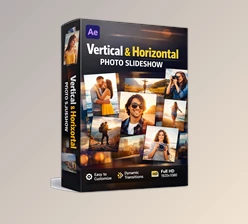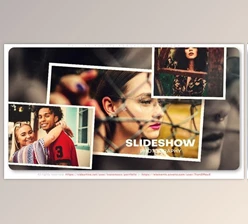
Downloadable Files
You can download the Slideshow for free from the end of this page.
Create a Clean and Engaging Photo & Video Presentation in After Effects
Creating a Slideshow from existing photos and videos can take a lot of time. Even if you have great media assets, arranging the files and consistently designing each project can become repetitive.
Whether you are looking to show off your photographs, memories, portfolio work, or even videos, this product (Videohive 64874746) will help you to create a 1-minute Slideshow of your chosen media.
What Is a Slideshow and Why Is It Useful?
A Slideshow is a series of images or videos that are played sequentially for an audience. Slideshows allow an individual to curate a presentation of their media in a way that is more engaging than simply playing the media files as they would be viewed in a gallery format.
Some of the different ways that individuals can use a Slideshow format are to curate a series of travel photos to form a travel story, to highlight the best of an event, to showcase a portfolio, or to create a Slideshow of memory photos or videos for family or friends to view.
Using a prepared After Effects template for creating a Slideshow makes the process considerably easier. You can avoid having to design each scene for your slideshow and focus on choosing your media files.
Slideshow – A Ready-Made After Effects Template
Slideshow is created entirely inside Adobe After Effects and is compatible with After Effects CC and above. This project (Videohive 64874746) is designed for straightforward customization, making it accessible even when you do not want to spend hours constructing a Slideshow animation manually.
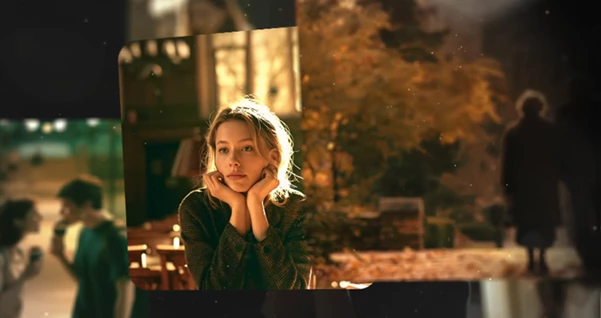
The template provides 13 media placeholders, allowing you to insert a selection of photos or video clips throughout the presentation. It also includes one text placeholder, which can be used for a main title, project name, short message, or other important text.
The complete presentation has a duration of 01:04, making it long enough to showcase multiple visuals while remaining compact and easy to watch.
Features
- After Effects CC and Above: The project is designed for modern versions of Adobe After Effects.
- 100% After Effects File: The complete project is created directly in After Effects.
- Easy to Customize: Replace the existing media and text with your own content to personalize the presentation.
- Full HD Resolution: The project uses a 1920×1080 composition for clear Full HD output.
- No Plugins Required: You do not need to install additional third-party plugins to use the project.
- 13 Media Placeholders: Add up to 13 photos, video clips, or other suitable visual assets to build your presentation.
- 1 Text Placeholder: Add a title or short message that supports the visual content.
- 01:04 Duration: The finished structure runs for approximately one minute and four seconds.
- Video Tutorial Included: A tutorial is provided to help you understand the customization process.
These features can make the editing workflow more efficient because much of the basic structure is already prepared. Instead of spending time building the composition from zero, you can concentrate on media selection, visual consistency, and final adjustments.
Where Can You Use This Slideshow?
The flexible structure makes the template suitable for many types of visual projects. A photographer, for example, could place selected images into the 13 placeholders and create a compact portfolio presentation. An editor could combine short clips from an event into a highlight sequence, while a content creator could use photographs and videos to create a visual recap.
It can also work well for travel memories, family moments, creative portfolios, event presentations, personal projects, promotional showcases, and other situations where several visual assets need to be presented as one coherent sequence.
Because both photos and suitable video content can be organized within the template, you have room to adapt the project to different subjects without redesigning its entire structure.

Tips for Getting Better Results
While templates provide great structures for videos or photo albums, the content that is chosen for the project will have the greatest impact on the final project. Ensure that the content that is included is some of the best and most important for the individual creating the album to share with others.
Try to maintain some visual consistency between each of the consecutive shots. For instance, if some of the media features similar colors and subjects, viewers will find the transitions between each shot to be more natural.
Additionally, pay attention to the sequencing of the shots. Start with an attention-grabbing image, continue with a few supporting images in the middle, and save another compelling image for the last section of the Slideshow.
Finally, pay attention to the text. Keep it to a minimum, as it is usually best to feature a short title for the Slideshow instead of long messages.
Finally, preview the complete 01:04 sequence before you export your project.
Final Thoughts
Slideshow is a great starter template for creating a Slideshow in After Effects. With 13 media placeholders, Full HD resolution, and multiple ways to customize the project without installing any plugins, you can save yourself the time that would usually go into manually creating a slideshow.
The included video tutorial will help you understand the project and its various customizable elements. With the perfect media library and a few alterations to the existing project, this project (Videohive 64874746) can be used for creating photo or video Slideshows for portfolios, memories, events, and more.
Rather than focusing on the creation of each element of the project, you can focus on choosing the best visuals for your Slideshow and editing the project as a whole.

Files Password : gfxplugin.com OR 123456