Downloadable Files
You can download AI Dream Art for free from the end of this page.
Create Stunning AI Art Completely Offline
Typically, creating AI art requires you to use an online platform. However, AI Dream Art allows you to create stunning AI art directly on your desktop computer.
AI Dream Art software allows you to generate artwork from the text prompts you type into the software without ever having to send your prompts or artwork to an external server. Use the program to experiment with creating AI art or to generate art for your projects.
Support for multiple images per prompt, the ability to generate images at 1024 × 1024 resolution, GPU acceleration, and enhancement options all make AI Dream Art a flexible yet private program for generating art from ideas.
Turn Your Ideas Into Images
AI Dream Art uses a local diffusion model to convert ideas to images. By describing the images that you want to generate, the software will create those images for you.
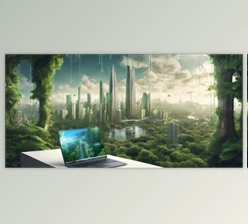
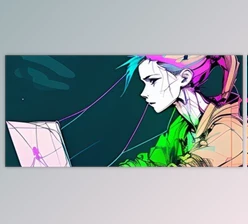
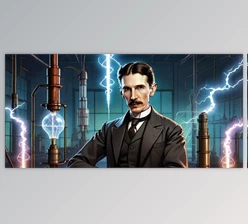
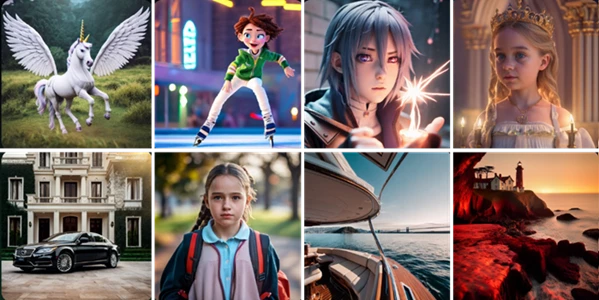
Examples of the types of images that can be generated include futuristic cities under neon lights, fantasy landscapes surrounded by mountains, portraits of characters, and abstract digital art. Each of these can be generated without having to manually create the visuals of the described ideas. Instead, simply describing the idea will generate the image as a finished artwork piece.
AI Dream Art also allows users to create up to four different images from a single prompt. Because AI art generation can often produce slightly different results from the same prompt, offering several variations of an image allows artists to compare their outputs and select the best one for their project.
Why Offline AI Generation Matters
One of the defining characteristics of AI Dream Art is that image generation happens locally.
There is no requirement for cloud processing or a constant internet connection. Your prompts and generated images remain on your computer, making the workflow particularly useful when privacy is important.
Offline generation can also provide greater creative freedom. You do not need to depend on server availability or online generation limits. Once the application is ready on your system, you can continue experimenting with prompts and concepts directly from your desktop.
The software also bundles the required AI model, so there is no separate model download required before you can begin generating artwork.
AI Dream Art Features
Up to Four Images Per Prompt
Generate as many as four variations from one prompt in a single operation. This is useful for concept exploration because you can quickly compare different AI interpretations instead of repeatedly submitting the same description.
Multiple Image Resolutions
AI Dream Art supports resolutions ranging from 512 × 512 up to 1024 × 1024. Smaller resolutions can be useful while experimenting with prompts, while larger outputs are better suited to more developed artwork and final concepts.
Fully Offline Processing
The image-generation workflow can run entirely on your computer. Your prompts and artwork do not need to be uploaded to cloud servers, providing a more private creative environment.
GPU-Accelerated Generation
The latest version can take advantage of your graphics hardware, including NVIDIA, AMD, and Intel GPUs, without requiring additional installation for the newer workflow. This can dramatically improve generation speed compared with less optimized processing.
Users who already have an established Python and CUDA configuration can choose the Classic option at startup to continue using their existing setup.
Built-In AI Model
There is no need to separately search for and download an AI model. The necessary model is bundled with the software, simplifying the initial setup.
Smart Style Enhancements
Built-in enhancement options allow you to add qualities such as high detail or cinematic lighting to your generations. These options can help improve the visual character of an image without requiring every stylistic instruction to be manually added to the prompt.
Automatic Image Saving
Generated images can automatically be saved to a folder of your choice with unique filenames. This makes it easier to produce multiple variations without manually naming and saving every result.
Responsive Generation Workflow
The newer version improves how generation is handled so the application no longer freezes while creating an image. This results in a smoother experience, especially when producing larger images.
Where Can You Use AI Dream Art?
AI Dream Art can fit into many different creative workflows. A designer could generate early visual concepts before developing them further in graphic software. An illustrator could explore different compositions, lighting setups, environments, or character ideas. A storyteller could visualize scenes and locations before writing or presenting them.
It can also be useful for creating experimental digital art, fantasy scenes, cinematic environments, abstract imagery, mood-board material, character concepts, and general visual inspiration.
The important advantage is speed of exploration. Instead of committing significant time to a single idea immediately, you can generate several directions and determine which concept deserves further development.
Tips for Better AI Dream Art Results
Start with a description of the main subject of your artwork. Add additional details about lighting, the environment, the mood, the point of view, and more once you have approved the generated image with the basic prompt.
Generating four variations on a concept can be helpful when experimenting with different AI art generators. Even with the same prompt for each variation, the generated images can have considerable differences between each.
For more polished results, combine your descriptive prompt with enhancement options such as high detail and cinematic lighting. This option is particularly helpful for portrait and scenery art.
Generating artwork at a smaller resolution can be helpful for experimenting with AI art generators. Once you have approved your prompt and the generated image at a smaller resolution, increase the resolution to 1024 × 1024 for more developed AI art generation.
Finally, the AI-generated artwork does not have to be the final result. The graphic designers and artists can continue to edit the generated artwork files in their preferred editing software.
System Setup
The original recommendation was to have 16 GB of RAM or more. The use of a graphics processing unit was also recommended for improved performance.
The earlier versions of the application were optimized for NVIDIA graphics processing units and CUDA. The latest version of the software allows graphics cards made by NVIDIA, AMD, and Intel. Classic mode allows users to keep their current installation using Python, Torch, and CUDA.
Actual AI generation speed depends on your hardware, resolution, and other requirements for processing the files.
Final Thoughts
AI Dream Art provides an interesting alternative to cloud-based AI image generators by keeping the creative process on your own computer. Its combination of offline generation, local privacy, multiple outputs per prompt, GPU acceleration, style enhancements, and resolutions up to 1024 × 1024 makes it suitable for both casual experimentation and more serious visual workflows.
The ability to quickly turn descriptions into several visual concepts can be especially valuable during the early stages of a creative project. And because everything can remain local, you gain more control over both your workflow and your generated content.
For artists, designers, storytellers, and anyone curious about generative imagery, AI Dream Art offers a practical way to explore AI-assisted creativity without depending on the cloud.

Files Password : gfxplugin.com OR 123456