Downloadable Files
You can download Foles DarkGrain Pack for free from the end of this page.
Give Your After Effects Edits a Finished Look
Creating a polished edit in After Effects often involves much more than simply placing clips on a timeline. Smooth transitions, carefully timed effects, creative color grading, typography, shakes, zooms, and other small details all contribute to the final result.
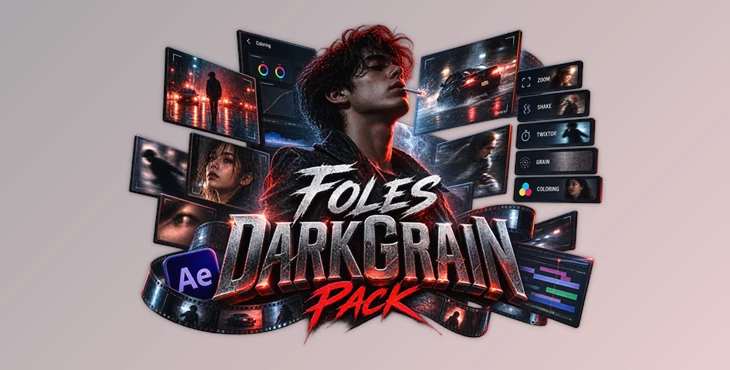
Foles DarkGrain Pack brings these elements together in one editing resource. The pack contains presets, colorings, and After Effects project files used in recent edits by its creator, giving editors an opportunity to explore complete projects rather than working only with isolated effects.
This can be especially useful when you want to understand how different editing elements interact with each other. Instead of seeing only a finished video, you can open the project and explore how its clips, effects, text, coloring, and other components have been organized.
What Is Foles DarkGrain Pack?
Foles DarkGrain Pack is a collection designed specifically for Adobe After Effects. It includes presets, colorings, and project files (PJFs) containing the different components used to build complete edits.
The project files are particularly useful because they allow you to inspect an edit from the inside. Each PJF can contain clips alongside effects such as Twixtor adjustments, zooms, shakes, text elements, coloring, and watermarks.
For example, if you see an interesting shake or zoom inside one of the included projects, you can examine its settings and understand how it works with the surrounding footage. Similarly, the included colorings can help you study how color treatment contributes to the overall mood of an edit.
This approach makes the pack useful not only for speeding up certain parts of editing but also for learning new techniques through existing project structures.
Why Project Files Can Be So Useful
A finished edit only shows you the final result. An After Effects project file, on the other hand, lets you look behind the scenes.
You can inspect layers, effects, text, timing, and other components to better understand how the complete composition was assembled. This is particularly helpful when learning techniques such as speed manipulation with Twixtor or combining zoom and shake effects to make transitions feel more energetic.
The project files are also clearly named and include links to the creator’s corresponding posts. This makes navigating the collection easier when you are trying to locate a particular edit or effect.
Features
Presets and Colorings
The pack includes presets and colorings used by the creator in recent edits. These resources can provide a useful starting point when developing the visual style of your own project.
Rather than building every effect from zero, you can examine the existing settings and then adjust them according to your footage.
After Effects Project Files
One of the main parts of Foles DarkGrain Pack is its collection of AE project files. These files provide a more complete look at the editing process by keeping multiple components of an edit together.
Included project elements can feature:
- Clips
- Effects
- Twixtor settings
- Zoom effects
- Shake effects
- Text
- Coloring
- Watermarks
Having these elements available within an actual project makes it much easier to understand their relationship and timing.
Clearly Organized PJFs
The included project files are clearly named, helping you navigate the collection and find the project you need more quickly.
Links to the creator’s posts are also included with the PJFs, making it easier to identify the corresponding finished edit and compare it with the project structure.
Made for After Effects
The pack is intended exclusively for Adobe After Effects and, according to the provided product information, can be used with any version of After Effects.
This keeps the workflow focused on editors who already use After Effects for motion graphics, video edits, transitions, and visual effects.
Third-Party Plugin Integration
Some of the effects used inside the projects depend on popular third-party After Effects plugins. The required plugins listed for the pack are:
- BCC
- Sapphire
- Magic Bullet Looks
- Twixtor
- FilmConvert Nitrate
Having these plugins installed is important if you want the included projects and effects to appear and behave as intended.
Practical Ways to Use the Pack
There are several ways to work with Foles DarkGrain Pack depending on your editing style.
You could open one of the included PJFs and study its layer structure before attempting to recreate a similar effect in your own composition. For instance, you might analyze how a shake is synchronized with a transition or how Twixtor is combined with other effects during a speed ramp.
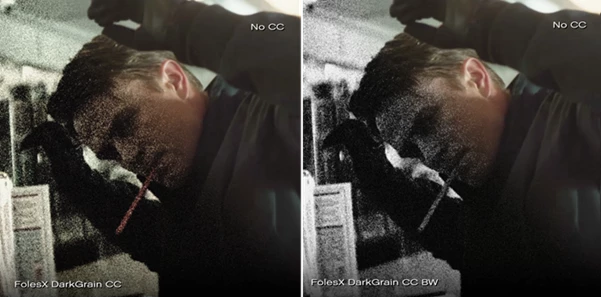
You can also experiment with the included colorings on suitable footage and then modify their settings. Exposure, contrast, saturation, and the characteristics of the original footage can significantly affect the final appearance, so treating existing settings as a starting point usually gives you more control.
Tips for Better Results
Avoid applying every included effect exactly as it appears in the original project. Footage varies in resolution, movement, frame rate, lighting, and composition, so settings that work perfectly in one edit may need adjustment in another.
Pay particular attention to timing when working with shakes, zooms, and Twixtor effects. Even a visually strong effect can feel unnatural if its timing does not match the movement or rhythm of your footage.
Coloring should also be adjusted according to the source material. Small changes can help preserve natural highlights and shadows while maintaining the desired visual style.
When exploring a PJF, try disabling effects one by one. This is a simple way to see what each effect contributes to the final composition and can help you learn how more complex effect stacks are constructed.
Finally, make sure the required third-party plugins are installed before opening projects that depend on them. Missing plugins may prevent certain effects or visual treatments from displaying correctly.
A Useful Resource for Exploring Editing Workflows
Foles DarkGrain Pack combines presets, colorings, and complete After Effects project files into a resource that can be explored from several angles.
Its biggest advantage is the ability to look beyond individual presets and examine how clips, effects, typography, coloring, zooms, shakes, and other elements work together inside actual After Effects projects.
Whether you want to experiment with new editing styles, study existing project structures, or find useful starting points for your own effects, the pack provides plenty of material to explore. Adjusting the included resources to suit your own footage can also help produce results that feel more natural and individual rather than simply copying an existing edit.

Files Password : gfxplugin.com OR 123456