Downloadable Files
You can download BaseLUTs for free from the end of this product page.
A Better Starting Point for Canon Color
While you might get great footage from your Canon camera, this is only the first part of the process. If you are logging your footage with Canon’s Log profiles, the footage will be flat to start. You will need to make it viewable in your project by converting the color space of your footage.
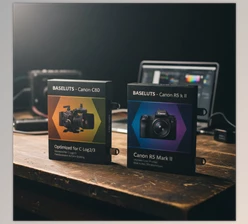
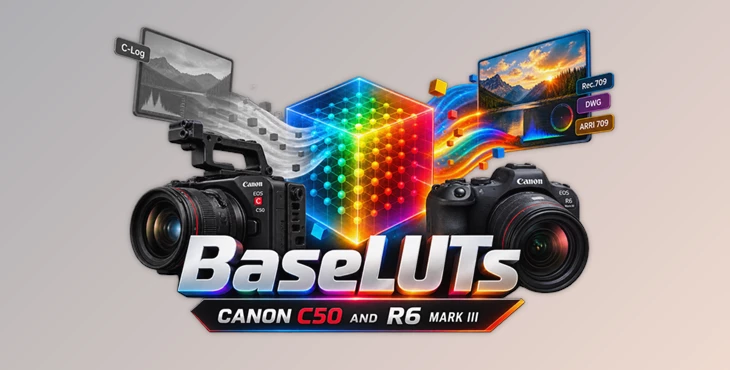
BaseLUTs offers precise LUTs that will take your Canon Log footage from your Canon C50 and Canon R6 Mark III and convert it to a color space that is ready for color grading. Choose between Rec709, DaVinci Wide Gamut, or ARRI-style output to start your color grading project.
What Are BaseLUTs?
A Base LUT is essentially a technical foundation for your color workflow. Instead of acting like a creative filter that dramatically changes the mood of an image, it converts Log footage into a more practical color space or viewing format.
For example, flat Canon Log footage can be transformed into Rec709 for a conventional finished image or into DaVinci Wide Gamut (DWG) when you want to keep working inside a wider color-managed grading environment.
This gives you a more predictable starting point for adjusting exposure, contrast, saturation, skin tones, and creative color. Rather than spending time manually building the initial conversion, you can focus more attention on the actual look of the project.
Precision Conversion for Canon Footage
The BaseLUTs for Canon C50 and R6 Mark III were created specifically for Canon camera footage (including Canon C50 footage with Canon Log profiles and Cinema Gamut color space).
There are different targets within the LUTs to allow you to choose the one that works best for your project - whether you are looking for Rec709, DaVinci Wide Gamut, or even ARRI709.
These LUTs would be useful for any project type, including commercials, short films, documentaries, interviews, and music videos.
Features
Canon Log 2 and Canon Log 3 Support
The package provides conversion LUTs for both Canon Log 2 and Canon Log 3, making it easier to work with different Canon shooting setups while maintaining a consistent grading workflow.
Rec709 Conversion
The standard Rec709 LUTs transform flat Log footage into a more conventional image with usable contrast and color. This is a practical choice when your final project is intended for standard Rec709 delivery.
Bold Rec709 Versions
Alongside the regular Rec709 conversions, Bold Versions are included. These give you another starting point when you want a stronger visual response without having to build everything manually from scratch.
DaVinci Wide Gamut Support
For more flexible grading workflows, the package includes DWG conversions. These are particularly useful when working inside DaVinci Resolve and you want to maintain a wider working color space throughout the grading process.
ARRI709 Options
Canon Log 2 and Canon Log 3 footage can also be converted using the included Arri709 options. This provides an alternative viewing and grading foundation when that type of color response better suits the project.
High-Resolution LUT Files
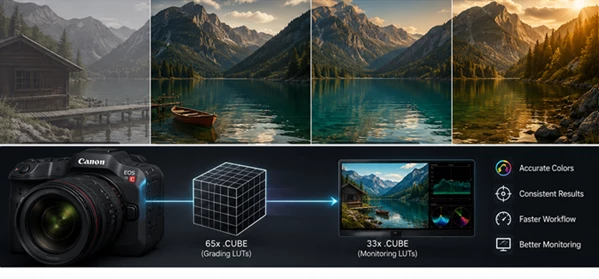
The main LUTs are supplied as 65x .cube files, providing precise color transformations for post-production. Monitoring LUTs are also available in 33x .cube format, giving you practical options for both grading and on-set monitoring workflows.
What’s Included?
The BaseLUTs package includes:
- BaseLUT for Canon Log 3 to Rec709
- BaseLUT for Canon Log 3 to Rec709 – Bold Version
- BaseLUT for Canon Log 3 to DWG
- BaseLUT for Canon Log 3 to Arri709
- BaseLUT for Canon Log 2 to Rec709
- BaseLUT for Canon Log 2 to Rec709 – Bold Version
- BaseLUT for Canon Log 2 to DWG
- BaseLUT for Canon Log 2 to Arri709
- 65x Cube LUT files
- 33x Cube monitoring LUT files
Getting Better Results with BaseLUTs
For best results with BaseLUTs for Canon C50 and R6 Mark III, ensure your footage is properly exposed and white balance is set to accurate settings prior to applying the LUTs. Whilst BaseLUTs will provide for a technical conversion from one colour space to another, the LUTs cannot fix any issues caused by incorrectly exposed footage or incorrect white balance settings.
It is also helpful to separate the technical conversion of the footage from your creative grade of the footage. Use the BaseLUTs to establish the color foundation of your footage, then make your own adjustments to parameters like contrast, saturation, skin tones, highlights, shadows, and mood.
Within DaVinci Wide Gamut, make sure to use the dedicated DWG conversion instead of the automatic application of a Rec709 LUT.
Finally, the included 33x Cube versions can also be helpful to preview the footage as transformed while still having the recorded Log footage available for editing.
A Solid Foundation for Canon Color Grading
Good color grading does not always have to start with complicated manual color grading. Sometimes the best tool for the job is one that gives you a solid starting place for your footage.
The BaseLUTs for Canon C50 and R6 Mark III offer several different conversion options for Canon Log footage to Rec709, DaVinci Wide Gamut, and Arri709 color spaces. Each of the BaseLUTs includes dedicated versions for Canon Log 2 and 3 footage, Bold Rec709 alternatives, and even dedicated monitoring LUTs.
If you grade any footage from Canon cameras, give the BaseLUTs a try to find the best color space conversion for your workflow before getting into the creative aspect of color grading your footage.

Files Password : gfxplugin.com OR 123456