Downloadable Files
You can download AlphaForge for free from the end of this page.
Turn Complex Motion Into a Few Clicks
Creating mattes, graphics, and transitions in After Effects can take a lot of time. AlphaForge takes a faster approach to the task.
AlphaForge’s procedural generator will create mattes, graphics, and transitions for you directly inside your composition in After Effects. Just choose a mode and adjust a few controls to get your animated elements created for you in a few seconds.
The best part about AlphaForge is that you can rebuild the elements, randomize them, and create new transitions with all of your edited elements remaining intact and editable.
What Is AlphaForge?
AlphaForge is a procedural tool for After Effects designed to generate animated visual patterns and motion-based effects without requiring you to manually create every shape and animation.
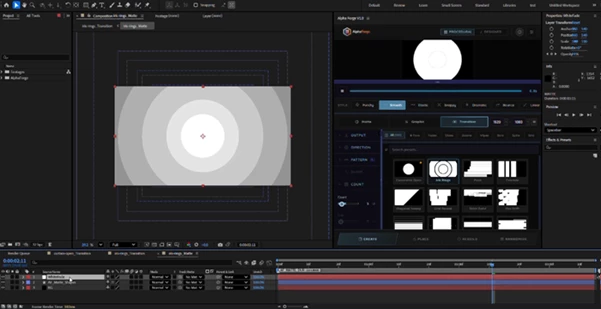
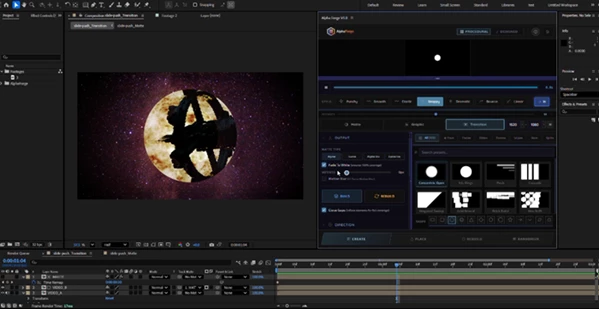
It can create everything from grids and waves to scatters, wipes, and radial patterns. These generated elements can then be used as mattes for reveals, colorful graphic elements, or transitions between shots.
For example, imagine revealing a portrait through a collection of animated shapes. Instead of creating dozens of shapes and keyframing their movement individually, AlphaForge can generate the matte and its animation for you.
This approach can make experimentation much easier. You can quickly try different counts, timing, spacing, motion, and effects until the result fits the project.
Features
Randomizer with 200 Presets
One of the most useful features of AlphaForge is its Randomizer.
With a single click, the tool can generate a new coherent variation while changing elements such as counts, timing, and motion together. There are 200 presets covering styles such as grids, waves, scatters, wipes, and radials.
Once you find a variation you like, you can lock the seed so the result remains reproducible.
Mattes, Graphics & Transitions
AlphaForge isn’t limited to one type of effect. You can use it to generate:
- Animated track mattes for reveals
- Full-color graphic elements
- Transitions between two clips
- Animated backgrounds and procedural patterns
Because the generated elements remain native and editable After Effects layers, you can continue adjusting the result inside your composition.
20+ Direct Controls
AlphaForge offers a simple starting point without limiting users who want more control.
You can begin with core controls such as Count, Duration, and Stagger, then move deeper into more than 20 parameters covering:
- Timing
- Transform
- Effects
- Echo
- Color
This makes the tool suitable for both quick experiments and more carefully designed motion graphics.
Dynamic & Signature Modes
There are two main ways to work with AlphaForge.
Dynamic mode is ideal when you want to explore variations quickly. Generate a look, randomize it, and keep experimenting until something works.
Signature mode is better when you already have a specific visual direction and want a more precise, hand-tuned result that can be saved and recalled.
Non-Destructive Rebuild
Iteration is a major part of motion design, and AlphaForge is built around that workflow.
You can change your settings and rebuild the generated result in place rather than starting from scratch. This makes it easier to test different directions without destroying the existing composition.
Favorites & Keyboard Shortcuts
When working through many variations, Favorites and keyboard shortcuts help speed up the process and make frequently used looks easier to access.
The dockable panel can also live directly inside your After Effects workspace, keeping the workflow close to the composition.
Make Your Workflow Faster
The biggest advantage of AlphaForge is how quickly it turns an idea into something you can actually see.
Instead of spending several minutes constructing a procedural-looking matte manually, you can generate an initial result almost immediately. From there, the creative process becomes more about choosing and refining a direction rather than building everything from zero.
For example, a motion designer creating a title reveal could start with a grid preset, adjust the stagger and duration, randomize the pattern, and then refine the transform and color controls. A similar workflow could be used for a transition between two video clips or an animated background for a broadcast package.

Professional Tips for Better Results
Start With the Core Controls
Don’t try to adjust every parameter immediately. Start with Count, Duration, and Stagger. These three controls can dramatically change the rhythm and overall feel of the animation.
Once the basic motion feels right, move on to transform and effects.
Use Randomization for Exploration
The Randomizer is especially useful during the early creative stage.
Rather than manually designing five different variations, generate several options and identify the direction that feels closest to your project. You can then refine that result instead of rebuilding it.
Lock a Strong Variation
If one of the randomized designs for your animation elements works particularly well, lock that seed prior to continuing your creation of the animation elements.
This will give you a reliable starting point for your experimentation with the other parameters for this effect.
Keep Motion Consistent With the Edit
A visually impressive matte will not look correct if it does not match the footage.
Use the Duration and Stagger parameters to ensure that the matte has movement that supports the edit.
Refine Instead of Overbuilding
A major strength of this type of workflow is the ability to iterate on the process.
Generate a strong base, rebuild it when necessary, and use the additional controls only when they contribute to the product.
A Faster Way to Build Motion
AlphaForge brings a useful balance between automation and creative control. It can handle much of the repetitive construction involved in animated mattes, graphics, and transitions while still giving you access to the underlying parameters.
With 200 presets, Dynamic and Signature modes, more than 20 controls, non-destructive rebuilding, and a workflow designed around quick experimentation, it can turn a traditionally repetitive After Effects task into a much more flexible creative process.
If you’re looking for a faster way to explore procedural reveals, graphic patterns, and transitions without manually keyframing every shape, AlphaForge is definitely worth trying.

Files Password : gfxplugin.com OR 123456