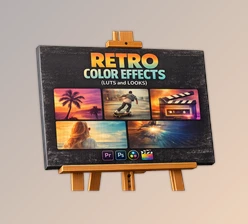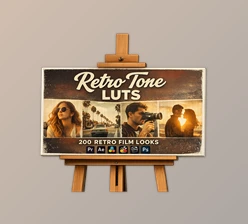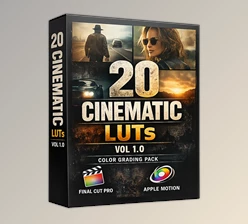
Downloadable Files
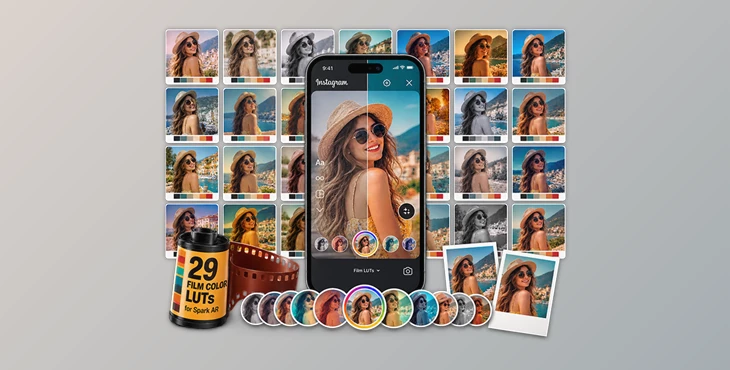
You can download 29 Film Color LUTs for Spark AR for free at the end of this page.
Give Your Spark AR Filters a Cinematic Look
Creating an Instagram filter is easy. Making it look memorable is the real challenge.
A great filter is often defined by its color mood rather than complex effects. The right LUT can turn an ordinary camera feed into something warm, vintage, dramatic, or clean in just a few clicks. That's exactly where Film Color LUTs for Spark AR comes in.
If you've ever wanted your Spark AR projects to feel more like real film instead of a basic color overlay, this collection gives you a fast and beginner-friendly starting point.
What Are Color LUTs and Why Do They Matter?
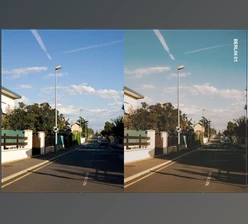
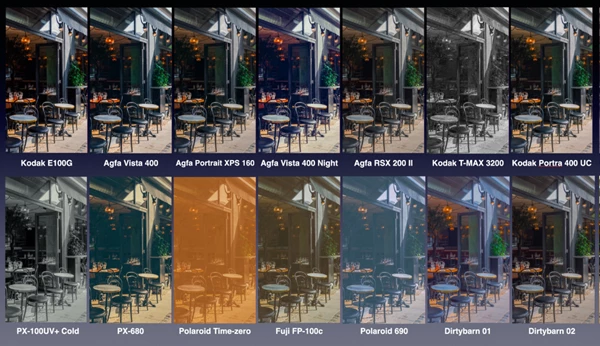
A Color LUT (Look-Up Table) is a preset that remaps your colors to give your project a specific visual style. A Color LUT can save you the steps of manually adjusting the highlights, shadows, saturation, and contrast in your project.
Color LUTs are especially useful for Spark AR because they allow your filters to stay consistent from project to project. Whether you are designing beauty filters, travel filters, lifestyle filters, or cinematic Instagram filters, using a LUT will make a big difference in the visual style of your designs.
For example, warm film LUTs can give your filter the look of a sunset, while cooler cinematic LUTs can give it a more modern look. Because small color adjustments can have a big impact, Color LUTs let creators make them quickly and effectively.
Meet Film Color LUTs for Spark AR
Film Color LUTs for Spark AR is a collection of 29 professionally prepared color LUTs designed specifically for Spark AR. Rather than building every color grade from scratch, you can simply import a LUT and start designing your filter immediately.
The package also includes a demo Spark AR project, making it easier to understand how the LUTs are applied inside a real project, plus a step-by-step how-to document for quick setup. The collection has been tested with Spark AR v107, ensuring compatibility with that version.
Features
29 cinematic color LUTs ready to use inside Spark AR.
Demo Spark AR project for learning and experimentation.
How-to documentation for quick installation and setup.
Designed specifically for Instagram filters rather than general video editing.
Tested on Spark AR v107 for reliable workflow compatibility.
Where These LUTs Shine
These LUTs fit naturally into many types of Spark AR projects.
Beauty & Portrait Filters: Add soft cinematic tones that make skin feel more polished without excessive editing.
Travel & Lifestyle Effects: Create warm holiday colors or moody street photography aesthetics directly inside your Instagram filter.
Creative Brand Filters: Give branded AR experiences a consistent color signature that matches your visual identity.
Because every LUT offers a different mood, it's easy to experiment until the filter matches the feeling you're trying to create.
Tips for Better-Looking Spark AR Filters
A good LUT works best when it's combined with thoughtful filter design. Here are a few practical tips:
Start with clean lighting: LUTs enhance colors—they can't completely fix poor exposure.
Test on different scenes: Try indoor, outdoor, daylight, and evening footage before publishing.
Avoid stacking heavy effects: Strong color grading plus aggressive beauty effects can look unnatural.
Keep your brand consistent: Reusing the same few LUTs across projects helps create a recognizable style.
These small adjustments usually produce filters that feel much more professional and believable.
Final Thoughts
Great color grading doesn't have to be complicated. Film Color LUTs for Spark AR gives Spark AR creators a fast way to add cinematic personality to their Instagram filters without spending hours building custom color looks.
This resource includes 29 different LUTs to use in your projects, plus a demo project and documentation to help you get up and running with these Color LUTs. If you want your filters to stand out through their color palettes, this resource is definitely worth exploring.

Files Password : gfxplugin.com OR 123456