Downloadable Files
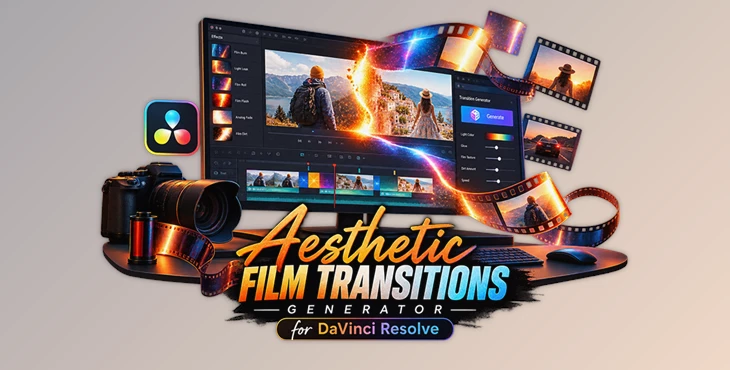
You can download Aesthetic Film Transitions Generator for DaVinci Resolve for free at the end of this page.
Give Your Edits That Dreamy Film Feel 🎞️
Have you ever watched a wedding film, travel vlog, or music video and wondered why the transitions felt so emotional and cinematic? In many cases, it is not just the footage itself that creates that feeling. Small details like film burns, light leaks, and analog-style transitions can completely change the mood of an edit.
That is exactly what Aesthetic Film Transitions Generator is designed to do. Instead of dropping the same transition on every cut, it lets you generate fresh analog-style transitions in seconds, making your edits feel much more natural and cinematic.
Whether you edit long YouTube videos or short vertical content for social media, this tool helps transform clean digital footage into something with genuine nostalgic character.
What Makes Film-Style Transitions So Special? ✨
Film transitions are visual effects inspired by vintage cameras and analog film stock. Think of soft light leaks, glowing film burns, subtle imperfections, and rolling film textures that appear between shots.
These effects are popular because they help connect scenes in a more emotional and natural way. Rather than a simple cut from one clip to another, the transition adds atmosphere and personality to the edit.
For example, a travel creator can use film burns between vacation shots to make memories feel more nostalgic. A wedding filmmaker can add soft light leaks to create a romantic mood. Even social media creators use these effects to make short-form content feel more polished and visually engaging.
The result is not just a transition—it is a storytelling element that helps viewers feel more connected to the footage.
Meet Aesthetic Film Transitions Generator for DaVinci Resolve 🚀
Aesthetic Film Transitions Generator for DaVinci Resolve is a native DaVinci Resolve tool designed to create beautiful analog-inspired transitions with minimal effort. Instead of relying on the same pre-made overlay every time, it includes a built-in generation system that can create endless randomized transition variations.
This means every transition can feel fresh and unique, helping your edits avoid the repetitive look that often comes from using the same assets repeatedly.
Because it is delivered as a native .drfx template, installation is quick and straightforward. Once installed, you can simply drag and drop transitions directly into your timeline and start customizing them.
Features 🎨
Infinite Transition Variations
One of the most impressive features is the built-in generator system. With a single click on the Generate button, the tool creates a new randomized film transition.
This helps editors avoid repetition and gives projects a more authentic analog feel.
Dreamy Analog Effects
The package focuses on the aesthetic qualities that filmmakers love:
- Soft light leaks
- Dreamy film burns
- Vintage film roll effects
- Organic analog-inspired textures
These elements help transform clean digital footage into something that feels warmer and more cinematic.
Deep Customization Controls
Every project has a different style, which is why customization matters.
Users can adjust:
- Light colors
- Glow intensity
- Film dirt and texture
- Transition speed
- Overall visual mood
This flexibility makes it easier to match transitions to the specific look of a project.
Works With Any Format
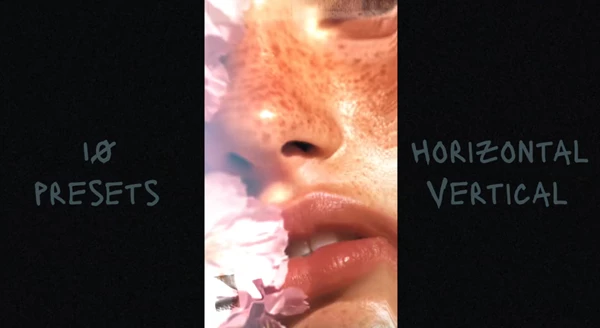
Whether you are editing a YouTube video, Instagram Reel, TikTok, or commercial project, the transitions adapt to different aspect ratios.
Supported formats include:
- 4K
- HD
- Square formats
- Vertical video formats
Drag-and-Drop Workflow
Nobody wants a complicated setup process. The transitions can be applied directly on the Edit Page timeline, making them easy to use even for editors who want fast results.
No Extra Plugins Required
The entire system works natively inside DaVinci Resolve. There is no need to install additional plugins or third-party software.
Where Can You Use It? 🎬
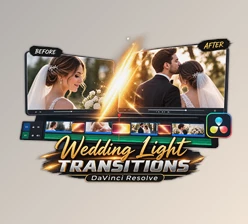
For wedding films, the soft light leaks and film burns can add an emotional and romantic atmosphere that enhances special moments.
For travel videos, the analog-inspired look can make everyday memories feel like scenes from a cinematic diary.
For music videos, especially indie, acoustic, or pop productions, the transitions can introduce artistic visual energy between shots.
For social media content, they help create eye-catching edits that stand out in crowded feeds and keep viewers engaged.

Tips for More Professional Results 🎯
Even though the tool is easy to use, a few simple techniques can make the results look even better.
- Match the mood of the footage. Warm transitions often work beautifully with weddings, sunsets, and lifestyle content.
- Avoid overusing strong effects. Sometimes a subtle film burn creates a more premium look than an intense one.
- Vary your transitions. Use the Generate feature frequently to keep each transition feeling unique.
- Adjust transition speed carefully. Faster transitions can add energy, while slower transitions create a more emotional and cinematic flow.
- Combine with color grading. Film-style transitions often look even more convincing when paired with a complementary cinematic grade.
These small adjustments can make a noticeable difference in the final edit.
Final Thoughts 🌟
Transitions in video editing do more than just connect one shot to the next; they add to the video’s emotion and its personality. Using film burns or light leaks in the appropriate moments within your edited videos can make for memorable editing choices.
Aesthetic Film Transitions Generator makes that process faster, easier, and far more creative by giving editors access to endless analog-inspired transition variations inside DaVinci Resolve. Whether you create wedding films, travel videos, music content, or social media edits, it offers a simple way to add cinematic character without slowing down your workflow.
If you enjoy nostalgic film aesthetics and want your edits to feel more organic, emotional, and visually distinctive, this is definitely a tool worth exploring.

Files Password : gfxplugin.com OR 123456