Downloadable Files
You can download Anubis for free from the bottom of this product page.
Keep Your Creative Flow
Not every render is a final render. Oftentimes, all you need is a quick MP4 file to share with your client or team.
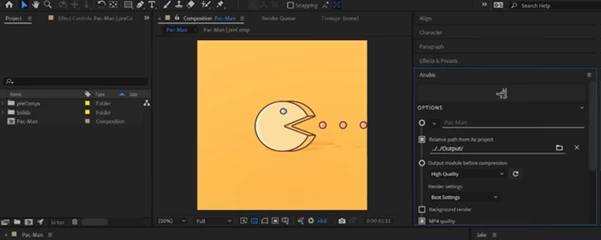
Anubis was designed to take small, fast video renders from Adobe applications to make it easier to share project updates with others. Plus, it utilizes file naming and folder organization options to assist with rendering project updates in the background so you can focus on your project itself.
What Is Anubis?
Anubis is a lightweight video-rendering tool created to make quick MP4 exports from Adobe applications easier and more practical.
It was originally developed from a simple problem: After Effects could not easily export MP4 files, while creative teams constantly needed small video files for previews and communication.
Even though Adobe applications have evolved and MP4 export is now possible from the Render Queue, Anubis can still be useful when your priority is speed, consistency, and workflow organization.
Imagine finishing a short animation and needing to send a preview to a teammate. Instead of manually setting up an export, renaming the file, finding the correct folder, and repeating the process every time, Anubis can handle much of that routine work for you.
Features
Quick MP4 Rendering
Anubis was developed with a focus on creating small, high-quality MP4 files as quickly as possible. Anubis is ideal for creating previews for projects that do not need to be the final delivery file for the project.
Smart File Naming
One of the most practical features is its dynamic file-naming system.
Using naming tokens, you can create consistent file names based on your project settings. This reduces repetitive manual work and helps prevent confusing files such as final_v2_really_final.mp4.
Automatic Folder Management
Keeping renders organized becomes much easier when files are sent to the right location automatically.
This is especially helpful for remote teams where everyone needs to know exactly where the latest project preview lives.
Background Rendering
Once your settings are defined, Anubis can render in the background, allowing you to continue working instead of waiting for every small export to finish.
For busy creative workflows, this can make a surprisingly noticeable difference.
Render and Send to Other Apps
Anubis is also designed to fit into a broader creative workflow. Rendered MP4 files can be sent to other applications, making it easier to move from creating to reviewing, sharing, or presenting.
KBar Support
Anubis can be used with KBar, giving users another convenient way to trigger renders directly from their existing Adobe workflow.
Lightweight Preview Workflow
The tool is not intended to replace a complete final-delivery encoding workflow. Instead, it shines when you need a fast visual representation of your work.
For example, an animator can render a short MP4 after making a timing adjustment and send it to a teammate within moments, without treating every preview like a final export.
Professional Tips
Create Consistent Naming Rules
If you regularly work on large projects, take advantage of Anubis’s naming tokens. A consistent naming structure makes it much easier to identify versions, scenes, dates, or project stages.
Separate Previews From Final Files
Think of Anubis as a tool for communication and iteration, rather than necessarily the final step before delivery.
Keep lightweight preview renders separate from high-quality master files so that your project remains clean and easy to manage.
Use It for Remote Collaboration
When working with a remote team, frequent visual updates can be more useful than long explanations.
A tiny MP4 showing the latest animation, transition, or compositing change can communicate progress quickly and keep everyone aligned without interrupting the creative process.
Automate the Repetitive Parts
The biggest advantage of a tool like Anubis is not simply that it creates an MP4. It is that it can reduce the number of small decisions you have to make every time you render.
Define your preferred settings, naming structure, and folder organization once, then let the workflow take care of the repetitive steps.
Know What It Is Not
Anubis is not designed to give you complete control over every compression-codec parameter, nor is it necessarily the best choice for preparing final delivery files.
Its strength is simpler: fast, practical video rendering for everyday creative work.
Anubis and Modern Adobe Workflows
One important point for current users is compatibility.
Photoshop 2025 and newer no longer support ZXP extensions, even when running through Rosetta mode. As a result, Anubis no longer runs in Photoshop 2025+.
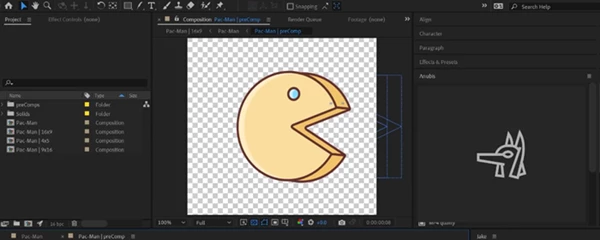
However, Anubis continues to work with After Effects, Animate, and Premiere Pro, where its quick-rendering workflow remains useful.
Final Thoughts
Anubis was born from a very practical creative problem: sometimes you need an MP4, and you need it now.
Today, Adobe applications have made MP4 exporting easier, but Anubis still has a place for users who value a streamlined workflow, predictable file naming, organized folders, quick previews, and background rendering.
It is less about replacing every rendering method and more about making those everyday “just send me a quick preview” moments painless.
If your workflow involves frequent previews, remote collaboration, or lots of small video renders, Anubis is worth exploring and seeing how well it fits into your routine.

Files Password : gfxplugin.com OR 123456