Downloadable Files
You can download Squishfx for free from the end of this page.
Bring Soft-Body Motion to Life
Creating believable soft-body motion in Blender can take a lot of time, especially when you want characters and objects to react naturally to movement and surfaces. Squishfx makes this process much easier by adding realistic, controllable squish, bounce, inflation, and jiggle effects.
Whether you are working on character animation, stylized deformation, or physics-driven motion, Squishfx helps add the secondary movement that can make an animation feel much more alive.
What Is Squishfx?
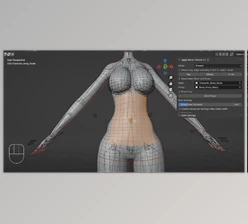
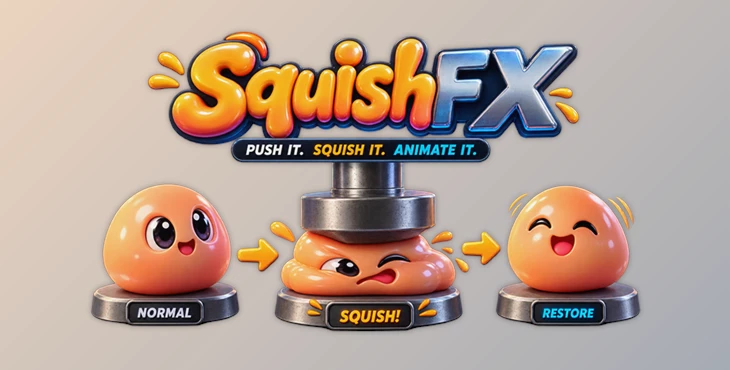
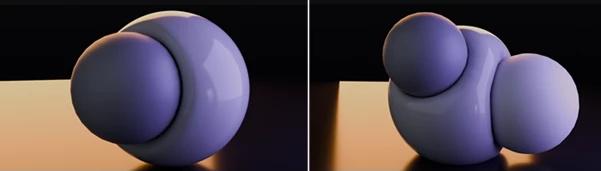
Squishfx is a Blender addon that gives you the ability to create soft-body and jiggle effects to your objects and the parts of the characters in your scene when they are compressed or moved in relation to other surfaces in your scene.
Instead of complex manual deformation, Squishfx allows for deformation effects such as squishing a character’s part against the ground or making an object bounce after hitting the ground.
Such subtle deformations can add more physical realism to a character or object while also adding some fun and stylized deformation effects when desired.
Features
Squish
The classic Squish effect creates soft compression and bounce. It is useful when an object needs to react to an impact, movement, or contact with another surface.
For example, a character landing after a jump can compress slightly on impact and then bounce back into shape, creating a more satisfying sense of weight.
Squish Inflate
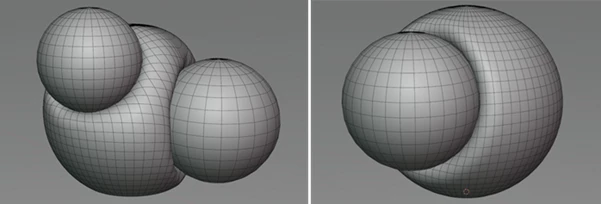
Squish Inflate combines squashing with dynamic inflation while helping maintain the object’s volume. This makes deformation look more natural instead of simply flattening the mesh.
It can be particularly useful for stylized characters and objects where exaggerated deformation is part of the animation style.
Fat Jiggle
Fat Jiggle adds lively secondary motion to soft areas and body parts. Small movements can continue naturally after the main motion has stopped, giving the animation extra life.
This type of secondary motion can be especially effective in character animation, where subtle movement helps prevent the character from looking overly rigid.
Collision Detection
One of the important strengths of Squishfx is its collision behavior. The addon is designed to create clean and responsive interactions between soft forms and surrounding surfaces.
This means you can create deformations that respond naturally when an object moves into contact with another surface, helping the result feel more physical.
Controllable Deformation
Squishfx focuses on giving artists control over their deformation effects. This makes it suitable for both realistic motion and more exaggerated, cartoon-style animation.
Professional Tips for Better Results
Start with subtle deformation and increase the intensity gradually. Soft-body effects can become distracting if the movement is exaggerated too much.
It is also helpful to consider the timing of the secondary motion. A small delay between the main movement and the resulting jiggle can make the animation feel more natural.
For character animation, try combining Squish, Squish Inflate, and Fat Jiggle where appropriate. Different types of movement can work together to create richer and more convincing results.
Finally, always preview the effect in motion rather than judging it from a single frame. Soft-body deformation is primarily about movement, timing, and reaction.
Why Squishfx Can Make a Difference
In many cases, small physical reactions can have a big impact on the quality of animation produced for a feature film or other media project. Considerations of the deformation of an object or character after it performs a particular action can make a significant difference in the visual dynamics of the film.
Squishfx also provides these effects directly inside Blender, saving artists from having to perform such deformations manually on every model.
Final Thoughts
Squishfx will be of use to anyone working in Blender and looking for a way to add convincing soft-body movements and deformations to their characters and objects.
The features included with Squishfx, such as Squish, Squish Inflate, Fat Jiggle, and collision detection, allow artists to create physically realistic characters and objects in their Blender projects.
So if you are looking for a tool that can make your Blender characters and objects more physically realistic, Squishfx is worth considering for your Blender project.

Files Password : gfxplugin.com OR 123456