Downloadable Files
You can download the Retro Computer Effect Bundle for free from the end of this product page.
Bring the 1980s Look Back to Life
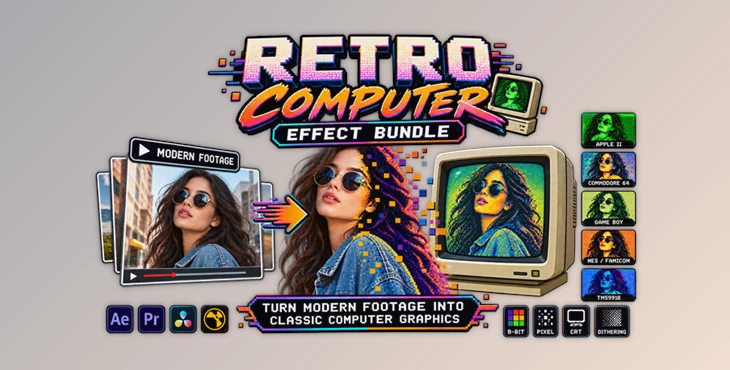
What if your modern video could suddenly look like it came straight from an Apple II, Commodore 64, Game Boy, or classic NES? Retro Computer Effect Bundle makes that possible by recreating the distinctive graphics, limited color palettes, dithering, and CRT characteristics of early computers and game consoles.
Instead of simply applying a pixelation filter, this bundle focuses on the visual limitations and display behavior of the original hardware. The result is a much more convincing retro aesthetic that can add personality and nostalgia to videos, animations, game-inspired projects, and experimental visuals.
What Is Retro Computer Effect Bundle?
Retro Computer Effect Bundle is a video conversion plugin bundle designed to transform modern footage into graphics inspired by classic 1980s computer and gaming systems. The package includes five different systems:
- Apple II
- Commodore 64
- Nintendo Game Boy
- Nintendo Entertainment System (NES/Famicom)
- TMS9918
Each effect recreates the characteristics of its original hardware, including palette limitations and display behavior. This makes it useful when you want more than a basic pixel-art effect and need a stronger sense of authenticity.
For example, a Game Boy-inspired project can use realistic four-shade monochrome quantization, while an Apple II project can reproduce the distinctive appearance of original HGR, DHGR, LORES, and DLORES display modes.
Features
Five Classic Retro Systems
One of the biggest advantages of the bundle is that several iconic platforms are included in one package. You can switch between the visual characteristics of the Apple II, Commodore 64, Game Boy, NES, and TMS9918 instead of relying on a single generic retro filter.
Authentic Color Quantization
The effects reproduce the limited palettes associated with the original hardware. This helps modern footage feel more like it was actually generated by an older computer or console rather than simply having its resolution reduced.
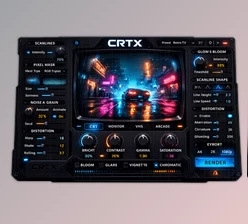
CRT Scanlines and Blooming
This effect will help to create the visual characteristics of CRT displays. These effects will help to create convincing retro footage, especially of classic screens and games.
Three Dithering Algorithms
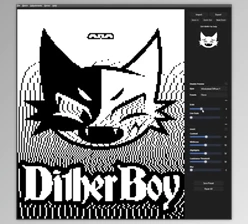
The bundle includes three high-quality dithering methods for producing smoother and more natural-looking results within restricted palettes.
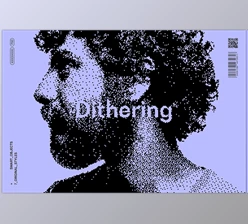
Dithering is particularly useful when the original hardware has fewer colors available than the source footage. Instead of producing harsh color transitions, it uses carefully arranged pixels to create the impression of additional tones.
Reduced Flicker
For Floyd-Steinberg and Atkinson dithering, Spatial Mix and Switch Hold provide additional control over temporal stability.
Spatial Mix analyzes neighboring pixels to help stabilize palette selection, while Switch Hold preserves the previous frame’s palette selection to reduce flickering between frames.
Input Level and Contrast Controls
Levels and contrast allow you to adjust the input image prior to color quantization. These settings are helpful for adjusting for footage that does not naturally fit the colors of the retro system that you choose.
Five Retro Looks in One Bundle
Apple II
This preset allows users to select from the visual characteristics of the Apple II, IIe, and IIc. The modes include HGR, DHGR, LORES, and DLORES.
This preset is best used for projects inspired by the early days of computing and the various programs and technologies of the 1980s.
Commodore 64
The Commodore 64 effect recreates the characteristic display appearance of one of the most recognizable home computers of the era.
Its hardware-inspired color and graphics treatment can give modern footage a distinctly C64-like appearance without relying on a generic pixel filter.
Game Boy
The Game Boy effect takes a different approach by reproducing the handheld console’s iconic four-shade monochrome appearance.
The limited palette combined with dithering can be particularly effective for character animation, short clips, stylized music videos, and footage designed to resemble classic handheld games.
NES / Famicom
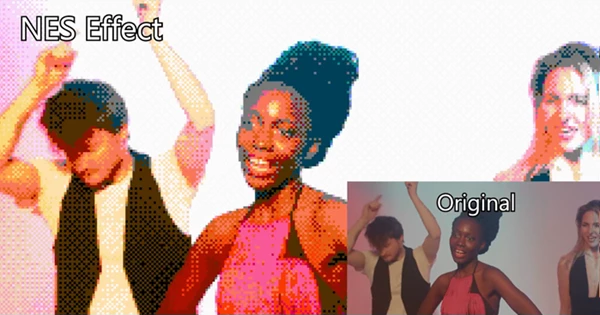
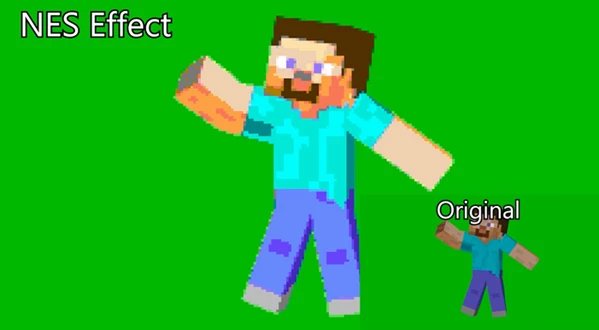
The NES effect recreates the graphics style of Nintendo’s classic home console, including its characteristic color palette and graphics techniques.
It can be useful for projects that want a recognizable 8-bit console aesthetic while retaining the movement and composition of modern video.
TMS9918
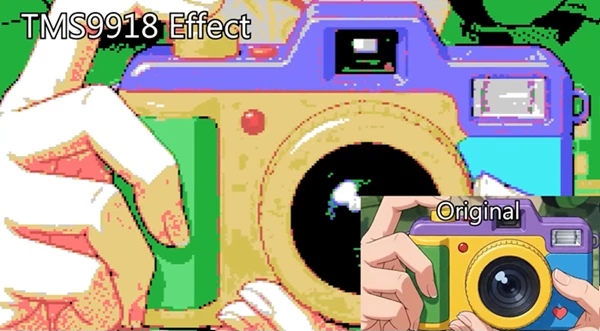
The TMS9918 effect recreates the display characteristics of a video chip used across numerous computers and gaming systems from the late 1970s and early 1980s.
The TMS9918 and its variants appeared in systems including the ColecoVision, MSX, SG-1000, TI-99/4, Sord M5, Tomy Tutor, Tatung Einstein, and several others. This makes the effect particularly interesting for projects inspired by the broader world of early home computing and gaming.
Professional Tips for Better Results
Start With Input Level and Contrast
Color quantization works best when the source image is properly balanced. Use Input Level to adjust brightness and Input Contrast to control the tonal range before the image is converted to the selected hardware palette.
Small adjustments can make a noticeable difference because retro systems have far fewer colors available than modern video.
Choose Dithering Carefully
Dithering can make limited-color footage look more natural, but stronger settings aren’t always better.
Try different dithering methods and strengths while watching the actual footage. A subtle amount can preserve important details without making the image look excessively noisy.
Control Temporal Flicker
When using Floyd-Steinberg or Atkinson dithering on video, pay attention to movement between frames. Switch Hold can help reduce distracting palette changes, while Spatial Mix can stabilize color decisions by considering neighboring pixels.
Avoid pushing either control too far, though. Excessive stabilization can make the image feel unnatural.
Add CRT Effects at the Right Intensity
Scanlines and blooming can instantly strengthen the retro atmosphere, but subtle settings often produce a more convincing result.
If the CRT effect becomes too strong, it can obscure important image details. Adjust it while viewing the footage at its intended playback size.
Use Linear Color for Float I/O When Required
When using the plugin with Nuke or Natron, enable Use linear color for float I/O. This option ensures that floating-point input and output are treated as linear color.
A Simple Way to Add Authentic Retro Style
The biggest strength of Retro Computer Effect Bundle is that it goes beyond simply making modern footage look pixelated. By combining hardware-inspired palettes, dithering, CRT characteristics, and system-specific graphics techniques, it provides much more control over the final retro appearance.
Whether you want the monochrome feel of a Game Boy, the colorful limitations of the NES, the distinctive look of a Commodore 64, or the unusual graphics characteristics of the Apple II and TMS9918, the bundle gives you several classic directions to explore.
Final Thoughts
For anyone looking to add retro style to their videos and projects, Retro Computer Effect Bundle is a worthwhile tool to add to their video editing software. With five different hardware-inspired effects, users have considerably more control over the retro style of their videos than with a basic pixelation tool.
To get the best results using Retro Computer Effect Bundle, users should experiment with the Input Level, Input Contrast, Dithering, Spatial Mix, and Switch Hold settings to find the perfect balance for their project.
For anyone looking to experiment with authentic retro 1980s computer and video game graphics, Retro Computer Effect Bundle is definitely worth exploring.
 Retro Computer Effect Bundle (v0.4.0).rar (Size: 659.8 KB - Date: 9/15/2026 12:03:11 PM)
- Retro Computer Effect Bundle - Video Conversion Plugin by Aescripts (v0.3.4).rar (Size: 5.0 MB - Date: 9/12/2026 2:27:44 PM)
- Aescripts - Retro Computer Effect Bundle v0.3.0.rar (Size: 4.9 MB - Date: 8/22/2026 2:28:30 PM)
Files Password : gfxplugin.com OR 123456