Downloadable Files
You can download the product Matplus for free from the end of this page.
Bring Professional Texture Painting Directly Into Blender
If you are looking to create detailed and realistic materials for your 3D models, then Matplus is the perfect tool to include in your Blender installation. Based on industry-standard tools like Substance Painter, ArmorPaint, and Mari, Matplus will give you the professional texture painting workflow that you need - all within Blender.
Whether you are creating game assets or complex 3D scenes, Matplus will give you the tools that you need to create detailed and realistic materials for your projects. With Matplus, you can create non-destructive layers, masks, effects, and bake your textures directly within Blender.
What Is Matplus and Why Does It Matter?
Matplus is a Blender add-on that allows texture artists to create materials in a painting-like environment. Rather than working with the available material for a texture, artists can work with several paint layers within the material to create the textures.
The added control that artists have over the materials gives them the power to edit specific aspects of a 3D model’s appearance. For instance, if an artist wanted to create the appearance of metal damage, they could paint the necessary details into separate layers that can be edited individually at any time without having to start the project from scratch.
Matplus allows texture artists to directly paint on 3D models within Blender to create detailed materials without having to use multiple software packages.
Professional Material Creation Made Easier
Matplus makes complex texturing tasks more accessible by bringing advanced painting features into Blender. Artists can create realistic surfaces, experiment with different looks, and maintain full control over every part of a material.
A game artist can use Matplus to prepare export-ready textures for Unreal Engine or Unity, while a 3D artist creating cinematic assets can develop highly detailed materials with realistic surface details.
Features
Non-Destructive Paint Layers
Matplus provides a Photoshop-style layer system inside Blender. Artists can create, organize, and adjust multiple paint layers while keeping their workflow completely editable.
Real-Time Effects
The tool includes powerful effects such as blur, high pass, levels, sharpen, bevel, and slope blur. These effects help enhance texture details and create more realistic materials without complicated manual adjustments.
Layer Masks and Advanced Control
Per-layer masks allow precise editing of specific areas. You can easily control where effects appear, protect important details, and create complex surface variations.
Direct 3D Painting With Tablet Support
Artists can paint directly on their models with full tablet support, making the process more natural and intuitive. This is especially useful for adding hand-painted details, imperfections, and artistic touches.
2D Symmetry Painting
Matplus allows artists to paint across a flat material layout while seeing all visible layers, similar to workflows used in Substance Painter and Mari. This makes detailed texture editing much easier.
UDIM Support
Working with large and detailed assets becomes simpler with support for multiple UDIM tiles. Artists can create high-resolution textures for professional production environments.
Advanced Baking System
Matplus includes an optimized baking system with adaptive cages to reduce distortion and improve bake quality. It supports maps such as Normal, Roughness, Ambient Occlusion, Curvature, Edge, Bevel, and more.
Game Engine Ready Export
Textures created in Matplus can be exported directly for engines like Unreal Engine and Unity, making it a useful solution for game development workflows.
Large Texture and Material Library
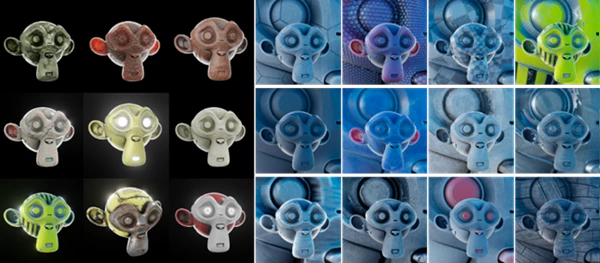
The package includes nearly 1000 grayscale textures for masks, custom brushes, and hard surface details. It also provides more than 360 categorized PBR materials from AmbientCG to help artists quickly build realistic surfaces.
Professional Tips for Better Results
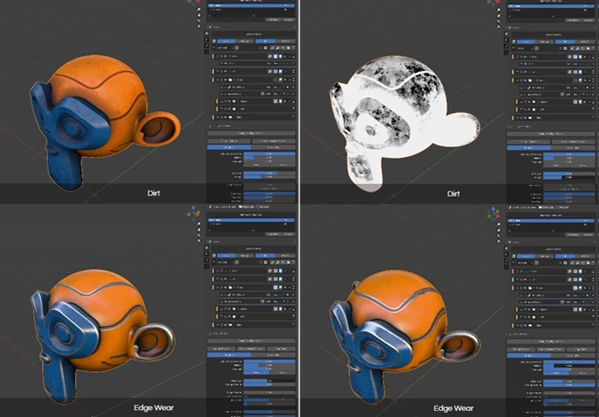
To get the best results when using Matplus, it is recommended to keep your materials organized by having each detail in its own layer. For example, separate layers for dirt, scratches, roughness, and base color will give you more control over your textures.
Using masks within Matplus allows you to apply various effects only to specific areas of your model rather than the entire model.
For hard surface models, combining the curvature, edge, and roughness settings within Matplus will allow you to create realistic models with the correct amount of wear and age to the materials.
When creating models for games, always make sure to check the resolution and settings for your textures when using Matplus to ensure the best performance and quality for the model.
A Faster Way to Build Better Materials
Matplus allows artists to have a professional texture painting experience within the popular 3D editor, Blender. With Matplus within Blender, artists can control every detail of the texture of their models without having to leave the editing program.
Matplus can help anyone working in Blender to create detailed game and cinematic assets with more control over their projects. By exploring the features of Matplus, artists can greatly improve their project outcomes and create even more impressive projects within Blender.

Files Password : gfxplugin.com OR 123456