Downloadable Files
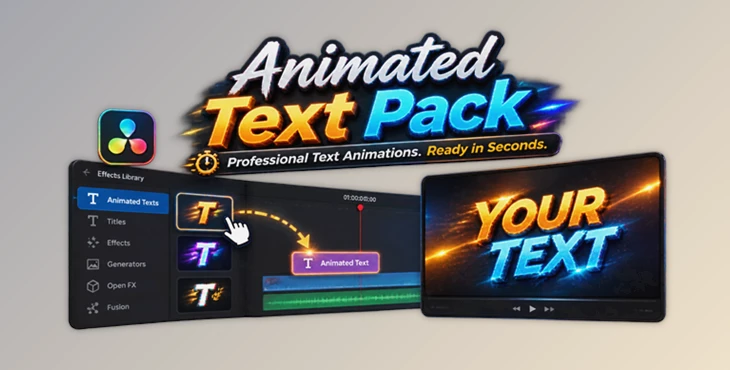
You can download the product Animated Text Pack for free from the end of this page.
Bring Your Text to Life Easily
When adding text to a video project, people often spend many hours creating text animations. With the Animated Text Pack, creating text animations will be faster and easier for you.
This tool will allow editors to quickly create text animations that look professional without having to work through complex authoring workflows. Whether creating videos for social media, for cinema use, for promotional use, or even for motion graphics projects, this software will allow editors to create stunning text animations with just a few clicks of the mouse.
What Is Animated Text Pack and Why Use It?
Animated Text Pack allows you to animate your text very easily. There is no need to fuss with the various settings and parameters to create your own animated titles with unique effects.
You can animate your text in the following ways:
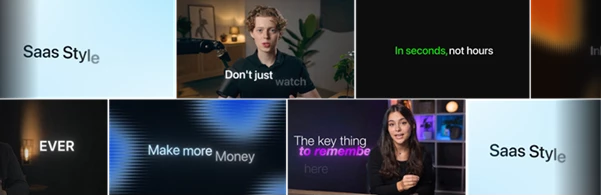
- Animate the full text
- Animate the text letter by letter
- Animate your text word by word
- Animate your text line by line
Choose the perfect text animation type according to the message you want to convey. Simple text messages can be animated letter by letter, while complex messages can be animated word by word to give the audience a detailed presentation of the message.
By reducing manual work and offering flexible controls, this product allows designers to focus on their creativity instead of the automation process.
Meet Animated Text Pack
Animated Text Pack is designed for individuals looking to add professional text animations without the complexities of the animation process. It features a wide range of text animation and styling options.
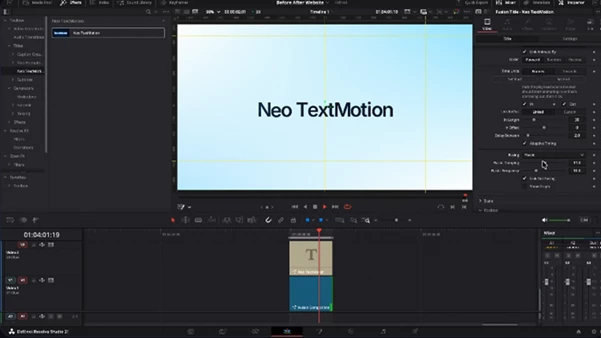
Animated Text Pack is designed for DaVinci Resolve users and can be used on both the Edit and Fusion pages, and is compatible with Apple Silicon, Intel, Windows 10, and Windows 11 systems.
Features
67 Million Animation Combinations
Animated Text Pack offers millions of possible animation combinations by combining different animation modules, easing curves, and text split options.
This means every project can have its own unique text style instead of repeating the same basic effects.
Zero Keyframes Workflow
One of the biggest advantages of this tool is its keyframe-free workflow. Users can create professional animations by selecting options, adjusting timing, and choosing the right motion style.
This makes the animation process much faster, especially for editors who need to create multiple titles in a short time.
42 Built-In Presets
The pack includes 42 ready-to-use presets, ranging from clean and minimal animations to more energetic and expressive styles.
Users can also create and save their own presets with the preset manager, making favorite animation styles available in future projects.
67 Classic Animated Titles
As a bonus, Animated Text Pack includes 67 classic animated titles from the original Animated Text Pack collection.
These titles are available in both 30 FPS and 60 FPS versions, giving editors more flexibility for different project requirements.
Advanced Text Splitting Options
The animation can be applied in different ways depending on the style you want:
- Full text movement
- Individual character animation
- Word-based effects
- Line-by-line transitions
This feature is especially useful for creating modern UI animations, advertising videos, and engaging online content.
Custom Easing Controls
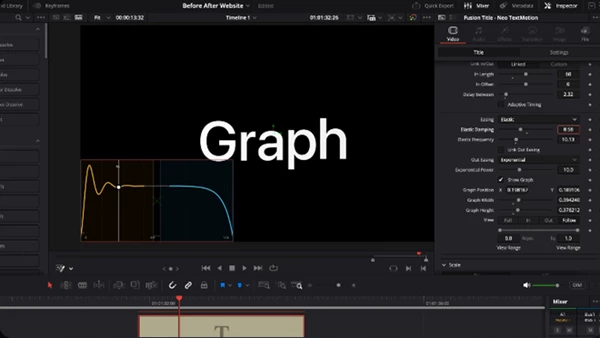
Smooth motion depends heavily on timing and easing. Animated Text Pack provides multiple easing options for both animation in and animation out.
Users can choose existing curves or create custom movement using the curve editor for more precise control.
Continuous Motion
The tool is not limited to entrance and exit animations. Continuous motion keeps text moving while it stays on screen, creating more dynamic visuals.
This is useful for looping designs, presentations, and modern motion graphics.
Stop Motion Effects
For a handmade animation style, the stop motion feature creates stepped and unique movements that can add personality to titles.
Professional Text Styling
Animated Text Pack includes additional styling options such as:
- Animated shine effects
- Soft and adjustable shadows
- Character-level styling
- Custom outlines with adjustable thickness and corner roundness
These features help create polished titles directly inside the text settings.
Professional Techniques and Tips
To get the best results from Animated Text Pack, consider these practical tips:
Choose Animation Based on Your Message
Choose fast animations for social media, advertisements, and promotional videos. Choose slow animations for cinematic titles and professional presentations.
Avoid Overusing Effects
Powerful animations do not have to be overly complicated. Choose an animation that suits your content instead of one that distracts from your message.
Use Presets to Save Time
Save your favorite animations as presets. This will ensure that you always maintain brand consistency across your projects.
Combine Motion With Good Typography
When creating animations, it is important to always pair your motion graphics with readable fonts and typography. The best motion graphics will enhance your message, not obscure it.
Final Thoughts: Make Text Animation Simpler
The Animated Text Pack comes with video editors to save them the time and effort of having to create each text animation manually. With so many different animation possibilities for text, with customizable presets and titles, editors will have all they need to create the videos they envision for their projects.
From YouTube videos to social media content, advertisements, and more, the Animated Text Pack will be of great use to video editors. Give your project a try and discover new ways to make your titles more dynamic and creative.

Files Password : gfxplugin.com OR 123456