Downloadable Files
You can download R-Cycles for free from the end of this page.
A Faster Way to Push Cycles Further
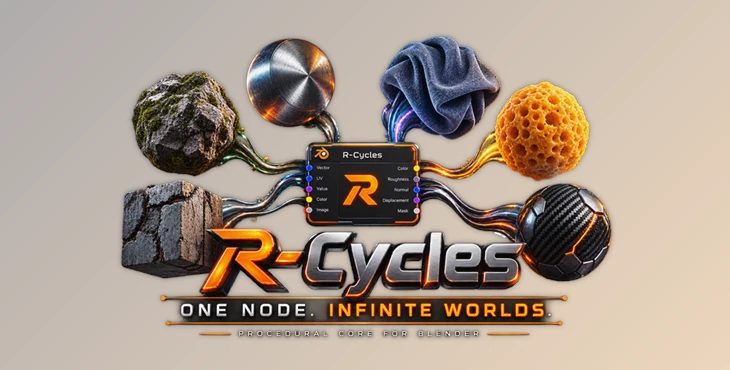
If you work with Blender and Cycles, then you know just how powerful it can be. However, as with any program, complexity often comes with a cost. With R-Cycles, a collection of tools has been added directly into the Cycles renderer to give artists better control over procedural materials.
With R-Cycles, artists can create procedural materials within the renderer using native C++ shader nodes to reduce the complexity of creating procedural materials for use within their projects.
What Is R-Cycles?
R-Cycles is a custom build of Blender Cycles that extends the official Cycles rendering engine with a range of native procedural shading tools. The package is designed to work directly inside the rendering kernel rather than behaving like a conventional node-based addon.
This approach is especially useful when you need detailed materials without building enormous networks of mathematical nodes. For example, instead of combining many nodes to create directional fabric fibers, scratches, carbon-fiber structures, or complex geometric patterns, R-Cycles provides dedicated tools for generating these effects directly.
Because these features are implemented in C++, they are designed for native Cycles performance and support GPU acceleration through CUDA and OptiX, helping keep procedural workflows efficient and practical.
Features
Native C++ Shader Nodes
R-Cycles is built around native shader nodes integrated into the Cycles kernel. The package avoids unnecessary node-group overhead and focuses on optimized tools designed specifically for rendering.
Math Parser
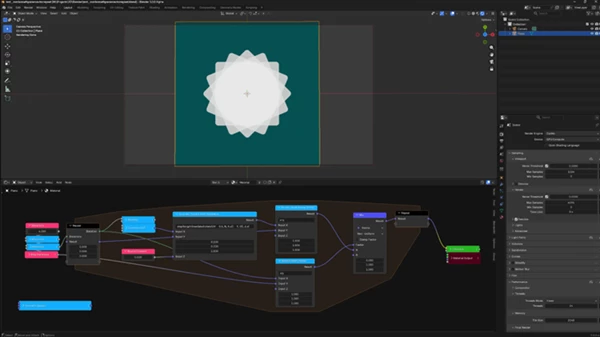
The Math Parser includes a native C++ compiler that converts custom mathematical expressions into optimized code before rendering begins.
This can replace large collections of math nodes with a single expression, making complicated procedural calculations much easier to manage while minimizing runtime overhead.
Next-Generation Noise Synthesis
R-Cycles introduces several specialized noise systems for producing structured and directional details. These include:
- LRPN and Phasor Noise for directional micro-details and structured surfaces.
- Curl Noise for fluid-like patterns and organic motion.
- Gyroid Noise for materials such as foam, sponges, and cheese.
- Kernel Noise for fabrics, carbon fiber, and other structured materials.
- Adaptive Filtering for advanced Scratch and Kernel nodes, helping preserve useful detail while reducing unwanted texture artifacts.
These tools make it easier to create materials that feel less repetitive and more physically convincing.
Geometric & Structural Patterns
Noise is useful for randomness, but many surfaces require a controlled structure. R-Cycles includes a dedicated Pattern system for generating organized procedural designs.
The package includes tools such as:
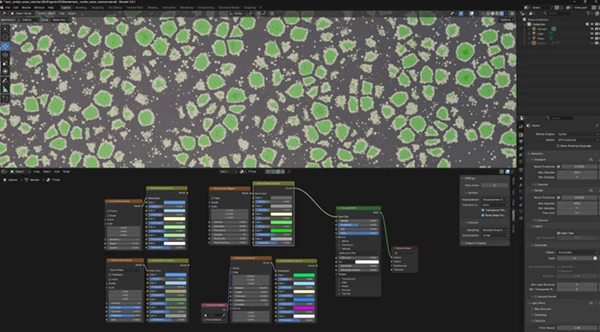
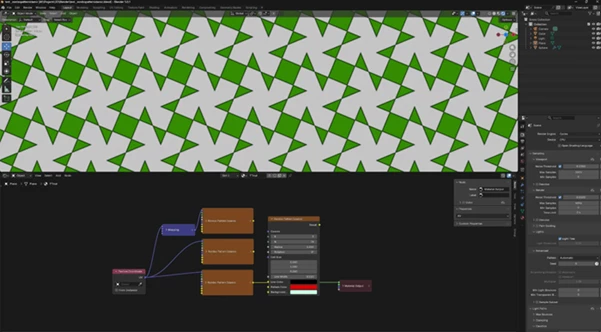
- Truchet Tiles
- Orbit Traps
- Symmetrized Patterns
- Crystallographic-style structures
These can be useful for architectural surfaces, decorative materials, manufactured products, tiles, and other designs where repetition and symmetry need to be controlled precisely.
Advanced Texturing
R-Cycles also adds specialized tools for working with image textures and surface depth.
The Image Tiler and Triplanar nodes provide native stochastic tiling capabilities, helping reduce visible repetition without requiring complicated node setups.
The Parallax system uses advanced Parallax Occlusion Mapping (POM) to create the appearance of complex surface depth on relatively simple geometry. This can be particularly useful for materials such as bricks, stone, panels, and other detailed surfaces.
GPU Acceleration
The provided Windows build supports:
- CPU
- CUDA
- RTX / OptiX
- HIP
This makes R-Cycles suitable for different hardware configurations while maintaining the benefits of the Cycles rendering workflow.
Practical Uses
One of the biggest strengths of R-Cycles is the variety of procedural materials it can help create.
For a fabric material, specialized noise and adaptive filtering can generate directional fibers and small-scale irregularities without requiring a massive node network.
For brushed metal, directional noise can provide subtle linear variation that follows the intended surface direction.
For carbon fiber, Kernel Noise can help create repeating but naturally filtered structural details.
For foam, sponge, or cheese, Gyroid Noise can generate complex organic patterns that would otherwise require considerable procedural work.
For fluid-like effects, Curl Noise can provide directional structures suitable for creating more organic-looking procedural patterns.
And when working with tiles, ornaments, or architectural patterns, the Pattern tools can provide controlled repetition and symmetry rather than relying entirely on random noise.
Professional Tips for Better Results
Keep Micro-Details Subtle
Many procedural textures can be too strong. Try to start with low contrast and increase the intensity as necessary to achieve the desired result.
Combine Structure With Noise
For convincing procedural materials, it is often beneficial to use the Pattern tools to create the main structure of the procedural material and use noise for the remaining details to create the illusion of organic materials.
Use Directional Noise Carefully
For materials like brushed metal and fabric, the direction of the noise matters. Use directional noise to express the physical look of the material rather than applying it to every part of the material.
Take Advantage of the Math Parser
If a material uses complex mathematical expressions, use the Math Parser node instead of all the math nodes in the shader editor. This makes the shader much easier to read and significantly cleaner.
Avoid Overbuilding the Geometry
If the depth of an object’s material can be achieved using parallax, there’s no need to overbuild the geometry of the object to represent the depth in the 3D scene. This is especially useful for scenes with a large number of 3D objects.
Check the Result at Render Distance
The best way to evaluate procedural textures is at the distance they will be viewed in the final project. What may look good up close can turn out to be noisy in the final project shot.
Final Thoughts
R-Cycles is more than just a collection of material presets for Cycles. It extends the capabilities of Cycles with a series of native procedural tools that allow for more detailed materials to be built within the renderer.
From noise and pattern nodes to image processing, Parallax, and the C++ Math Parser, R-Cycles gives Blender artists more options when creating procedural materials without the use of huge node networks within their projects.
For anyone who works with procedural materials within Cycles, this is certainly worth exploring. With the native tools and GPU acceleration that R-Cycles offers, this is a package that any Blender artist should explore for their Cycles rendering needs.

Files Password : gfxplugin.com OR 123456