Downloadable Files
You can download Flowr for free from the bottom of this page.
Bring Your Designs to Life
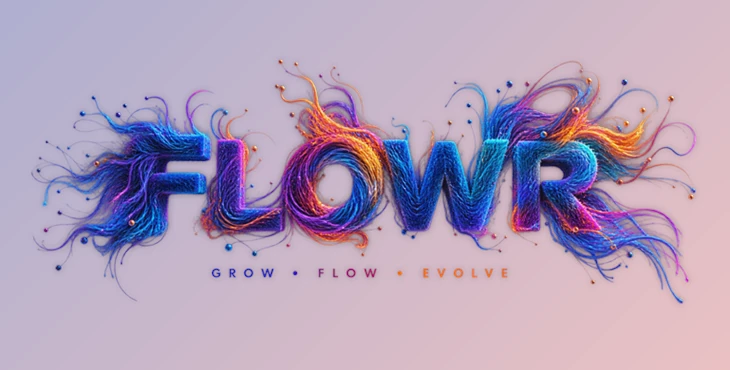
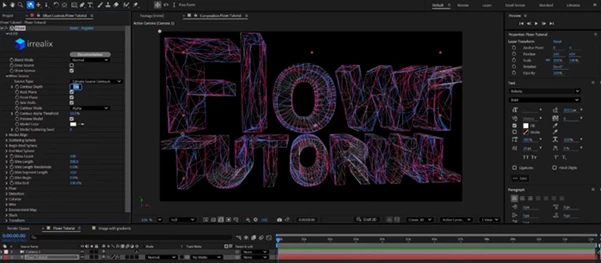
Imagine transforming your text, PNG (with transparency support), or 3D models into hundreds of thousands of colorful strands. This is the idea behind Flowr.
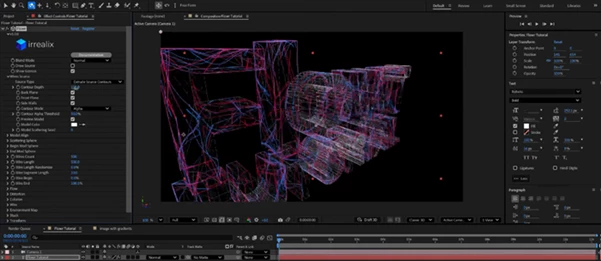
Flowr helps transform your design into a 3D surface and allows strands to grow out of it. By combining different force fields within the editor, you can create different types of 3D strands.
What Is Flowr?
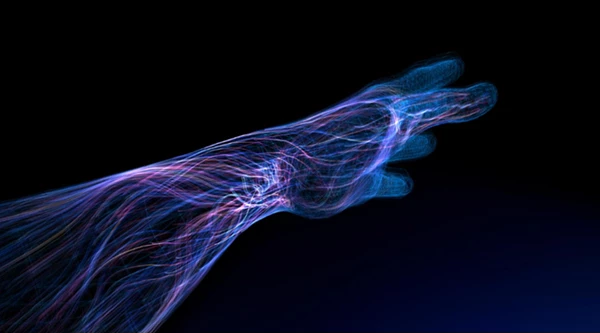
Flowr is a GPU-accelerated tool designed to generate directional 3D strands from images, text, and basic 3D geometry. Instead of manually modeling every curve, you provide a source and let Flowr calculate the surface and guide the strands across it.
The strands can respond to different forces, including curl noise, base vectors, normal vectors, and surface attraction. This makes it possible to create results that feel much more natural and dynamic than simple straight-line extrusion.
For example, you could turn a logo into a field of flowing strands, create a glowing organic sculpture from a text layer, or build a surface covered with twisting directional wires. Because the strands can be colored with gradients, the final result can also have a rich and polished visual appearance.
Features
Smart Growth from Almost Anything
Flowr can work with a variety of sources, including text layers, PNG images with alpha, OBJ models, spheres, and rounded cubes.
The tool detects the source contour, converts it into a 3D surface, and grows strands directly from that surface. This means you can start with something as simple as typography and quickly transform it into a complex 3D composition.
Multi-Field Steering
One of Flowr’s most interesting features is its ability to combine multiple steering fields.
You can mix:
- Curl noise for organic movement
- Base vectors for overall direction
- Normal vectors for surface-based growth
- Surface attraction for keeping strands connected to the source
Each field can have its own length ramp, allowing the behavior to change along the strand. For instance, strands can remain relatively straight near their roots and gradually become more twisted toward their tips.
This gives you much finer control over the final shape without having to manually edit individual strands.
Gradient Coloring
Flowr isn’t limited to monochromatic strands. You can combine the original source colors with customizable gradients to create smooth, colorful results.
Gradients can be looped, offset, and randomized, making it easy to avoid repetitive patterns and create more varied compositions.
Gradient From Image
For even more control, Flowr can use an image as a source for gradients.
Each line of the image can be interpreted as a gradient, allowing multiple color transitions to be extracted from a single image. Strands can then receive randomly selected gradients, creating complex color variations while maintaining a cohesive visual style.
GPU Accelerated
Generating huge numbers of strands can normally be a demanding task, but Flowr uses GPU acceleration to handle hundreds of thousands of strands in real time.
This makes experimentation much faster. You can adjust parameters, test different force fields, and explore new looks without constantly waiting for long processing times.
Animate Everything
Flowr is also designed with animation in mind. You can animate the noise to create naturally moving strands, animate growth so the strands appear progressively, and control length or starting positions using masking spheres.
This opens the door to dynamic reveals, flowing logo animations, abstract motion graphics, and constantly evolving 3D visuals.
Masking Sphere
The built-in masking sphere provides another convenient way to control strand generation.
You can use it to limit the growth area or animate the length and starting position of strands. This gives you an intuitive way to create localized effects and progressive animations.
Depth of Field
Flowr includes built-in depth of field for creating cinematic blur.
When working with large numbers of strands at different depths, this can help establish visual hierarchy and give the final render a more polished 3D appearance.
Professional Tips for Better Results
Start With a Simple Source
You don’t need a complicated 3D model to get impressive results. Start with a clean text layer, logo, or simple shape and experiment with strand direction and length before adding more complexity.
Combine Fields Gradually
Using every available force at maximum strength can quickly make the strands look chaotic. Try introducing one field at a time and gradually increasing its influence.
A useful approach is to keep the roots relatively controlled while allowing curl noise or other forces to become stronger toward the tips.
Use Length Ramps Creatively
Length ramps are particularly useful for controlling how a strand evolves from its starting point to its endpoint.
For a cleaner result, keep the beginning of the strand more stable and introduce stronger distortion later. This often produces a more intentional, organic look.
Avoid Uniform Colors
Randomized gradients can help prevent large strand systems from looking repetitive. Try combining a limited palette with different gradient offsets or randomly selected gradients.
This keeps the overall design consistent while giving individual strands enough variation.
Animate Slowly
For natural motion, subtle changes usually work better than aggressive animation. Slowly moving curl noise or gradually revealing strands can make the result feel alive without becoming visually overwhelming.
Use Depth to Add Focus
When creating dense strand compositions, depth of field can help separate foreground elements from the background. A carefully placed focus area can make an otherwise complex field of strands much easier to read.
Final Thoughts
Flowr makes it easier than ever to explore the visual possibilities of procedural 3D strands. By using an image, text layer, or even 3D shape, you can create procedural strands and experiment with various fields to manipulate the way in which the strands grow and move.
With so many features within Flowr, such as smart surface generation, multiple fields to control the strands' movement, gradient coloring, GPU acceleration, animations, masking, and depth of field, there is plenty of scope for experimentation.
From motion graphics to abstract 3D artwork, Flowr can be used to create a variety of different content. You can experiment with various fields and gradients until the procedural strands exhibit the movement and design you are looking for.

Files Password : gfxplugin.com OR 123456