Downloadable Files
You can download Fast Whip Transitions for free from the end of this page.
Add Energy to Every Cut
Want your edits to feel faster, sharper, and more dynamic? Fast Whip Transitions makes it easy to create high-energy camera pan transitions with realistic motion blur and dynamic camera shake, all directly inside DaVinci Resolve’s Edit Page.
Instead of spending time building complex effects, you can simply drag and drop the transitions into your timeline and customize them with intuitive controls.
What Are Fast Whip Transitions?
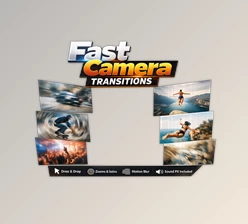
Fast Whip Transitions are rapid camera-pan effects that simulate the look of a real camera quickly moving from one shot to another. Combined with motion blur and camera shake, they create a strong sense of speed and movement.
This style works especially well when you want to connect action-packed clips without making the edit feel static. For example, you can transition between different locations in a travel vlog, rapidly switch between shots of a moving car, or create energetic cuts in a sports montage.
The multi-clip capability makes the effect even more interesting. You can add one or two extra videos between Clip A and Clip B, creating fast, multi-frame whip sequences that feel much more dynamic than a standard two-clip transition.
A Professional Transition Tool for DaVinci Resolve
Fast Whip Transitions is designed for editors who want impressive results without complicated Fusion workflows. Everything is handled directly from the Edit Page, making the process fast and accessible.
Features
- Multi-Clip Transitions: Add 1 or 2 extra clips directly inside the transition controls to create rapid multi-cut whip sequences.
- Customizable Direction: Freely change the pan direction to match the movement and composition of your footage.
- Invert Effect Toggle: Apply a color-invert effect to additional clips instantly with a single click.
- Motion Blur: Built-in high-speed motion blur helps create smoother and more convincing movement.
- Realistic Camera Shake: Add natural camera movement for extra impact and energy.
- Native Edit Page Workflow: Drag and drop transitions directly into your timeline without using Fusion.
- Resolution Independent: Use the transitions with Full HD, 4K, and vertical 9:16 projects.
- No Plugins Required: The pack works natively inside DaVinci Resolve.
- DaVinci Resolve 20+ Support: Compatible with both Free and Studio versions.
- Video Tutorial Included: A step-by-step tutorial helps you get started quickly.
Where Can You Use It?
This pack (Videohive 64777778) is a great fit for projects where movement and energy are important. They can make action edits more exciting, add speed to travel videos, and create sharp visual changes in automotive and sports content.
They are also useful for commercial videos and high-energy music edits, where quick cuts and strong motion can help maintain the viewer’s attention. With support for vertical 9:16 formats, you can also use them for TikTok videos, Instagram Reels, and YouTube Shorts.

Tips for More Natural Results
For the best results, try matching the whip direction with the movement already present in your footage. If a subject is moving toward the right, a transition that continues in the same direction will usually feel more natural.
You can also use the multi-clip feature selectively. Adding one or two intermediate shots can create an exciting burst of visual information, but using it on every cut may make the edit feel overwhelming.
Motion blur and camera shake should also support the movement rather than dominate it. Keep the overall rhythm of the transition consistent with the pace and mood of your footage.
For vertical content, make sure the important subjects remain within the 9:16 composition so the fast movement does not hide the key visual details.
Make Fast Edits Feel Even Faster
A good whip transition does more than simply move from one clip to another. It helps control the rhythm of an edit and gives the viewer a stronger feeling of momentum.
With Fast Whip Transitions, you can achieve this style without complicated compositing or Fusion work. The combination of customizable direction, multi-clip support, motion blur, and realistic camera shake gives you plenty of control while keeping the editing process simple.
If you work on action edits, travel content, automotive videos, sports montages, commercials, or energetic music videos, this pack (Videohive 64777778) can be a practical addition to your DaVinci Resolve workflow.

Files Password : gfxplugin.com OR 123456